Luxury 3D watch product experience page (Next.js + Three.js)
A long, detailed Japanese prompt for designing a luxury 3D product experience web page for high-end watches, using Next.js, Three.js, React Three Fiber, GLSL, and specific scroll sections and shader requirements.
The prompt
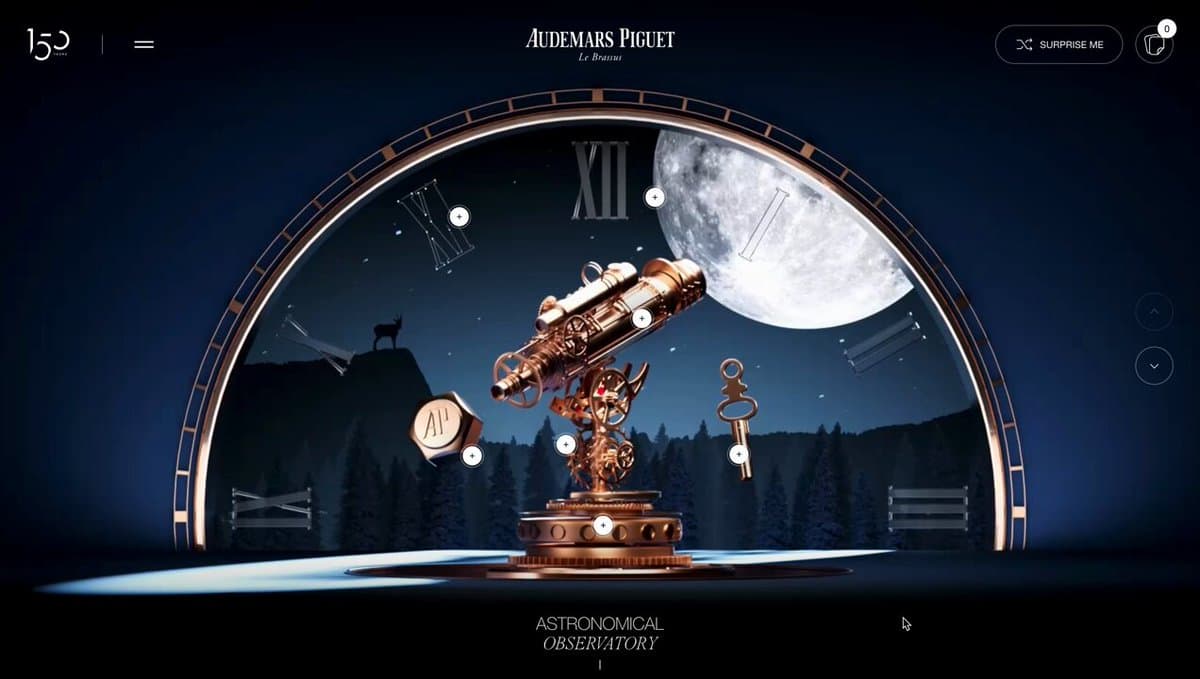
Design a 3D product experience page for a luxury wristwatch.
**Target users:** wealthy customers, watch enthusiasts, and business people aged 30–50.
**Brand tone:** Luxury × Tech (a modern, sophisticated high-end feel).
Scroll experience (5 sections):
Hero section – the wristwatch slowly appears from darkness into light while rotating. Implement holographic effects and Fresnel reflections with custom shaders.
Detail zoom – close-up of the dial. Use GLSL to achieve metallic reflections, parallax mapping, and real-time glossiness.
Mechanism breakdown – the watch disassembles and the internal movement floats in space. Use a displacement shader for an energy-field effect and add glow effects to each part.
Material experience – switch between different material variations. Express metalness, glass refraction, and the matte texture of titanium with PBR shaders in a physically based way.
Ending – the watch reassembles, with an abstract gradient mesh background made with a custom shader. Apply post-processing such as bloom and depth of field.
**Tech stack:** Next.js 15 + Three.js + React Three Fiber + GLSL (custom shaders) + react-postprocessing + Lenis.
Shader requirements:
Fresnel reflection shader (rim-light effect)
PBR material shader (roughness, metallic, AO)
Holographic shader (iridescent interference effect)
Displacement shader (waving and distortion effects)
Custom background shader (gradient noise)
Post-process: Bloom, ChromaticAberration, DepthOfField, Vignette.
Please propose specific numerical values for:
Scroll range of each section (in % or vh units)
Animation parameters (start/end values for position, rotation, scale, etc.)
Easing functions (ease type)
Camera FOV, position, and target values
Lighting settings (intensity, color, position)
Uniform values for each shader (time progression, scroll progress, hue, intensity, etc.).
Generate opens this prompt in the editor, ready to run.
Model
Gemini 3
Media
Image
Language
Japanese
Words
258
How to use this prompt
- 1Copy the prompt — fill in any placeholders first and the copy takes your version.
- 2Paste it into your image model, or press Generate to open it here with your own photo.
- 3Run it twice. Generation is not deterministic and the second pass is often the keeper.
- 4Finish it with the free tools: upscale, crop to the platform you need, compress before sharing.
Go beyond generating the image
Everything after the generation, on the same site.
More from Gemini 3
Same model, same dataset — Gemini 3 prompts people have shared.
All image categories
Use cases
Styles
- Photography (123)
- Cinematic / Film Still (138)
- Anime / Manga (44)
- Illustration (152)
- Sketch / Line Art (49)
- Comic / Graphic Novel (47)
- 3D Render (16)
- Chibi / Q-Style (4)
- Isometric (3)
- Pixel Art (2)
- Oil Painting (4)
- Watercolor (29)
- Ink / Chinese Style (13)
- Retro / Vintage (110)
- Cyberpunk / Sci-Fi (26)
- Minimalism (68)
Subjects
- Portrait / Selfie (164)
- Influencer / Model (6)
- Character (64)
- Group / Couple (23)
- Product (78)
- Food / Drink (48)
- Fashion Item (94)
- Animal / Creature (49)
- Vehicle (19)
- Architecture / Interior (55)
- Landscape / Nature (97)
- Cityscape / Street (62)
- Diagram / Chart (61)
- Text / Typography (119)
- Abstract / Background (283)