Everything you need, nothing you don't
Text-to-Edit
Just type what you want changed and AI handles the rest
Background Generation
Replace backgrounds with any scene — studio, nature, urban and more
Style Transfer
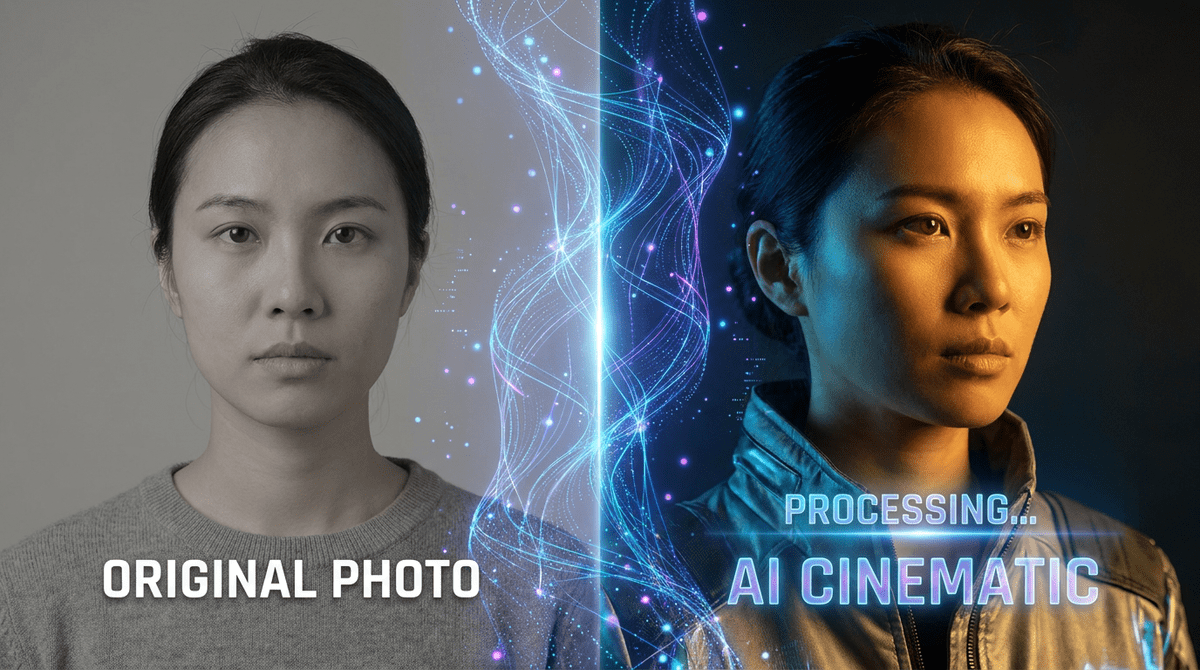
Apply cinematic, vintage, or artistic styles to any photo
Before/After Slider
Compare original and edited versions with an interactive slider
Three steps, seconds to complete
Upload Your Photo
Drag & drop or click to select any image from your device. JPG, PNG, WEBP supported.
Process Instantly
Advanced image processing transforms your photo in seconds — private, and your original is never changed.
Download Result
Preview the result and download in full quality — PNG or JPEG, your choice.
Built for every creative workflow
Generate studio-quality backgrounds, adjust lighting, and retouch product photos for marketplaces — without a photographer.
Create eye-catching thumbnails, social media images, and banners with AI edits using plain English descriptions.
Produce on-brand campaign visuals at scale. Change backgrounds, apply styles, and relight images with simple text prompts.
Prototype ideas and explore creative directions faster. Use AI editing to iterate without committing to full production.
Pixel Shine vs the alternatives
One tool. Everything included. No hidden paywalls.
| Feature | ✦ Pixel Shine | Photoshop | Adobe Firefly |
|---|---|---|---|
| Text-prompt editing | ✓ | ✗ | ✓ |
| Free tier (no credit card) | ✓ | ✗ | ✓ |
| No watermark on free tier | ✓ | ✗ | ✗ |
| BG removal included | ✓ | ✓ | ✗ |
| 4× AI Upscaling | ✓ | ✗ | ✗ |
| Works online | ✓ | ✗ | ✓ |
Edit photos with text prompts — no Photoshop needed
Pixel Shine lets you describe any edit in plain English and applies it instantly. "Change the background to a sunset", "add soft studio lighting", "make it look cinematic" — no design skills, no complex tools, no learning curve. Just type and transform.
The best AI photo editor online free
Unlike Photoshop or Adobe Firefly, Pixel Shine is free to start with no credit card required. Edit images online — remove backgrounds, generate new backgrounds, apply styles, and upscale quality all in one tool. No watermarks on free tier.
AI image editing for e-commerce and marketing
Create professional product photos, ad creatives, and social media visuals in minutes. Change backgrounds, adjust lighting, apply brand styles, and generate consistent imagery at scale — without a designer or agency. Perfect for Shopify, Amazon, Instagram, and paid ads.
Monthly plans or one-time credits.
Free AI Photo Editor and every other browser tool are free and unlimited. Credits are only for the AI features — 2 credits per generation. Go monthly for the lowest price per credit and cancel any time, or buy an add-on whose credits never expire.
Try the AI tools every month.
Regular edits for your feed.
Room for a full shoot every month.
The lowest price per credit.
Renews monthly · cancel anytime in Settings, no further charges · monthly credits refresh each renewal and don't carry over. 2 credits per AI generation; the free tools stay free.
About Free AI Photo Editor
Free AI Photo Editor is a free online tool from Pixel Shine. Describe your edit in plain English — our AI does the rest for free. Change backgrounds, add effects, relight scenes instantly. No watermark.
Nothing is uploaded for the browser-based tools — the work happens on your own device, which is why they are free and have no per-image limit. The AI features do run on a server, and those are the ones that use credits: 2 credits a generation, from a one-time pack that never expires or a monthly plan you can cancel any time. There is no watermark on anything you export.