Guide
Why Your Printed QR Code Looks Blocky (Use SVG Instead)
A QR code that looks fine on screen can print with visibly ragged edges. The fix is the file format, not the resolution.
30 Aug 2026·4 min read
Read more →Step-by-step guides on upscaling images, enhancing photo quality, fixing blurry pictures, and getting print-ready resolution — all free.
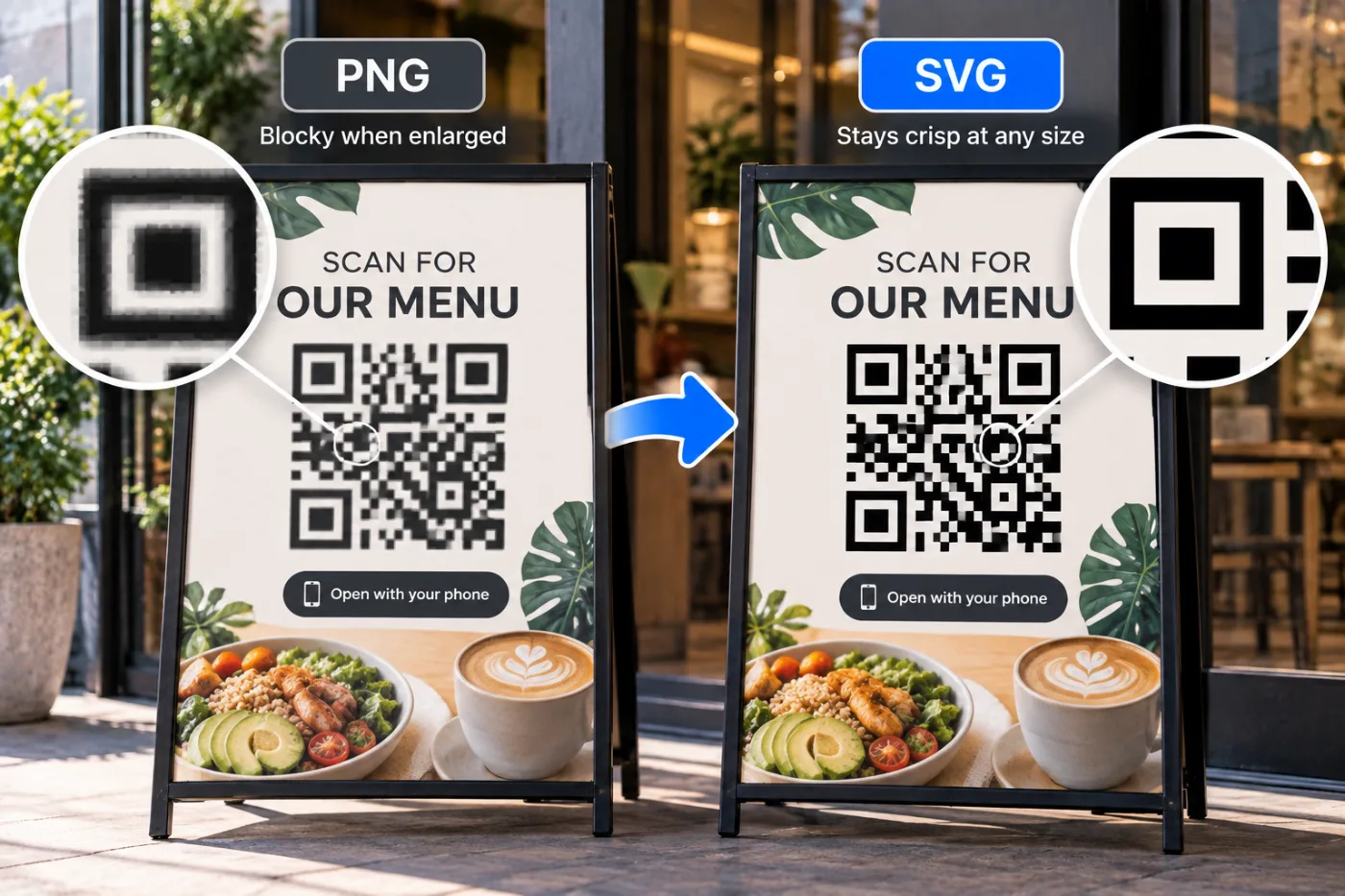
A QR code that looks fine on screen can print with visibly ragged edges. The fix is the file format, not the resolution.

A profile icon is displayed at about 40 pixels. Most of what's in your photo is invisible at that size.
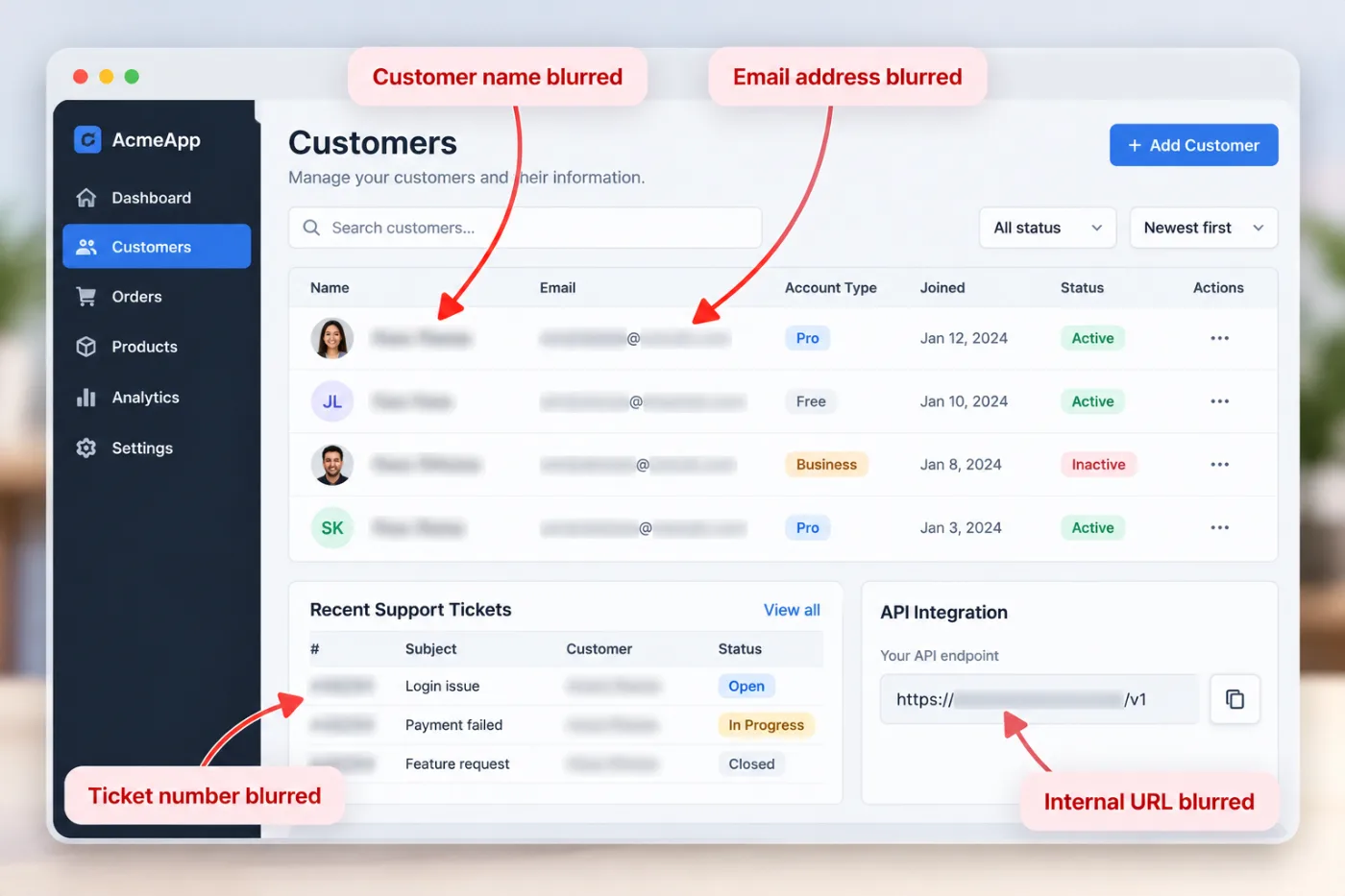
Every tutorial screenshot has a bit that shouldn't ship: a real customer name, an internal URL, a licence key.
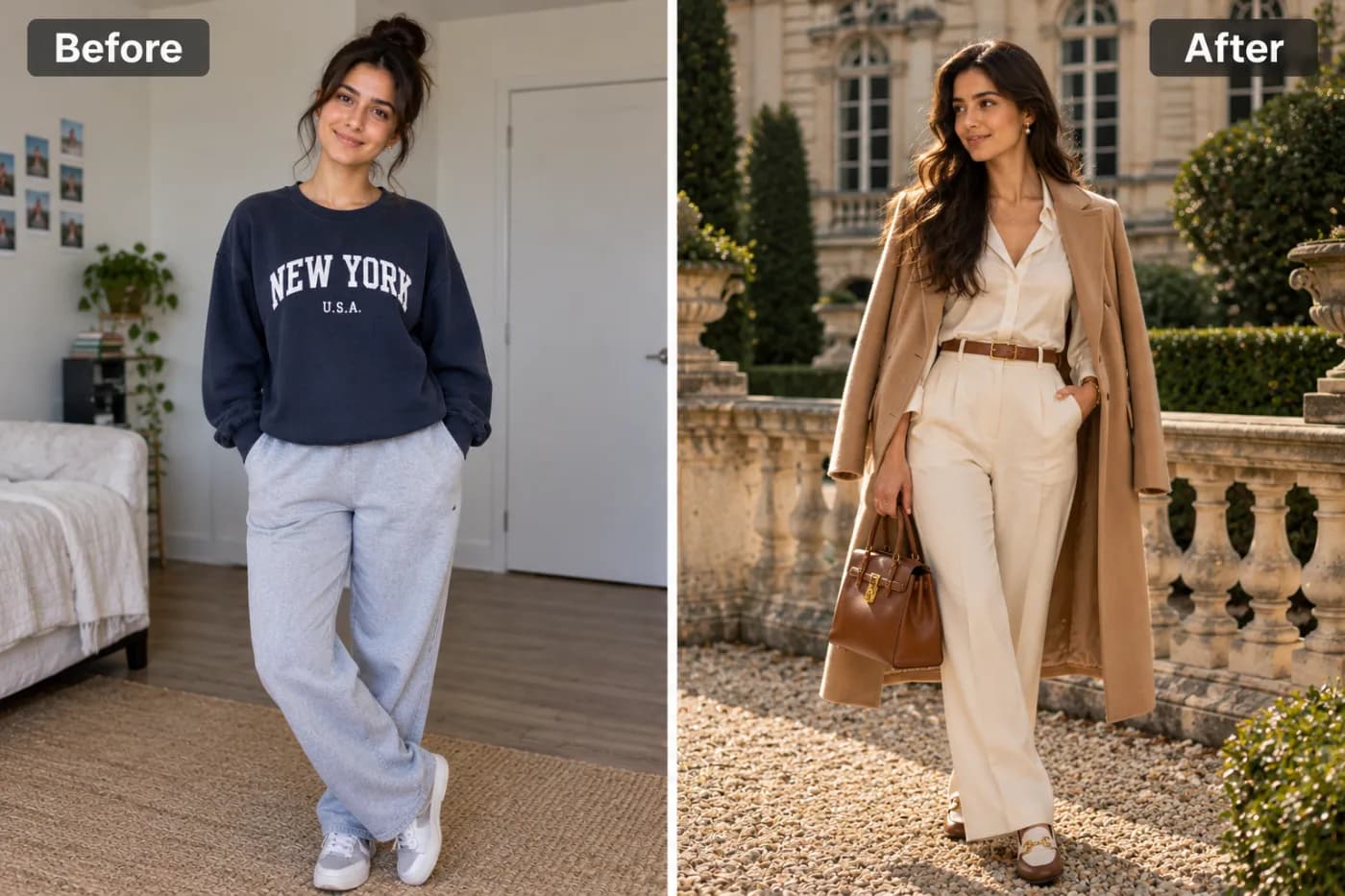
The old money look is defined by what it leaves out: no logos, no saturation, no obvious effort.
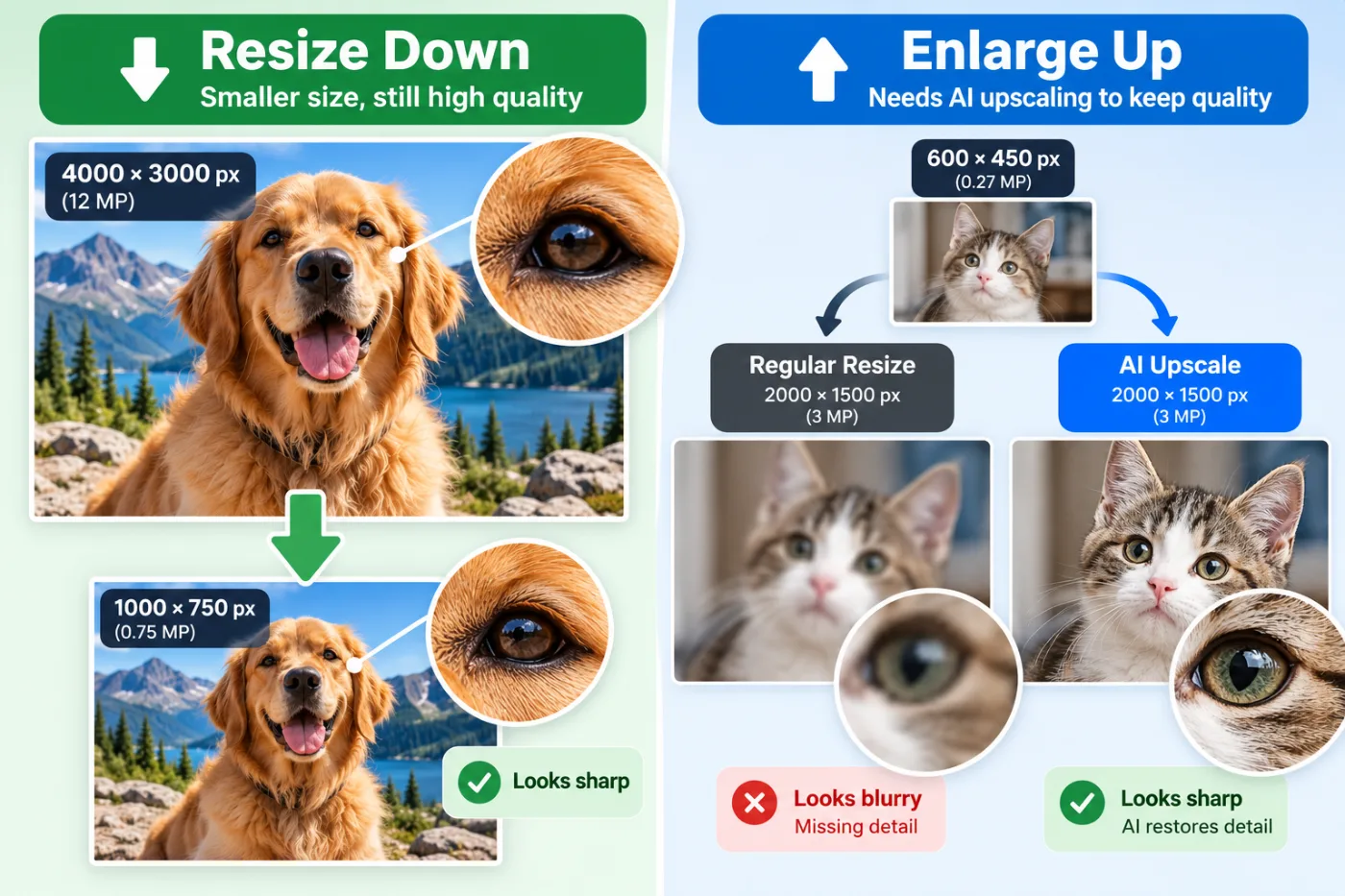
Resizing down is nearly free of quality loss. Resizing up is where images fall apart — and there's a different tool for that.
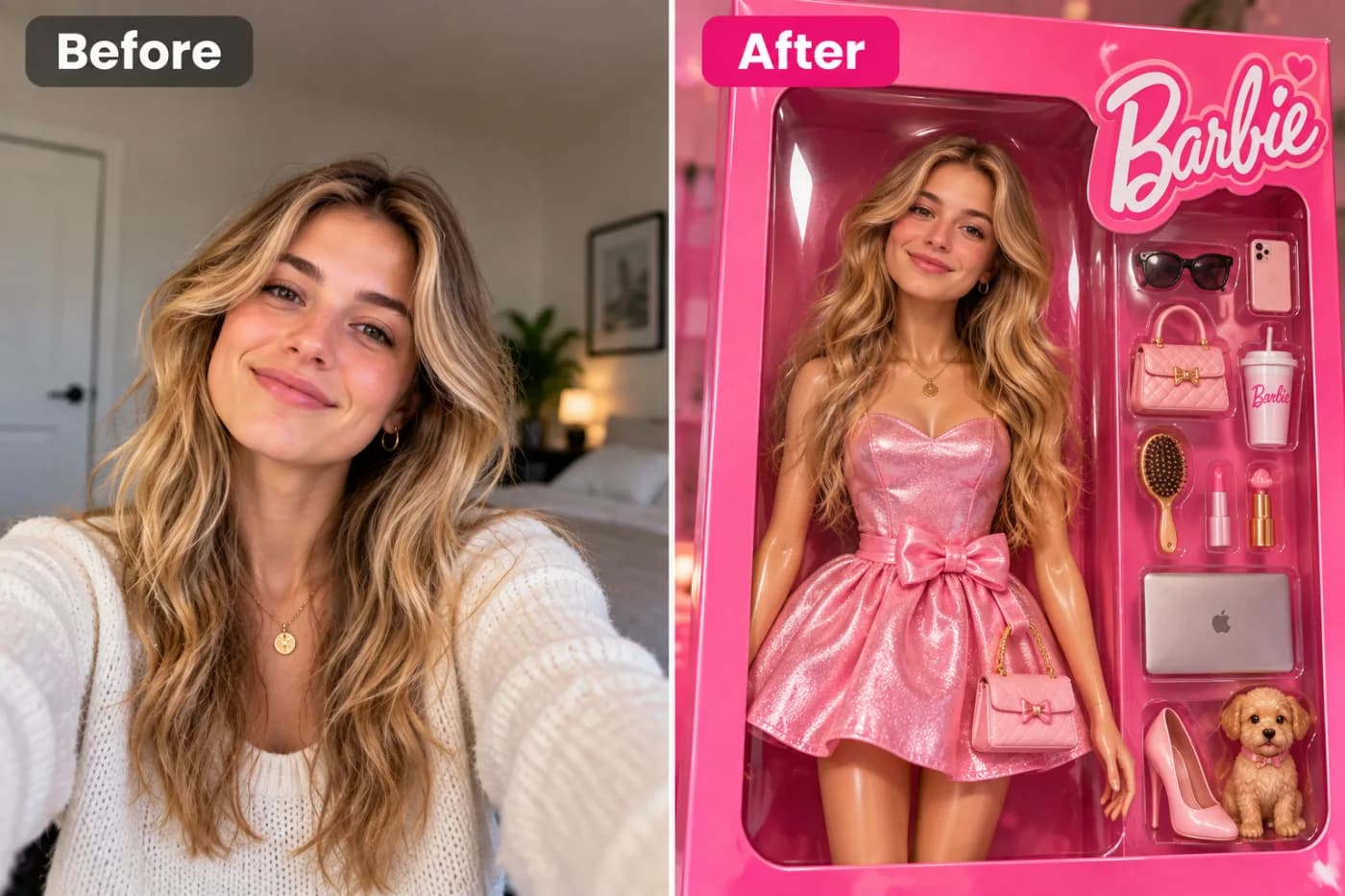
The doll-box trend works because it's a product shot, not a portrait — and product shots have very specific lighting.
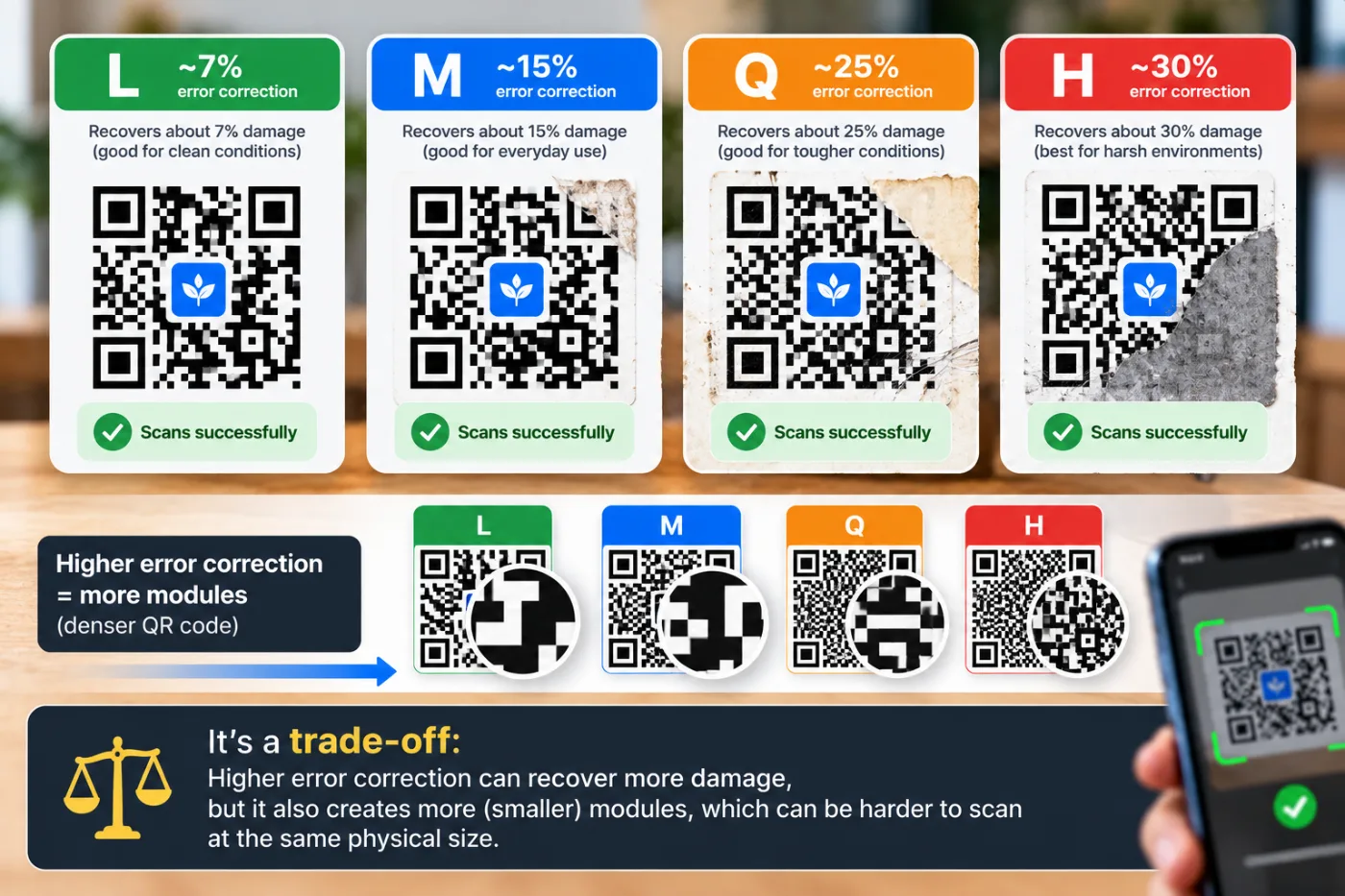
Error correction is the setting nobody changes and everybody should understand. It's what lets a scuffed code still scan.
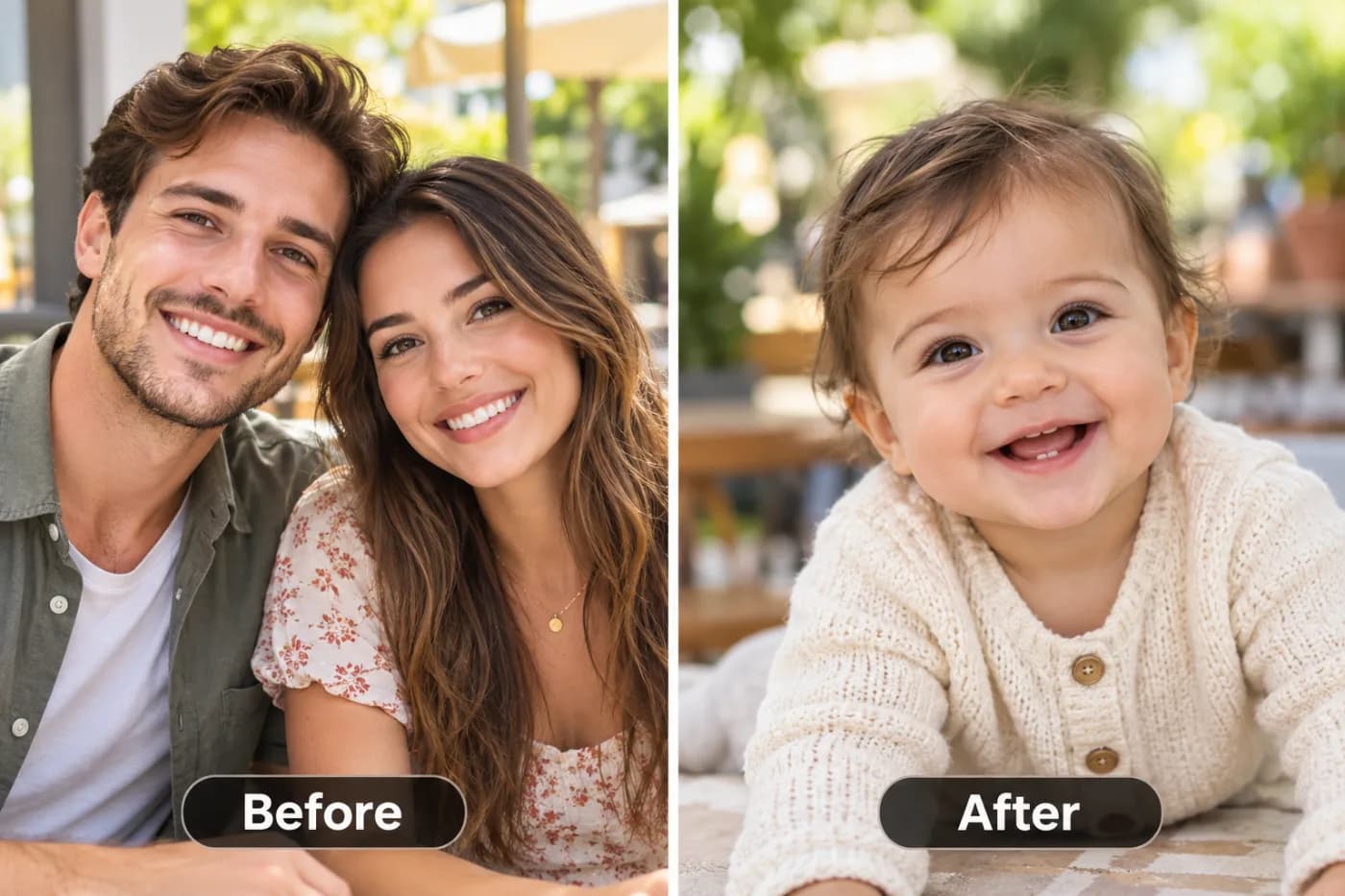
It blends two faces into a plausible child's face. What it doesn't do is predict anything.
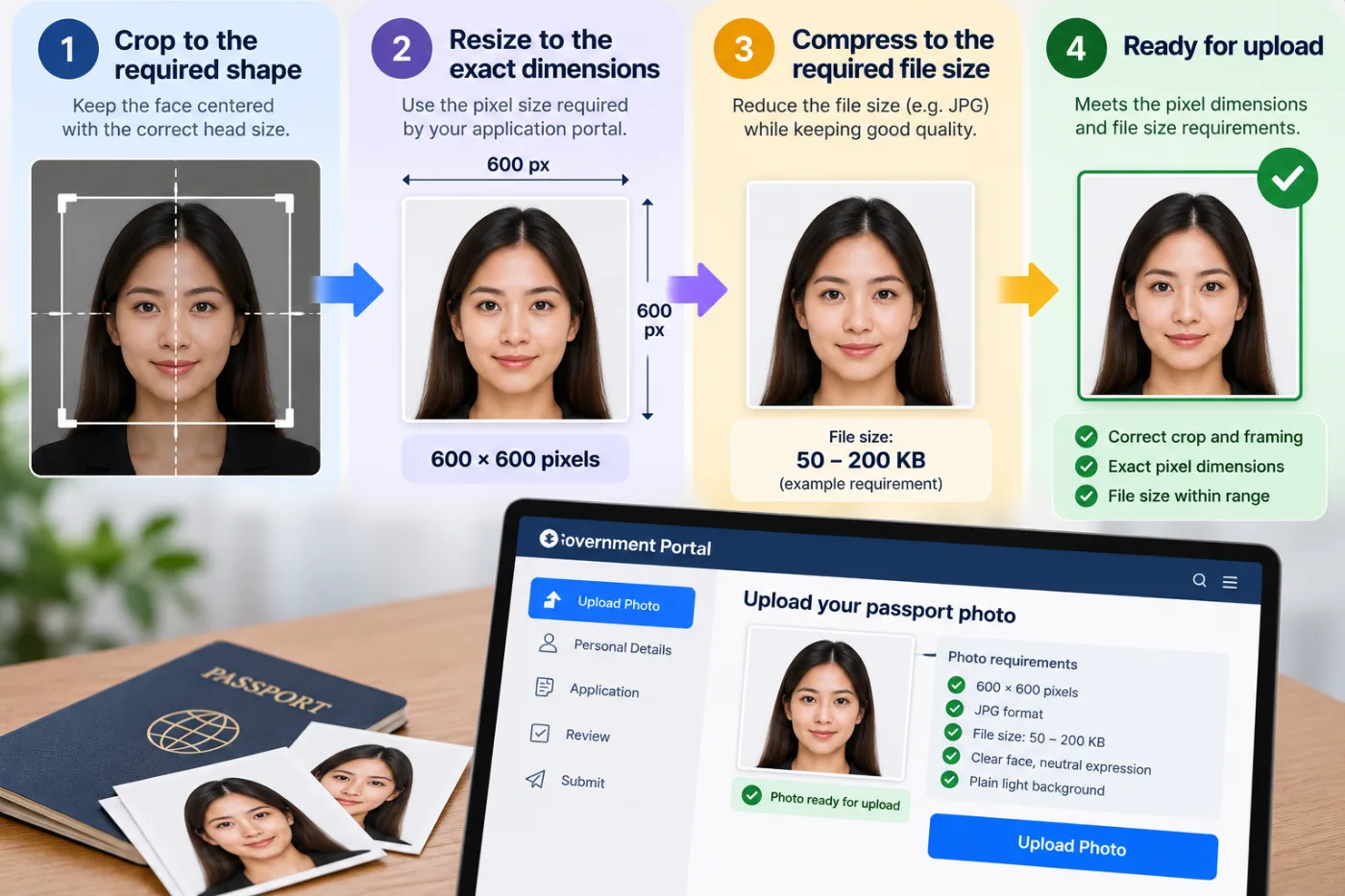
Passport and visa portals want an exact pixel size and often an exact file size. Here's how to hit both for free.
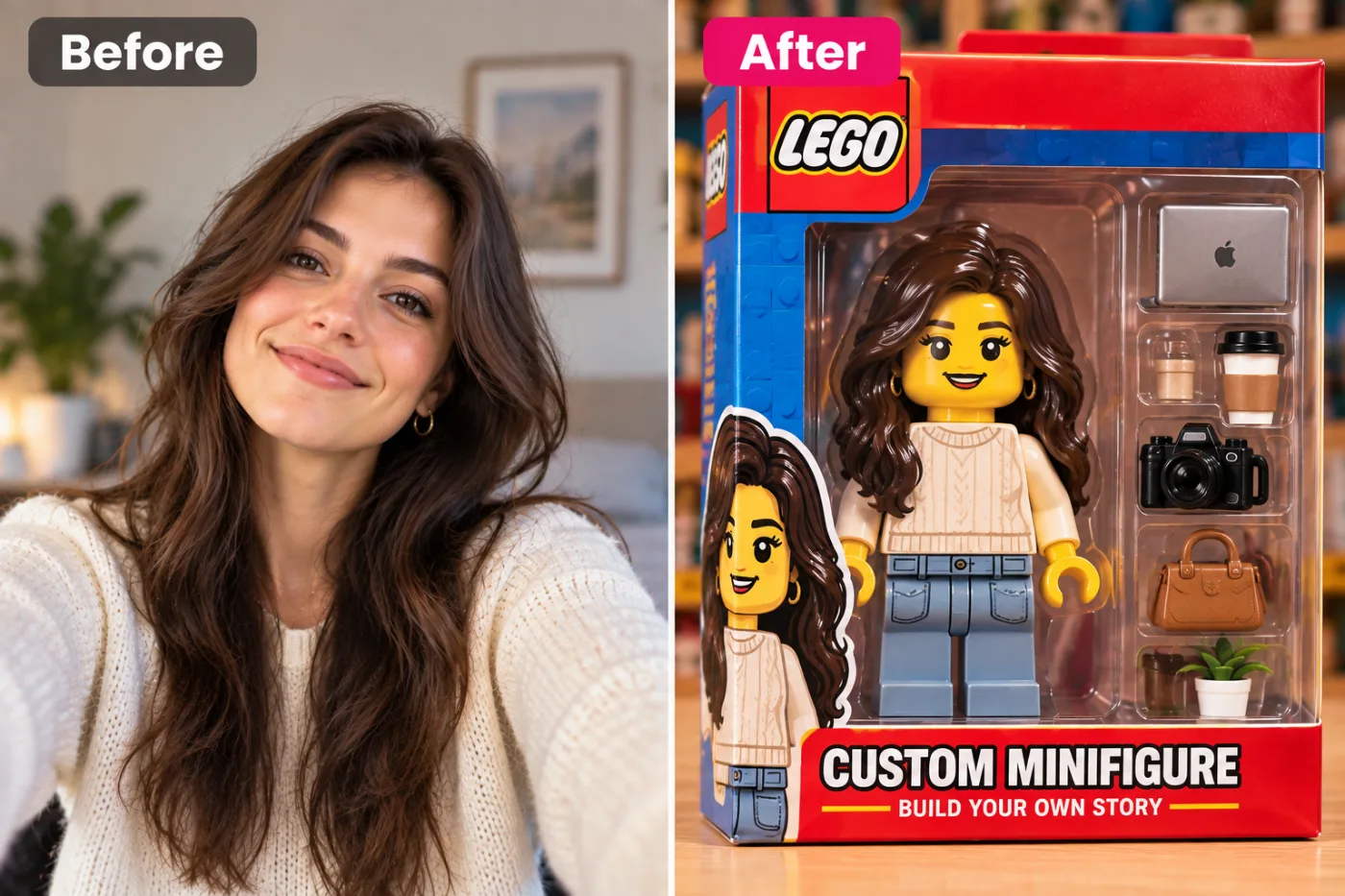
A minifigure has about four features. Getting recognisably you out of four features is the interesting part.
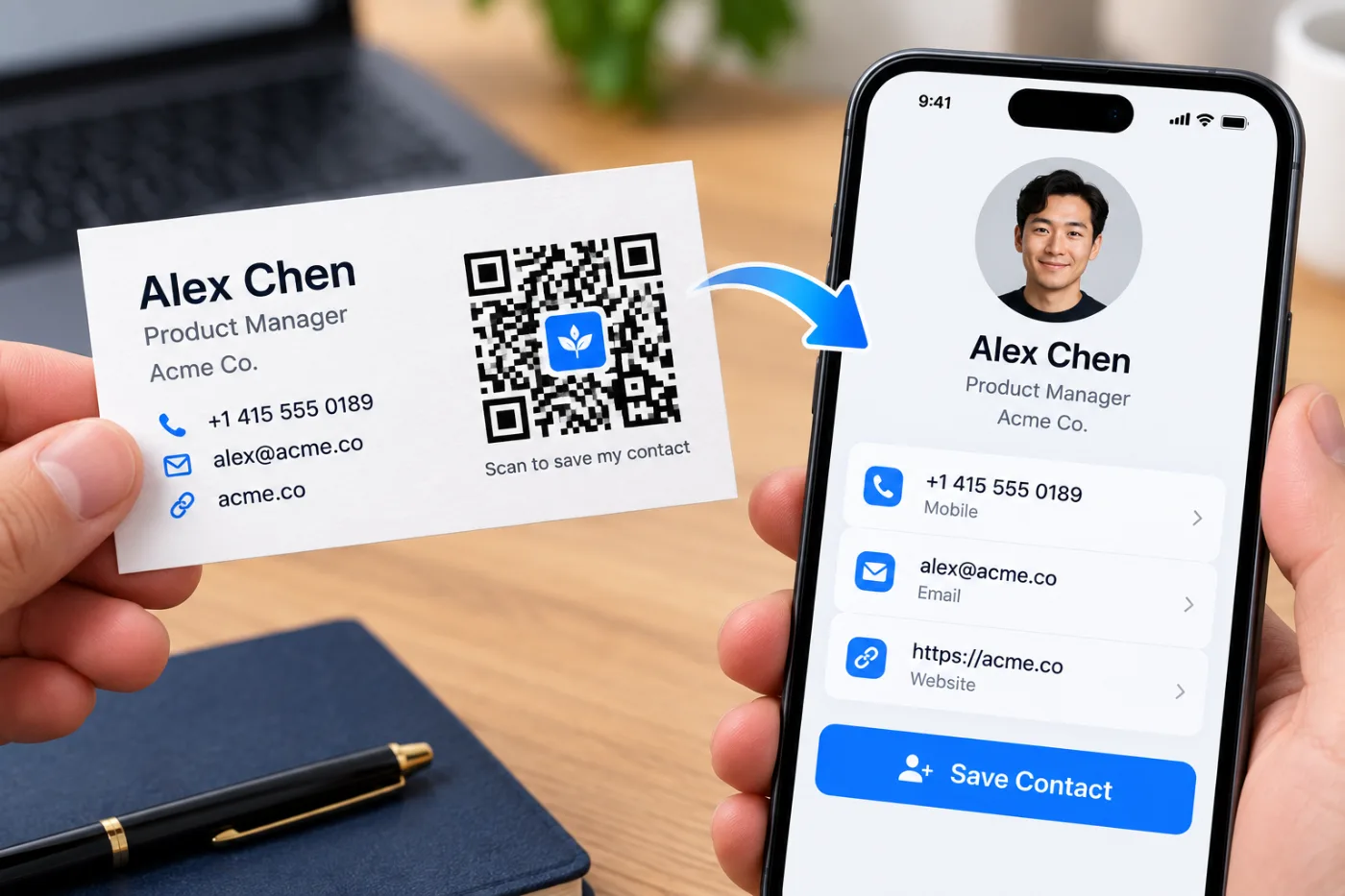
A QR code on a business card can drop your full contact details into someone's phone in one scan — no typing, no lost card.

The animated-film look exaggerates specific features and softens everything else. Which features it picks is what makes it look like you.