Free Blur Image Tool
Blur or pixelate any part of a photo to hide faces, licence plates and sensitive info. Just drag a box — your image stays private.
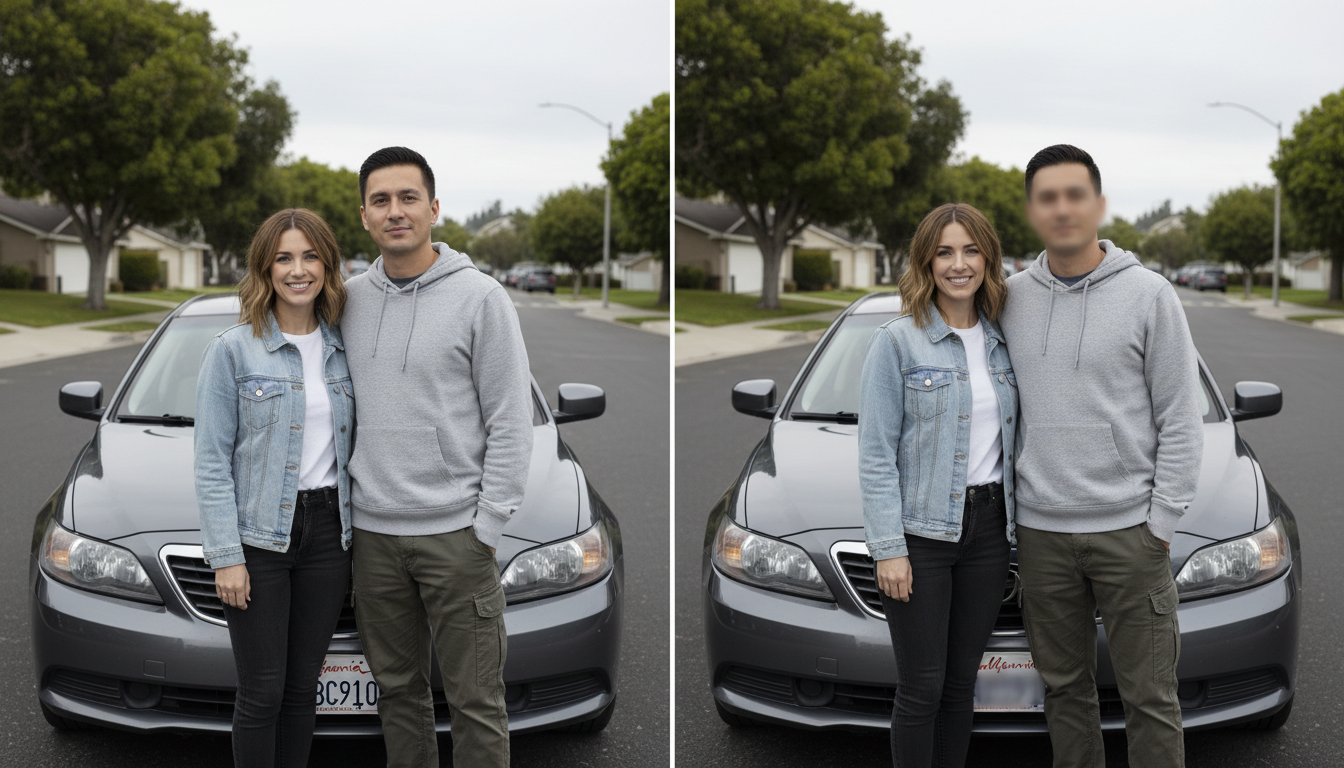
How to blur part of an image
Upload your photo
Drag and drop or pick an image. Nothing is saved or shared.
Drag over the area
Draw a box over each face or detail you want to hide. Choose blur or pixelate and set the strength.
Download
Save the censored image at full resolution — free, with no watermark.
Monthly plans or one-time credits.
Blur Image and every other browser tool are free and unlimited. Credits are only for the AI features — 2 credits per generation. Go monthly for the lowest price per credit and cancel any time, or buy an add-on whose credits never expire.
Try the AI tools every month.
Regular edits for your feed.
Room for a full shoot every month.
The lowest price per credit.
Renews monthly · cancel anytime in Settings, no further charges · monthly credits refresh each renewal and don't carry over. 2 credits per AI generation; the free tools stay free.
Frequently asked questions
How do I blur part of an image?
Upload your photo, then drag a box over the area you want to hide — it's blurred instantly. Repeat for as many areas as you like, then download.
Can I pixelate instead of blur?
Yes. Switch to Pixelate mode to censor an area with a mosaic effect instead of a soft blur — useful for a stronger, more obvious redaction.
Is it good for hiding faces or licence plates?
Yes — it's ideal for hiding faces, licence plates, house numbers, addresses, screenshots and any other sensitive detail before you share a photo.
Does it add a watermark?
No watermark, ever. Your edited image downloads clean at full resolution.
Is my image uploaded to a server?
No. Your photo is not stored or shared, and the original file on your device is never changed — which matters when you are hiding private information.
Is it free?
Yes — completely free, with no sign-up and no limit on how many images you blur.