How to Compress an Image to 100 KB (Free, No Quality Loss)

Job portals and government forms love a hard size limit. Here's how to compress any photo down to 100 KB — or any target — for free, without it turning to mush.
Almost everyone hits this at some point: an upload form that refuses anything over 100 KB, 200 KB, or 50 KB, and a photo that's five times too big. The good news is you rarely have to sacrifice much quality to get there — most photos have far more data than a small on-screen or form image actually needs. Here's how to hit an exact size target for free.
Why your photo is so much bigger than the limit
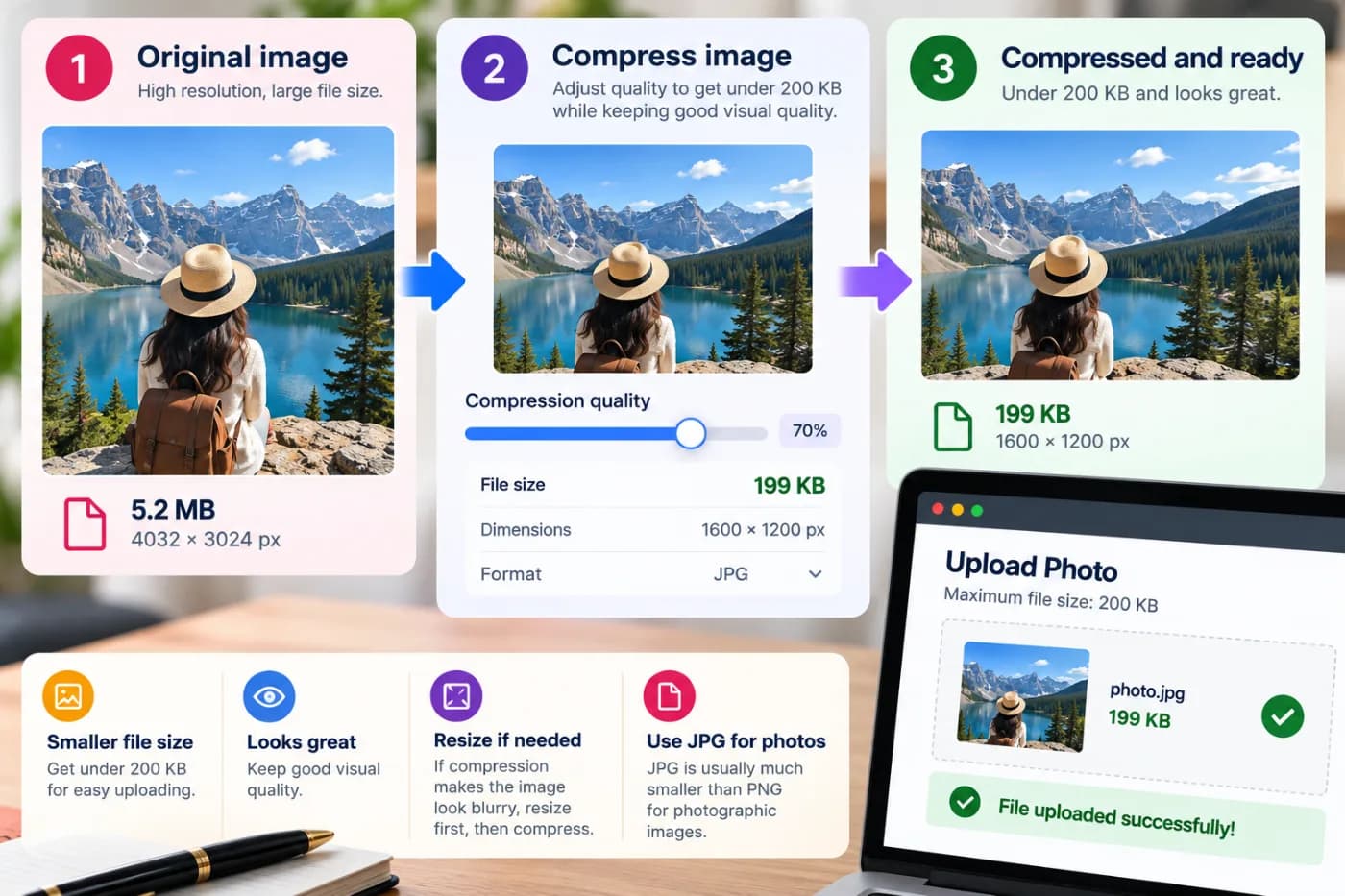
A modern phone photo is often 3–8 MB. That's 30–80× the size of a 100 KB limit. The size comes from resolution (millions of pixels) and low compression (the phone keeps maximum quality). A form or website almost never needs all that — it displays the image small. Compression throws away detail your eye won't miss, and the file shrinks dramatically.
How to compress to 100 KB for free
Open the compressor, drop your image in, and drag the quality slider down while watching the live size read-out. When it lands near your target — 100 KB, 200 KB, whatever the form wants — download the smaller JPG. It runs entirely online, so nothing is uploaded to a server, and there's no watermark or sign-up.
Getting under a really tight limit
If you need to go very small (say under 50 KB) and quality gets rough, resize the image smaller first — a form photo rarely needs to be more than ~1000px wide — then compress. Fewer pixels plus compression gets you tiny files that still look clean at the size they'll actually be viewed.
Compress your image now — free
Got a photo that's over the limit? Drop it into the free compressor, slide to your target size, and download — no watermark, no cost, no account.