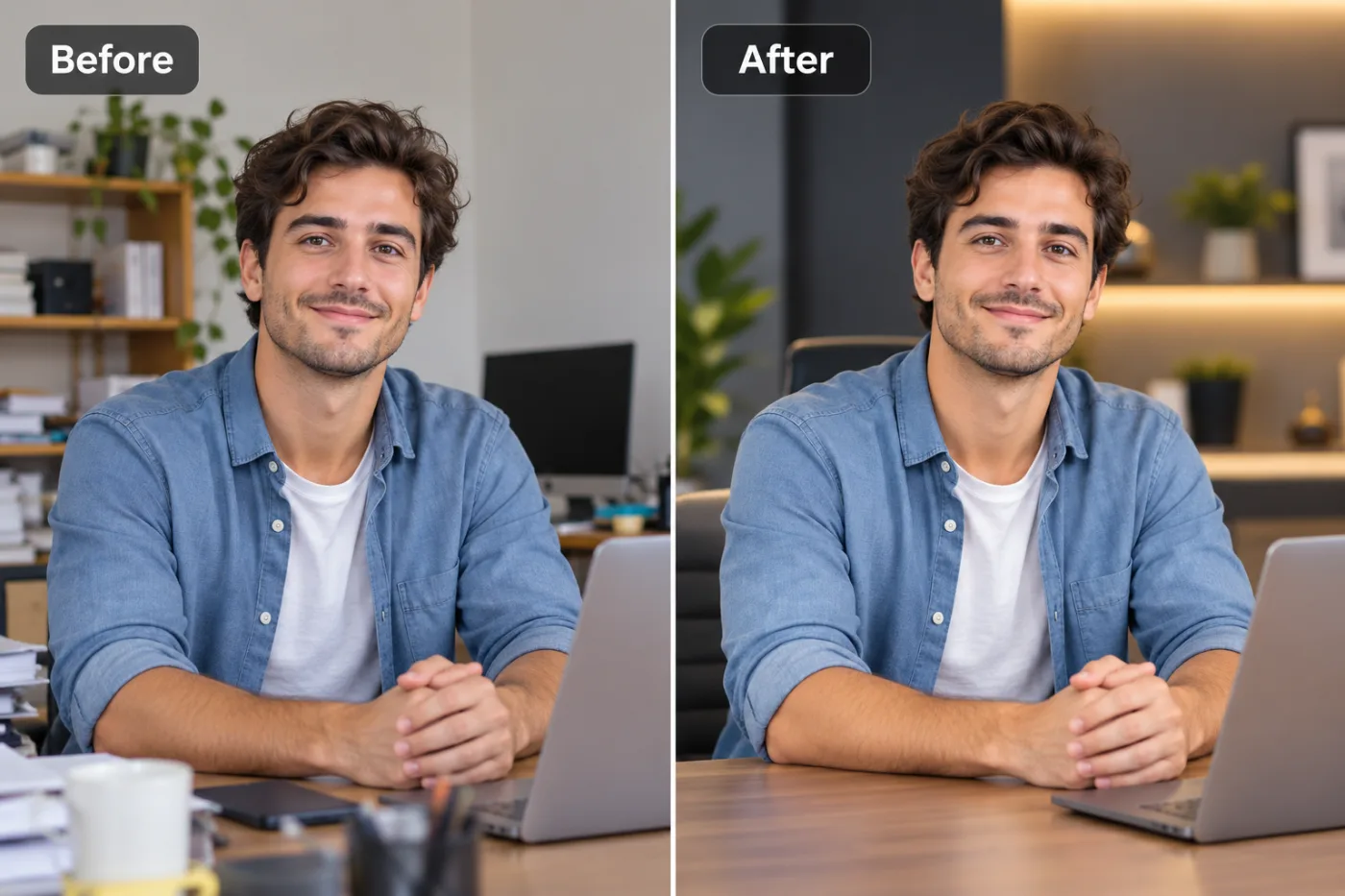
Best AI Photo Enhancer Free Online — Pixel Shine Review & Guide
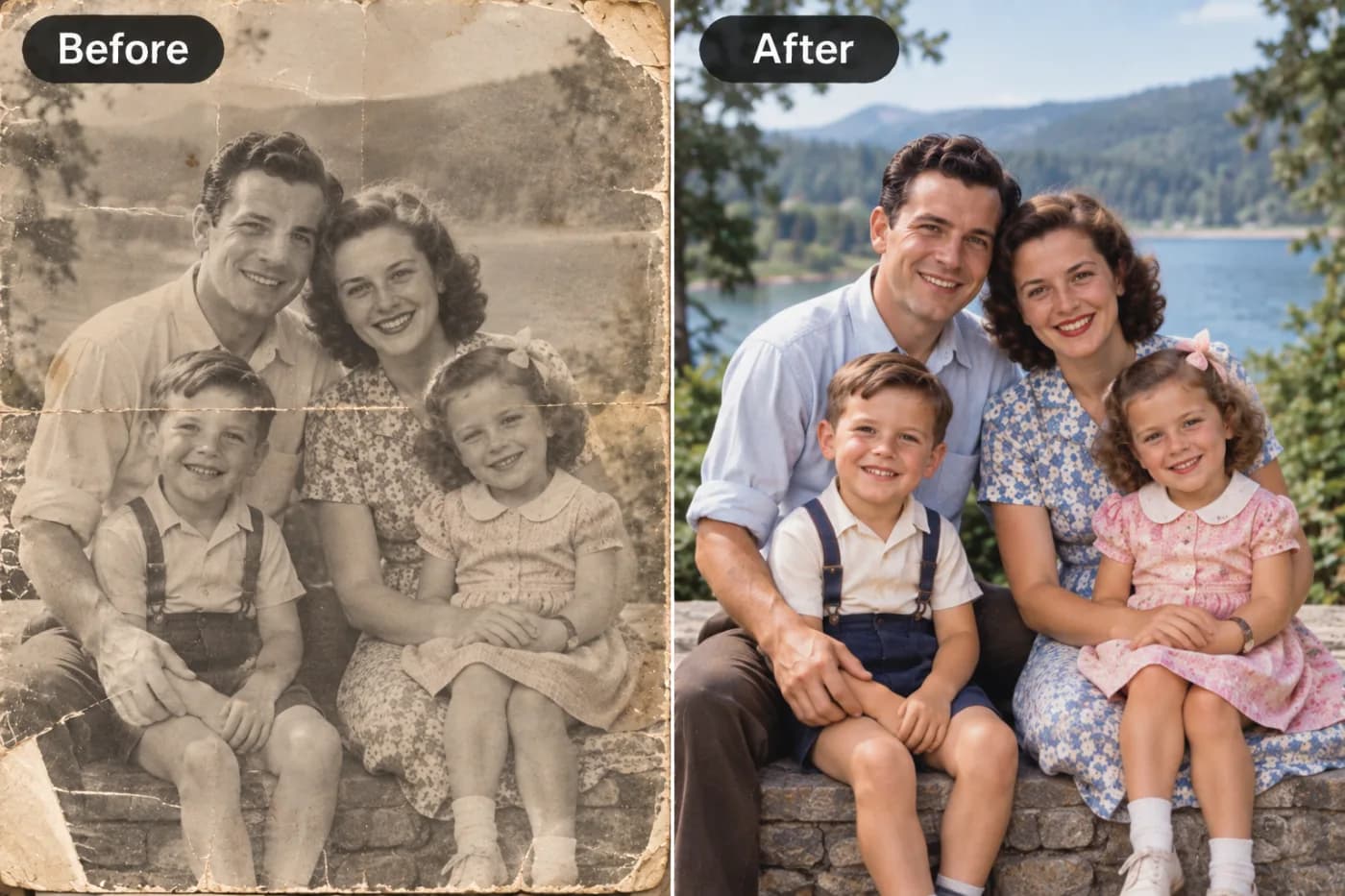
Pixel Shine is one of the best free AI photo enhancers available online — offering professional-grade sharpening and upscaling without a paywall or watermark.
Finding a genuinely good AI photo enhancer free online can feel impossible. Search for one and you'll drown in tools that promise the world, then hit you with watermarks, forced sign-ups, resolution caps, or a paywall the moment you try to download. It's frustrating — especially when all you want is to make a photo look sharper without jumping through hoops.
This review and guide cuts through the noise. We'll look at what actually makes a free photo enhancement tool worth using, how AI-based enhancement really works, and why Pixel Shine has become a favorite for people who want professional results without the friction. You'll get an honest breakdown of features, a step-by-step walkthrough, expert tips for the best output, and answers to the questions people ask most. Whether you're enhancing portraits, product shots, screenshots, or old scanned photos, this guide will help you understand exactly what a free AI photo enhancer can do — and how to get the crispest, most natural-looking results every single time, without spending a dime or handing over your email.
Why Most Free Photo Enhancers Disappoint
The internet is full of "free" AI photo enhancers, but the experience often falls apart at the finish line. The most common letdown is the watermark. You upload your image, wait for processing, love the preview — then discover the download has a logo stamped across it unless you upgrade. That's not really free; it's a demo.
Forced registration is the next hurdle. Many tools make you create an account and verify your email before you can even try them, adding friction and a marketing inbox you didn't ask for. Others impose daily limits — one or two free enhancements before a countdown timer or an upgrade prompt appears.
Resolution caps are sneakier. The tool enhances your image but only lets you download a small version for free, reserving full resolution for paid users. For anyone who needs a print-ready or high-res result, that defeats the purpose.
Finally, quality varies wildly. Some free tools use dated algorithms that oversharpen, producing halos and plasticky skin instead of natural detail. The result looks processed, not improved. A truly good free enhancer needs to combine strong AI, no watermark, no forced login, and unlimited use — a rare combination that's exactly why the next section matters.
How Pixel Shine Delivers Genuinely Free Enhancement
Pixel Shine was built to remove the friction that makes other free enhancers frustrating. At its core is a deep-learning enhancement engine trained on millions of high-resolution images. Instead of crudely sharpening, it reconstructs realistic detail — the texture of skin, the crispness of edges, the definition of text — for results that look naturally better rather than artificially filtered.
The Normal Upscaler is the headline feature: free, unlimited, and available with no sign-up. You can enhance as many images as you want without creating an account, and every download comes watermark-free at full resolution. That combination alone puts it ahead of most competitors.
For tougher jobs, the Pro AI Upscaler applies more aggressive reconstruction — ideal for faces, fine text, and heavily degraded images. It runs on credits, so try it on the photos that truly need it.
Beyond enhancement, Pixel Shine is a broader free platform: background remover, AI headshot generator, text-prompt photo editor, and creative AI effects all live in the same place. So once you're there to enhance a photo, you have a full toolkit at your fingertips. Everything runs online on desktop and mobile — no installation, no clutter, just fast results.
Step-by-Step: Using the Free AI Photo Enhancer
Here's how to enhance a photo with Pixel Shine from start to finish:
1. Visit Pixel Shine. Open the site on your computer or phone. Navigate to the upscale / enhance tool.
2. Upload your image. Drag and drop it into the upload zone or click to browse. Supported formats include JPG, PNG, and WebP. For the Normal Upscaler, no account is needed — just start.
3. Choose your mode. Select the free Normal Upscaler for everyday enhancement, or the Pro AI engine for maximum detail.
4. Set the scale. Pick 2x for web and social use or a higher factor for printing and high-resolution needs.
5. Run the enhancement. Click enhance. Processing typically completes in 5–10 seconds, and you'll get a before/after preview to judge the improvement.
6. Evaluate closely. Zoom into faces, edges, and fine details. If the result looks over-processed, lower the scale or use Normal mode for a softer, more natural finish.
7. Download. Save your enhanced image — full resolution, no watermark. Keep it in a high-quality format to preserve the result. The whole process, from opening the site to downloading a crisper photo, usually takes under two minutes.
Pro Tips for the Best Enhancement Results
Maximize your output with these expert techniques:
Feed the AI good input. Enhancement reconstructs detail but can't invent what was never captured. Always start from the highest-quality original you have rather than a compressed re-share.
Choose the right mode for the subject. Portraits, headshots, and text-heavy images benefit most from the Pro engine's stronger reconstruction. Landscapes and general scenes often look perfect with the free Normal mode.
Scale intentionally. Don't default to maximum. A 2x enhancement often looks more natural than a 4x one for images displayed on screens. Match the scale to the final viewing size.
Enhance before cropping. Cropping first discards pixels the AI could have used. Enhance the full image, then crop the high-resolution result for the sharpest detail.
Use trials wisely. Pro AI runs on credits. Spend them on the images that genuinely need heavy reconstruction — like a blurry portrait — rather than on photos the free tier already handles well.
Avoid double-processing. Adding heavy sharpening in another app after AI enhancement usually creates halos and noise. Let the AI do its job, then make only light color and tone tweaks.
Common Mistakes to Avoid
Even a great tool can disappoint if you make these errors:
Uploading a thumbnail and expecting a poster. Tiny sources lack the data needed for convincing reconstruction. Give the AI the largest version you have.
Over-upscaling everything. Pushing every image to the maximum scale produces waxy, over-smoothed results. If skin or textures look painted, reduce the scale.
Re-saving in low quality. Compressing your enhanced image back into a low-quality JPG reintroduces artifacts. Download and store in high quality.
Assuming Pro is always better. For soft, artistic, or already-decent photos, the Normal mode sometimes produces a more natural result than aggressive Pro processing. Test both when in doubt.
Skipping the comparison view. The before/after preview is your quality check. It reveals when the AI has interpreted a detail unexpectedly, letting you adjust before you download rather than after.
Real-World Use Cases
A free AI photo enhancer earns its keep across many scenarios:
E-commerce sellers enhance product photos to meet marketplace resolution standards and present cleaner, more professional listings that convert better.
Social media creators sharpen and denoise phone shots so their feeds look consistent and polished, which tends to improve engagement.
Job seekers enhance headshots and profile photos for LinkedIn and résumés, projecting a sharper, more credible image.
Real estate agents brighten and clarify property photos so listings stand out and attract more inquiries.
Families and hobbyists restore old scanned photographs, reviving faded memories before printing or sharing them. Across all these cases, the appeal is identical: professional-quality enhancement without cost, watermarks, or sign-up friction.
Pixel Shine vs. Other Free Enhancers
How does Pixel Shine stack up against the crowd of free photo enhancers?
On watermarks, Pixel Shine's Normal Upscaler downloads clean at full resolution, while many rivals stamp a logo across free results or reserve high-res downloads for paying users. That's a decisive advantage for anyone who needs a usable final image.
On access, Pixel Shine requires no sign-up for the Normal tier. Competitors frequently demand account creation and email verification before you can even test the tool, adding friction and unwanted marketing.
On limits, the Normal Upscaler is unlimited. Many free tools cap you at one or two enhancements per day before pushing an upgrade.
On quality, Pixel Shine's deep-learning engine reconstructs natural detail rather than crudely oversharpening, avoiding the halos and plasticky texture that plague older free tools. The Pro tier adds even stronger reconstruction for demanding images.
On breadth, Pixel Shine bundles a background remover, headshot generator, text-prompt editor, and creative effects alongside enhancement — a full free toolkit rather than a single-purpose gadget. For most users, this combination of no watermark, no login, unlimited use, and strong AI makes it the most practical free option available.
Who Uses Free AI Photo Enhancers
Free AI photo enhancers attract a diverse set of users united by a need for quick, quality results.
Small business owners and online sellers enhance product imagery to look professional without hiring a photographer. Content creators and social media managers keep their visuals crisp and engaging across platforms. Freelancers and job seekers polish profile photos and portfolio images.
Real estate professionals improve listing photos to attract buyers. Students and educators clean up low-resolution images for slides and printed materials. Families and genealogy enthusiasts restore treasured old photos. Whatever their field, these users value a tool that delivers professional enhancement instantly, for free, without watermarks or the hassle of creating yet another account.
Frequently Asked Questions
Is there a genuinely free AI photo enhancer online?Yes. Pixel Shine's Normal Upscaler is free, unlimited, and requires no sign-up, with no watermark on your downloads. It's one of the few tools that's free at the finish line, not just the preview.
Does Pixel Shine put a watermark on enhanced photos?No. The Normal Upscaler downloads at full resolution with no watermark. Even the free tier gives you a clean, usable image.
Do I need to create an account?Not for the Normal Upscaler. You can enhance photos immediately without signing up. The Pro AI engine is available too.
What makes an AI photo enhancer better than manual editing?AI handles sharpening, noise reduction, and detail reconstruction automatically in seconds, based on patterns learned from millions of images — no editing skill required, and often better results than an intermediate editor could achieve by hand.
Can it enhance portraits and faces well?Yes, especially with the Pro engine, which reconstructs fine facial details like skin texture and hair convincingly. The free Normal mode also improves portraits noticeably.
What's the difference between Normal and Pro enhancement?Normal is free, unlimited, and great for everyday photos. Pro applies stronger reconstruction for faces, fine text, and degraded images, using credits.
Does it work on mobile?Yes. Pixel Shine runs on your phone, so you can enhance photos on the go with no app to install.
Is Pixel Shine only for enhancement?No. It also includes a free background remover, AI headshot generator, text-prompt photo editor, and creative AI effects, all in one platform.
Key Takeaways
A great free AI photo enhancer should combine strong AI, no watermark, no forced login, and unlimited use — and Pixel Shine's Normal Upscaler delivers exactly that. It reconstructs natural detail, sharpens edges, and reduces noise in seconds, then lets you download clean at full resolution. For demanding images like portraits and fine text, the Pro engine goes further.
Unlike many rivals that disappoint at the download button, Pixel Shine stays genuinely free where it counts, and bundles a whole toolkit alongside enhancement. Try the best free AI photo enhancer for yourself at Pixel Shine and see the difference on your next photo.