Enhance Image Quality Online for Free — AI-Powered Results
Enhancing image quality no longer requires expensive software or expert skills. Pixel Shine lets you improve any photo online for free using advanced AI in seconds.
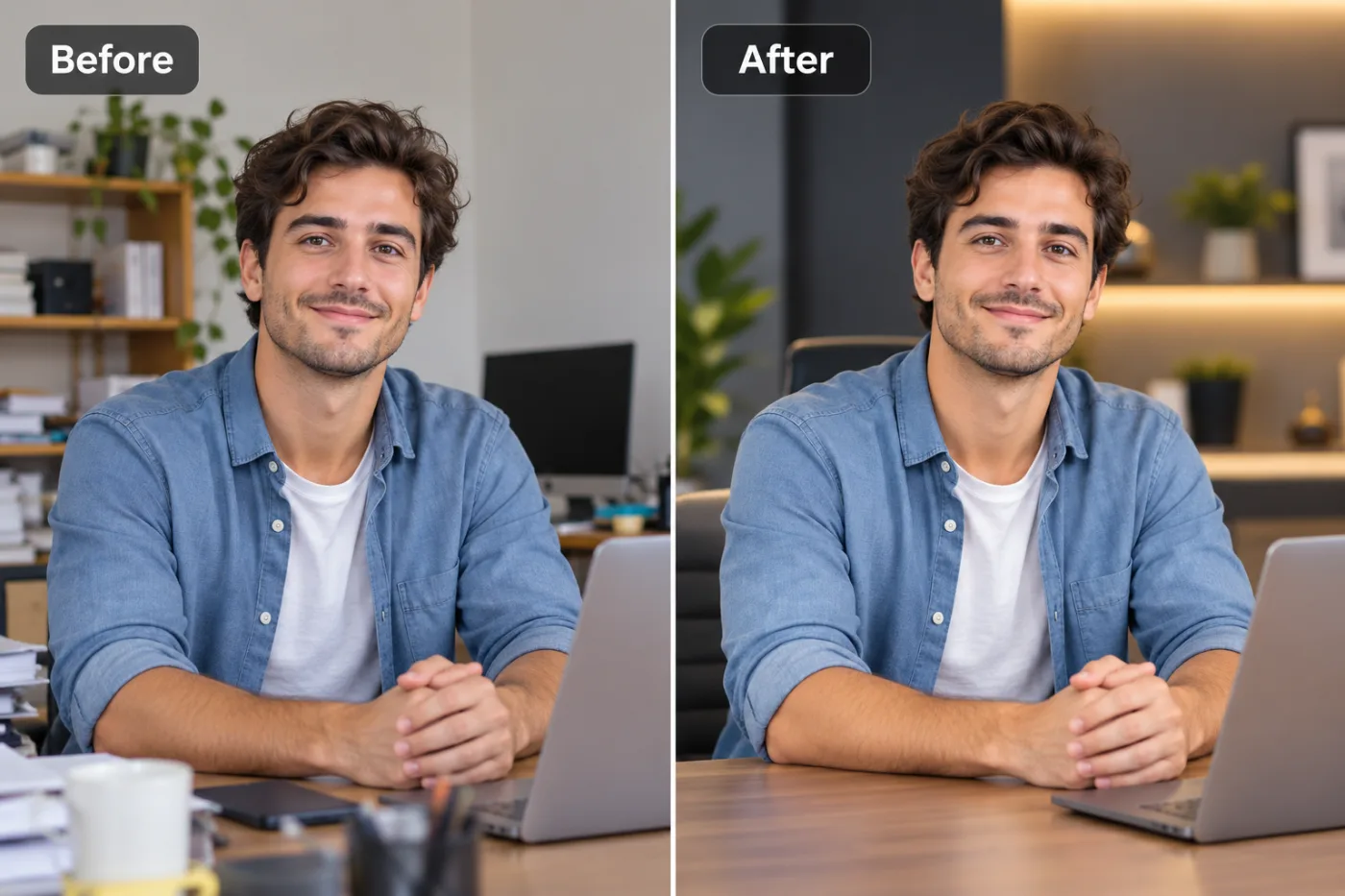
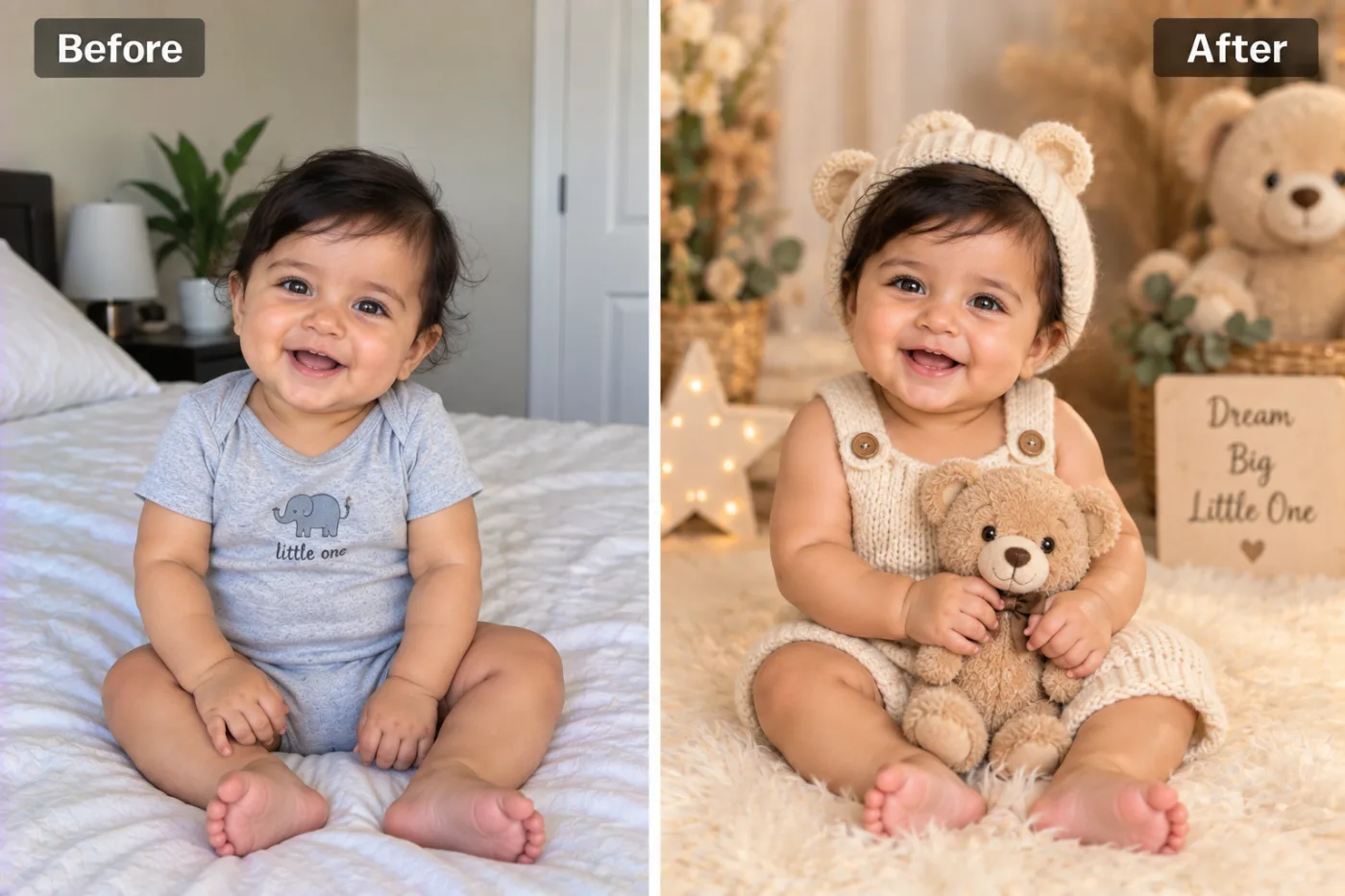
If you want to enhance image quality online free, you no longer need Photoshop skills, an expensive subscription, or hours of manual retouching. AI-powered photo enhancement has made it possible to sharpen blurry shots, remove noise, and boost resolution in seconds — instantly. Whether you're rescuing an old family photo, prepping a product shot for your store, or trying to salvage a screenshot that looks like it survived a printer accident, modern tools can do the heavy lifting for you.
The problem is that most "free" photo enhancers slap a watermark across your results, force you to create an account, or cap you at low output resolutions unless you pay. Pixel Shine takes a different approach: its Normal AI Upscaler is genuinely free, unlimited, and requires no sign-up. In this guide, you'll learn exactly how to improve image quality with AI, what settings matter, common mistakes that ruin results, and how to get crisp, natural-looking photos every time. By the end, you'll be able to enhance any image — portraits, products, landscapes, or graphics — without spending a cent.
Why Image Quality Degrades in the First Place
Before you can fix a low-quality image, it helps to understand why photos lose sharpness and detail. Compression is the biggest culprit. Every time you upload a photo to WhatsApp, Instagram, or email, the platform re-compresses it to save bandwidth. A 4MB image can shrink to 200KB, and each pass strips away pixel data you can never fully recover manually.
Low sensor resolution is another common issue. Older phones and budget cameras capture fewer megapixels, so when you zoom or print, the image falls apart into visible pixelation. Screenshots suffer the same fate — they're captured at screen resolution, which is often far lower than print-ready standards.
Motion blur and poor lighting also degrade quality at the moment of capture. A slightly shaky hand or a dim room produces soft, noisy images that look muddy. Then there's digital zoom, which doesn't actually add detail — it just enlarges existing pixels, making them blocky.
Historically, fixing any of this required manual work in editing software: sharpening masks, noise reduction plugins, and careful upscaling that often introduced artifacts. AI changes the game by reconstructing plausible detail based on millions of training images, filling in what compression and low resolution stripped away.
How Pixel Shine Enhances Image Quality Automatically
Pixel Shine's image enhancer uses deep-learning models trained on vast datasets of high-resolution photos. Instead of simply stretching pixels like traditional bicubic upscaling, the AI predicts and reconstructs fine details — the texture of hair, the edges of text, the grain of fabric — producing results that look natural rather than artificially sharpened.
The platform offers two tiers. The Normal Upscaler is free, unlimited, and requires no account. It intelligently increases resolution and sharpness, making it perfect for everyday enhancement tasks like fixing social media photos or cleaning up screenshots. The Pro AI Upscaler uses credits and applies more aggressive detail reconstruction, ideal for professional print work, heavily degraded images, or maximum-resolution output.
What sets Pixel Shine apart is the combination of no watermarks and no mandatory sign-in for the Normal tier. Many competitors stamp their logo across your enhanced image or lock full-resolution downloads behind a paywall.
The entire process runs online. You don't install software, and your workflow stays simple: upload, enhance, download. Results typically process in under 10 seconds for standard images, making it fast enough for batch work.
Step-by-Step: How to Enhance Image Quality for Free
Follow these steps to enhance any image using Pixel Shine:
1. Open the tool. Navigate to Pixel Shine and go to the Upscale / Enhance section. No download or installation is needed — it runs entirely online on desktop or mobile.
2. Upload your image. Click the upload area or drag and drop your file directly. Pixel Shine supports common formats like JPG, PNG, and WebP. For the Normal Upscaler, there's no sign-up gate — you can start immediately.
3. Choose your enhancement mode. Select the Normal Upscaler for free, unlimited enhancement, or switch to Pro AI if you need maximum detail reconstruction.
4. Set your scale factor. Pick 2x or 4x depending on how much resolution boost you need. For social media, 2x is usually plenty; for printing, go higher.
5. Process the image. Click Enhance and let the AI work. Most images finish in 5–10 seconds. You'll see a before/after preview so you can compare the improvement.
6. Review the result. Zoom in to check for sharpness and natural texture. If the result looks over-processed, try a lower scale factor or the Normal mode instead of Pro.
7. Download. Save your enhanced image at full resolution — no watermark, no quality reduction. That's it: from blurry to crisp in under a minute, completely free.
Pro Tips for Sharper, More Natural Results
Get the most out of AI enhancement with these expert techniques:
Start with the highest-quality source you have. AI reconstructs detail, but it can't invent information that was never captured. A slightly better original always produces a better final result, so avoid enhancing an already-compressed copy when you have the original.
Match the scale to the use case. Don't blindly max out at 4x. For a social media post displayed at 1080px, 2x enhancement gives cleaner results than aggressive upscaling that can introduce artificial texture.
Enhance before you crop, not after. Cropping first throws away pixels the AI could have used. Enhance the full frame, then crop the high-resolution output for maximum detail retention.
Use Pro mode for faces and fine text. The Pro AI engine reconstructs intricate details — eyelashes, skin texture, small typography — more convincingly than the Normal mode. Save Pro AI mode for the images that need it most.
Avoid stacking filters afterward. Applying heavy sharpening or contrast in another app after AI enhancement often creates halos and noise. Let the AI do the work, then make only minor tonal tweaks.
Test both modes on tricky images. Sometimes Normal produces a more natural look than Pro for soft, artistic photos. Run both and compare before committing.
Common Mistakes to Avoid
Even with powerful AI, a few missteps can sabotage your results:
Expecting miracles from tiny thumbnails. If your source is a 100x100px thumbnail, no AI can turn it into a print-ready billboard. There simply isn't enough data to reconstruct. Aim for sources of at least a few hundred pixels on the shortest side.
Over-upscaling. Jumping straight to 4x or beyond on an already-decent image can produce a plasticky, over-smoothed look. If skin looks waxy or textures seem painted, dial the scale back.
Ignoring the file format. Re-saving a PNG as a low-quality JPG after enhancement reintroduces compression artifacts. Download in a high-quality format and avoid unnecessary re-compression.
Enhancing screenshots of text and expecting perfect OCR-level sharpness. AI improves readability significantly, but very small, blurry text may still render imperfectly. Zoom into the source first to set realistic expectations.
Skipping the before/after comparison. Always review the preview. Occasionally, the AI's interpretation of a detail (like a background pattern) won't match your intent, and it's easier to catch that before you download than after you've posted it.
Real-World Use Cases
AI image enhancement solves problems across dozens of everyday scenarios:
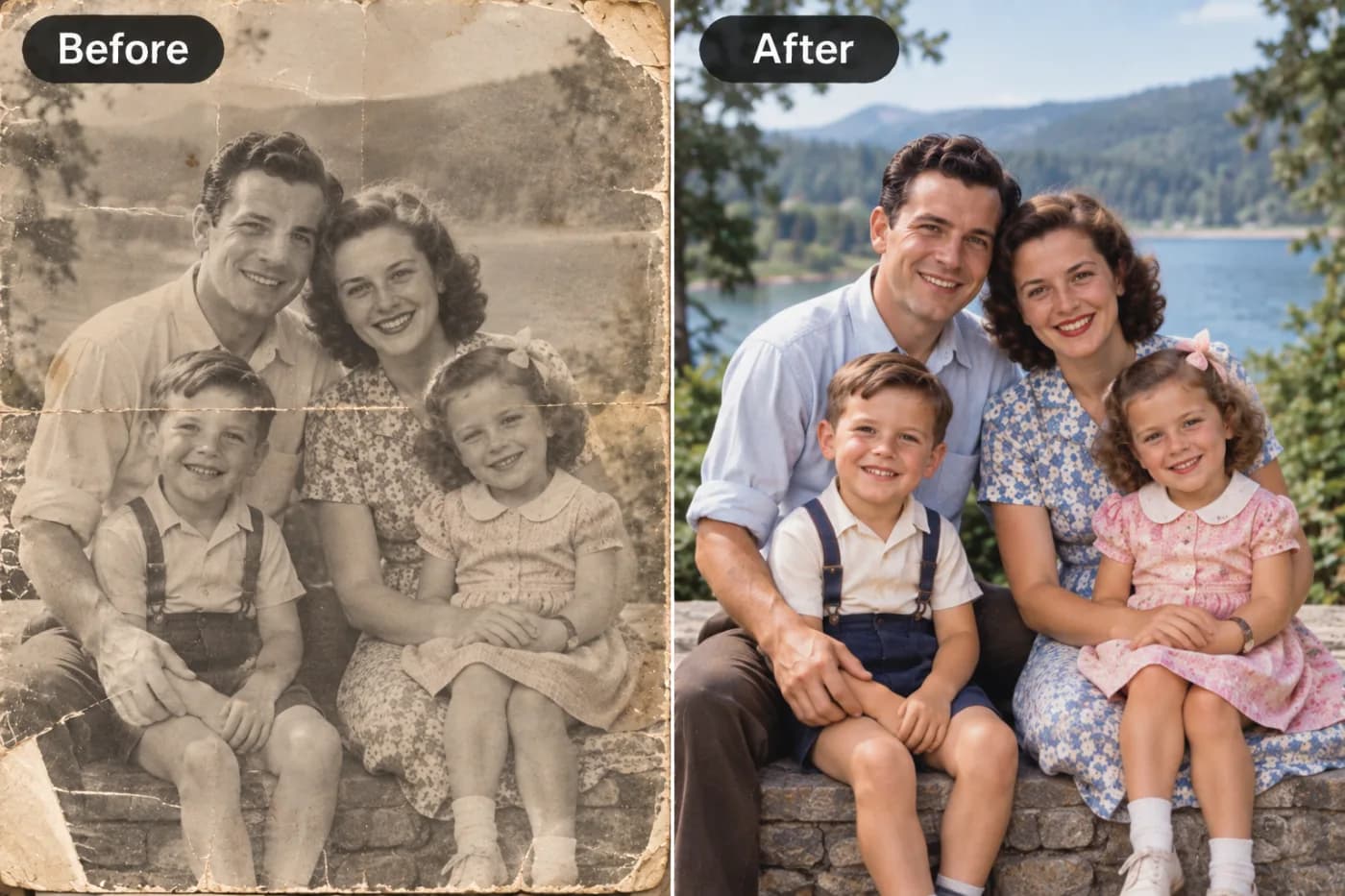
Rescuing old family photos. Scanned prints from the 1980s and 90s are often soft and grainy. Enhancement sharpens faces and reduces noise, breathing new life into memories before you print or share them.
E-commerce product listings. Marketplaces like Amazon and Etsy reward crisp, high-resolution images. Sellers use enhancement to meet minimum resolution requirements and make products look more professional, which directly improves click-through rates.
Social media content. Creators enhance phone photos before posting so their feed looks polished and consistent. A sharper image tends to earn more engagement than a soft, compressed one.
Real estate and rentals. Agents enhance interior shots taken in low light so listings look bright and appealing, helping properties stand out on crowded platforms.
Presentations and print. Marketers and students enhance low-resolution images pulled from documents or older files so they look crisp when projected or printed on a large page rather than pixelated and unprofessional.
AI Enhancement vs. Traditional Editing
How does free AI enhancement compare to the old way of doing things?
Traditional software like Photoshop or GIMP gives you total manual control, but it demands skill. Sharpening masks, noise reduction, and upscaling algorithms each require experience to apply without introducing halos, artifacts, or an over-processed look. A single image can take 15–30 minutes to enhance properly, and the software itself often costs a monthly subscription.
AI enhancement compresses that entire workflow into a single click. The model handles sharpening, noise reduction, and detail reconstruction simultaneously, based on patterns learned from millions of images. The trade-off is less granular control — you can't hand-paint a specific area — but for the vast majority of images, the automated result matches or beats what an intermediate editor could achieve manually.
Other free AI tools exist, but many undercut their value with watermarks, forced sign-ups, resolution caps, or daily limits. Pixel Shine's Normal Upscaler removes those friction points entirely: unlimited use, no account, no watermark. For power users, the Pro tier offers an upgrade path without forcing a commitment. For most people, the free tier alone replaces the need for paid desktop software.
Who Uses AI Image Enhancement and Why
A wide range of people rely on free AI enhancement to solve specific problems.
Small business owners and e-commerce sellers enhance product photos to meet marketplace standards and boost conversions without hiring a photographer. Content creators and social media managers clean up phone shots to keep their feeds looking professional. Real estate agents brighten and sharpen property images to attract more buyers.
Students and professionals enhance low-resolution images for reports, slide decks, and printed materials. Genealogy enthusiasts and families restore old scanned photographs to preserve memories. Graphic designers upscale client-supplied assets that arrive too small to use. Across all these groups, the common goal is the same: turn a low-quality image into a sharp, usable one quickly and for free, without the learning curve of professional software.
Frequently Asked Questions
Can I really enhance image quality online for free?Yes. Pixel Shine's Normal Upscaler is completely free and unlimited, with no sign-up required and no watermark on your results. You only use credits if you opt for the more powerful Pro AI engine.
Does enhancing an image add real detail or just sharpen it?AI enhancement does more than sharpen. It reconstructs plausible detail based on patterns learned from millions of high-resolution photos, so textures like hair, fabric, and edges look genuinely more defined rather than just artificially sharpened.
Will there be a watermark on my enhanced image?No. Unlike many free tools, Pixel Shine does not add watermarks to your enhanced images, even on the free Normal tier. You download at full resolution.
What image formats are supported?Common web formats including JPG, PNG, and WebP are supported. For best results, upload the highest-quality version of your file that you have.
How much can I upscale an image?You can typically choose 2x or 4x enlargement. For social media, 2x is usually ideal; for printing, higher scales help. Just avoid over-upscaling tiny sources, which lack enough data for good reconstruction.
Do I need to install any software?No. Everything runs online on both desktop and mobile. There's nothing to download or install.
Is my image safe and private?You upload only the images you want to enhance, and you download the result directly. Avoid uploading sensitive documents to any online tool as a general privacy best practice.
What's the difference between Normal and Pro enhancement?Normal is free, unlimited, and great for everyday tasks. Pro AI applies more aggressive detail reconstruction — better for faces, fine text, and heavily degraded images — and uses credits.
Key Takeaways
Enhancing image quality online for free is now genuinely possible thanks to AI. Pixel Shine's Normal Upscaler sharpens, denoises, and upscales your photos in seconds — with no watermark, no forced sign-up, and no cost. For tougher jobs like portraits, fine text, or heavily degraded images, the Pro AI engine delivers even more detail.
Start with the best source you have, match the scale to your use case, and review the before/after preview to lock in natural-looking results. Whether you're rescuing old memories or prepping product shots, you can go from blurry to crisp in under a minute. Ready to try it? Enhance your first image free at Pixel Shine.