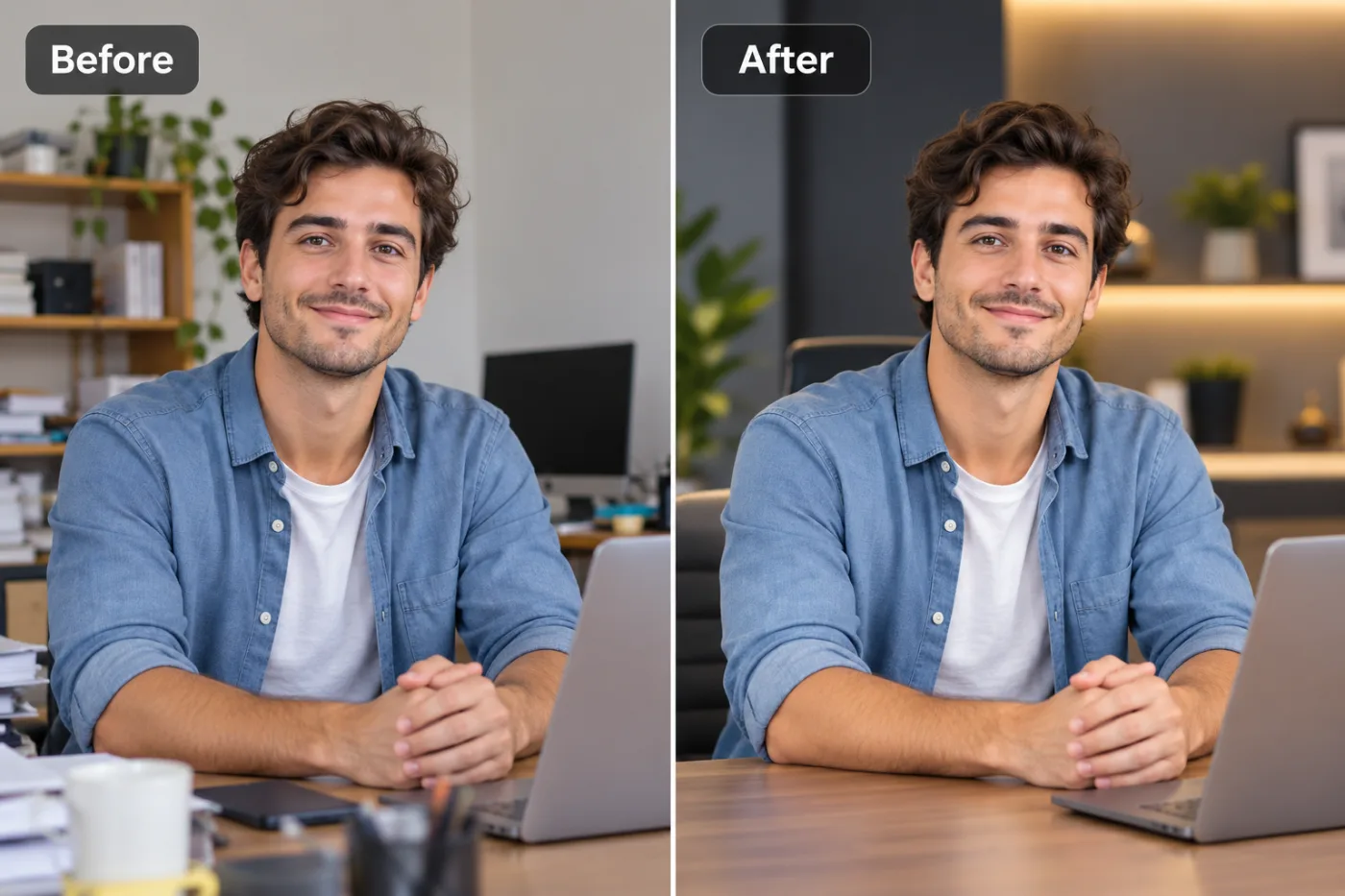
Best Free AI Photo Enhancer Tools in 2025 — Ranked and Reviewed

2025 has brought an explosion of AI photo enhancement tools. We rank the best free options — and explain why Pixel Shine tops the list for watermark-free, high-quality results.
Choosing the best free AI photo enhancer in 2025 is harder than it should be. The market is crowded with tools that all claim to be the best, yet most reveal hidden watermarks, sign-up walls, or resolution caps the moment you actually try to use them. If you've wasted time testing enhancers only to hit a paywall at download, you're not alone — and this ranked, reviewed guide is here to fix that.
We've evaluated free AI photo enhancers on the factors that genuinely matter: enhancement quality, watermark policy, sign-up requirements, usage limits, output resolution, and overall value. This isn't a list padded with tools that barely work; it's a practical comparison to help you pick the right enhancer for your needs in 2025. You'll learn what separates a top-tier free enhancer from a bait-and-switch demo, how AI enhancement technology has evolved, and why Pixel Shine consistently ranks at the top for people who want professional results without cost or friction. Let's break down the best free AI image enhancers of 2025 and how to get the most from them.
How the AI Photo Enhancer Market Changed by 2025
The AI photo enhancement landscape looks very different in 2025 than it did just a few years ago. Early tools relied on basic upscaling algorithms that stretched pixels and applied heavy sharpening, producing the telltale halos and plasticky skin that gave AI enhancement a bad name. Results were hit-or-miss, and "enhanced" often just meant "oversharpened."
By 2025, deep-learning models have matured dramatically. Modern enhancers reconstruct genuine detail — skin texture, hair strands, fabric weave, crisp text edges — based on patterns learned from enormous datasets. The gap between free and paid tools has narrowed too; several free enhancers now rival what used to require a desktop subscription.
But the business model wars intensified alongside the technology. To monetize, many "free" tools introduced watermarks, forced registration, daily caps, and resolution limits. The user experience fragmented: the AI got better, but the friction often got worse. A tool might produce a stunning preview, then demand payment to remove a logo or unlock full resolution.
That's why, in 2025, the *best* free enhancer isn't just the one with the strongest AI — it's the one that pairs strong AI with genuinely free access. The tools that win are those that let you enhance, download clean, and move on without a credit card or an email signup.
Why Pixel Shine Ranks at the Top
Among 2025's free AI photo enhancers, Pixel Shine stands out by combining strong reconstruction quality with the least friction. Its Normal Upscaler is free, unlimited, and requires no sign-up — and crucially, every download is watermark-free at full resolution. That trifecta of free, unlimited, and clean output is rare, and it's the main reason Pixel Shine tops our ranking.
The underlying engine uses deep learning to reconstruct realistic detail rather than crudely oversharpening, so results look naturally improved. For images that need more muscle — portraits, fine text, or heavily degraded photos — the Pro AI Upscaler applies aggressive reconstruction using credits.
Pixel Shine also earns points for breadth. It's not a one-trick tool: alongside enhancement, you get a free background remover, an AI headshot generator, a text-prompt photo editor, and creative AI effects — all in one online platform with no installation. That makes it a genuine editing hub rather than a single gadget.
When you weigh quality, watermark policy, sign-up requirements, usage limits, output resolution, and overall value together, Pixel Shine scores at or near the top of every category that matters to real users, which is exactly what earns it the number-one spot.
Step-by-Step: Testing a Free AI Enhancer
Here's how to evaluate and use a top free AI enhancer, using Pixel Shine as the example:
1. Open the tool. Go to Pixel Shine and find the upscale / enhance feature. Confirm it loads online with no installation.
2. Check for a sign-up wall. With Pixel Shine's Normal Upscaler, you can start immediately — no account required. This is your first quality test; tools that block you here score lower.
3. Upload a real image. Drag and drop a genuine low-quality photo (JPG, PNG, or WebP), not a demo file, so you can judge true performance.
4. Select mode and scale. Choose the free Normal Upscaler and a 2x scale for a fair baseline test, or Pro AI for demanding shots.
5. Enhance and time it. Run the enhancement — it should finish in about 5–10 seconds. Note the speed as part of your evaluation.
6. Judge the preview. Use the before/after view to check for natural detail versus oversharpening. Zoom into faces and edges.
7. Download and inspect. Save the result and confirm it's full resolution with no watermark. This final step is where many "free" tools fail — and where a true best-in-class enhancer proves itself. Repeat with a portrait and a product shot to test versatility.
Pro Tips for Getting Top-Tier Results
Whichever enhancer you choose, these tips maximize quality:
Benchmark with a challenging image. Test enhancers on a genuinely tough photo — low light, slight blur, or fine text — to reveal real capability. Easy images make every tool look good.
Prioritize natural detail over sharpness. The best 2025 enhancers reconstruct texture without halos. If an output looks crunchy or plasticky, that tool is using dated processing.
Match mode to subject. For portraits and text, use a stronger engine like Pixel Shine's Pro tier. For landscapes and general scenes, a free Normal mode usually suffices.
Enhance before cropping or editing. Preserve maximum pixel data by enhancing the full image first, then cropping and adjusting the high-resolution result.
Scale to the destination. Choose a scale factor that matches where the image will be displayed. Over-upscaling for a small web thumbnail wastes quality and can add artifacts.
Save your trials for hard cases. With limited premium trials, spend them on images the free tier can't fully handle rather than on easy enhancements.
Common Mistakes When Choosing an Enhancer
Avoid these pitfalls when picking a free AI photo enhancer in 2025:
Judging by the preview alone. Many tools show a beautiful preview, then watermark or downscale the actual download. Always test the final saved file before trusting a tool.
Ignoring the sign-up cost. "Free" tools that demand registration and email verification cost you time and inbox clutter. Factor that friction into your decision.
Overlooking usage limits. A tool that's free for one image a day isn't practical for regular use. Check for unlimited access if you enhance photos often.
Assuming newer means better. Some flashy new tools use weaker engines than established ones. Test output quality directly rather than trusting marketing claims.
Settling for oversharpened results. If a tool produces halos and waxy textures, it's using outdated processing. In 2025, you should expect natural, reconstructed detail — don't accept less.
Real-World Use Cases
The best free AI enhancer proves its worth across these 2025 scenarios:
E-commerce sellers enhance product photos in bulk to meet marketplace resolution standards, needing an unlimited, watermark-free tool to make it economical.
Social media creators sharpen daily phone content, relying on fast processing and mobile access to keep their feeds polished.
Small agencies and freelancers enhance client-supplied assets that arrive too small or too soft, needing professional quality without per-image costs.
Job seekers polish headshots for LinkedIn and applications, wanting clean, high-resolution results without watermarks.
Families and archivists restore scanned photos in batches, benefiting from unlimited free use to work through large collections. In each case, the winning tool combines quality with genuinely free, unrestricted access.
Comparison: What to Look For in 2025
When ranking free AI photo enhancers, weigh these criteria — and see how Pixel Shine performs against them.
Enhancement quality: Does it reconstruct natural detail or just oversharpen? Pixel Shine's deep-learning engine produces natural results, with a Pro tier for demanding images.
Watermark policy: Are downloads clean? Pixel Shine's Normal Upscaler downloads with no watermark, where many rivals stamp a logo.
Sign-up requirement: Can you start immediately? Pixel Shine requires no account for the Normal tier; competitors often force registration.
Usage limits: Is it unlimited? The Normal Upscaler has no cap, unlike tools that limit you to one or two images daily.
Output resolution: Do you get full resolution free? Pixel Shine delivers full-res downloads, while others reserve high resolution for paying users.
Value and breadth: Does it do more than enhance? Pixel Shine bundles background removal, headshot generation, a text-prompt editor, and creative effects.
Against these six benchmarks, Pixel Shine scores strongly across the board, which is why it earns the top ranking. Other tools may excel in one area but stumble on watermarks, limits, or sign-up friction — the exact points where Pixel Shine stays free and open.
Who Should Use a Free AI Enhancer in 2025
The best free AI photo enhancers serve a wide range of users in 2025.
Online sellers and small businesses need unlimited, professional enhancement without a photographer's budget. Content creators and social media managers require fast, mobile-friendly tools for daily posting. Freelancers and agencies enhance client assets without per-image fees eating into margins.
Job seekers want clean, watermark-free headshots. Students and educators clean up images for presentations. Families and archivists restore old photos in bulk. For all of them, the ideal 2025 tool pairs modern deep-learning quality with genuinely free, unrestricted access — the exact combination that defines the top-ranked enhancers this year.
Frequently Asked Questions
What is the best free AI photo enhancer in 2025?Pixel Shine ranks at the top for combining strong deep-learning quality with genuinely free access — its Normal Upscaler is unlimited, requires no sign-up, and downloads watermark-free at full resolution.
Are free AI photo enhancers actually good in 2025?Yes. Deep-learning models have matured to reconstruct natural detail rather than just oversharpening. The best free tools now rival what used to require paid desktop software.
Do free enhancers add watermarks?Many do, reserving clean downloads for paid users. Pixel Shine's Normal Upscaler is a notable exception, downloading with no watermark at full resolution.
Is there a usage limit on free enhancers?Some cap you at one or two images per day. Pixel Shine's Normal Upscaler is unlimited, making it practical for regular and bulk use.
Do I need to sign up to use Pixel Shine?Not for the Normal Upscaler. You can enhance immediately with no account.
What's the difference between free and Pro enhancement?The free Normal tier handles everyday photos well. Pro applies stronger reconstruction for portraits, fine text, and degraded images, using credits.
Can I enhance photos on my phone?Yes. Pixel Shine runs on mobile, so you can enhance on the go without installing an app.
Besides enhancement, what else can these tools do?Pixel Shine also offers a free background remover, AI headshot generator, text-prompt photo editor, and creative AI effects, making it a full editing platform rather than a single tool.
Key Takeaways
In 2025, the best free AI photo enhancer is the one that pairs modern deep-learning quality with genuinely free, unrestricted access — and by that standard, Pixel Shine leads. Its Normal Upscaler is unlimited, needs no sign-up, and downloads watermark-free at full resolution, while the Pro engine handles demanding images.
When you evaluate any enhancer, test the final download, not just the preview, and weigh quality, watermarks, limits, resolution, and sign-up friction together. For most users seeking professional results without cost or hassle, Pixel Shine checks every box. Try the top-ranked free AI enhancer of 2025 at Pixel Shine.