How to Enhance Old Black & White Photos for Free

Old black-and-white photos carry priceless memories but are often faded and soft. Here's how to enhance and upscale them for free.
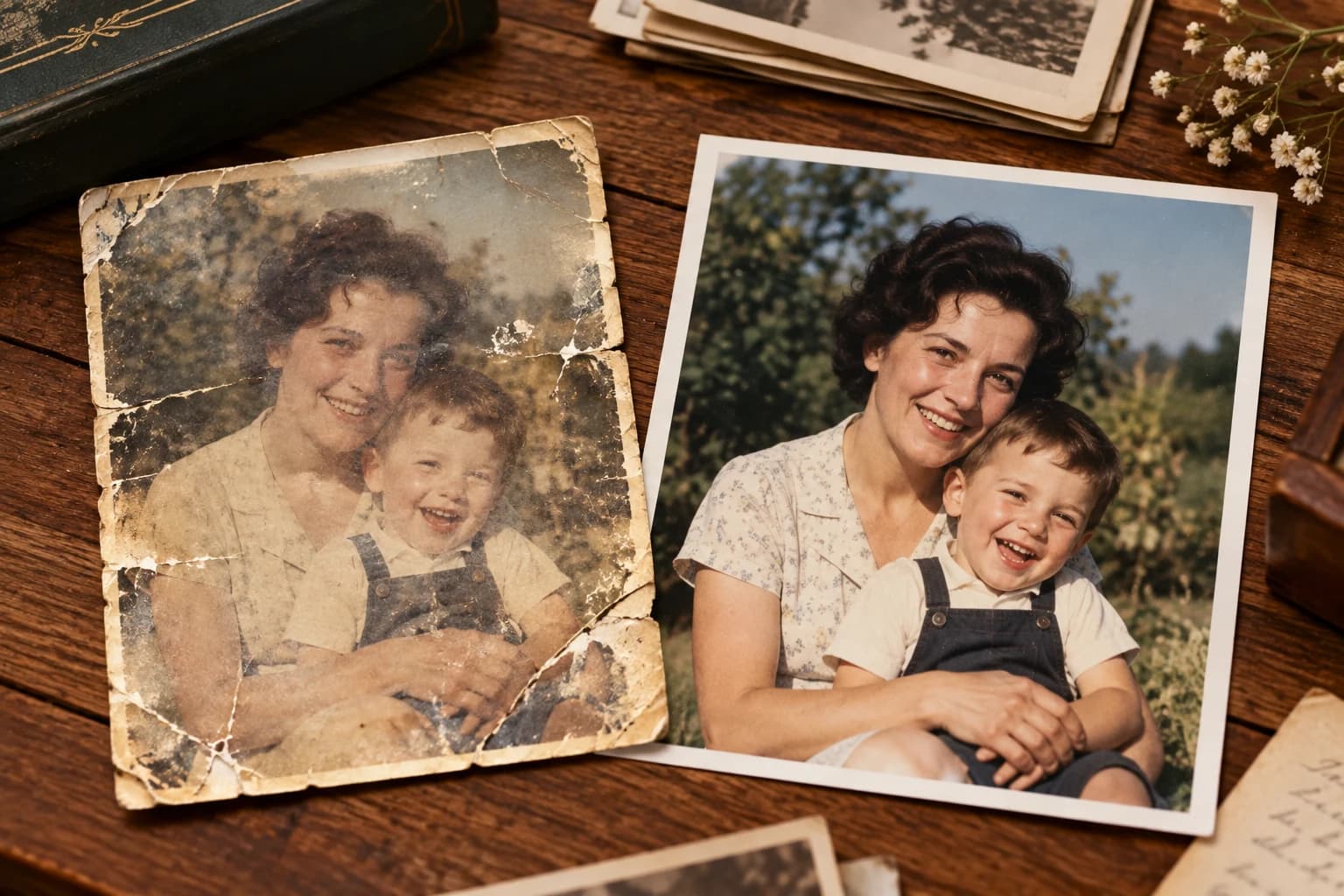
Black-and-white photos from decades past are some of the most precious images a family owns — and often the most fragile. Age, poor storage, and low-quality reprints leave them faded, soft, and grainy. AI enhancement sharpens the detail, lifts contrast, and boosts resolution so these irreplaceable portraits look clear and print-ready again, without losing their timeless character.
Why old B&W photos degrade
Vintage prints lose sharpness through generations of copying, and the original film grain becomes distracting when scanned. Contrast flattens as prints fade, so faces lose definition. Because there's no colour information to lean on, clarity depends entirely on tonal detail — which is exactly what enhancement restores. Upscaling rebuilds edges around faces, hair, and clothing so the subject stands out crisply again.
Enhance a black & white photo
Step 1 — Scan or photograph the print. Capture it flat in even light at the highest resolution you can.
Step 2 — Upscale 2× or 4×. Upload to Pixel Shine. The AI sharpens facial features and fabric texture while reducing grain and softness.
Step 3 — Adjust tone and save. A small contrast lift restores depth to faded prints. Download the enhanced high-resolution file for framing or sharing.
Tips for vintage portraits
Start from the cleanest scan possible — dust and scratches will be enhanced along with the detail, so wipe the print gently first. Enhancement works remarkably well on faces, which is usually what matters most in a family portrait. If you later want to colourise the photo, doing it after upscaling gives the best result because the AI has more detail to work with. These make heartfelt gifts for relatives.
Preserve your heritage for free
Pixel Shine is free, unlimited, and watermark-free, so you can enhance an entire family archive at no cost. It all runs online — nothing to install.
Honour your family history at Pixel Shine — upload an old photo and download a crisp, enhanced version in seconds.