AI Headshots for LinkedIn and Resume: A Complete Guide
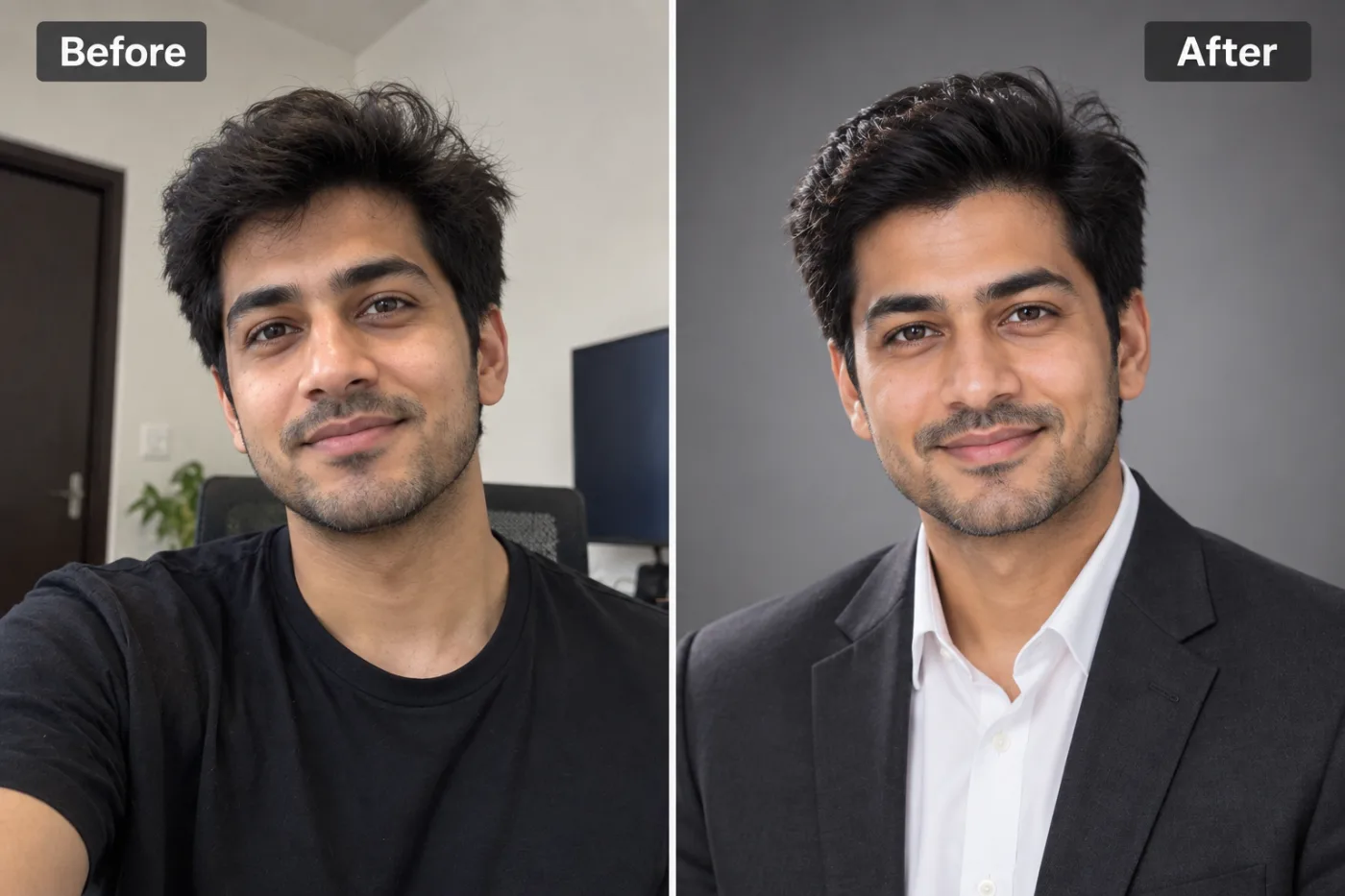
Your LinkedIn photo affects how recruiters and colleagues perceive you before they have read a single word. Here is how to get the right one with AI.
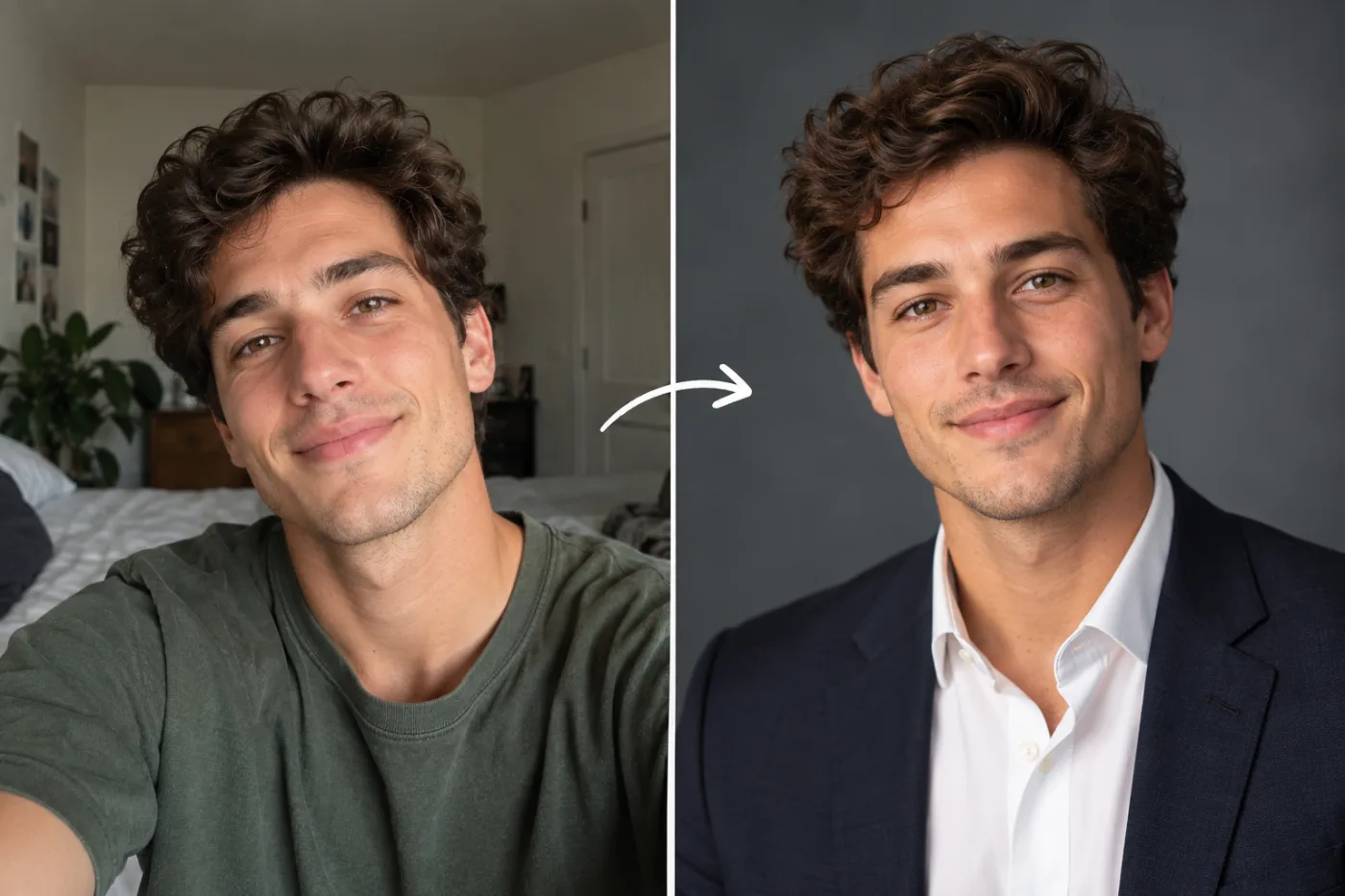
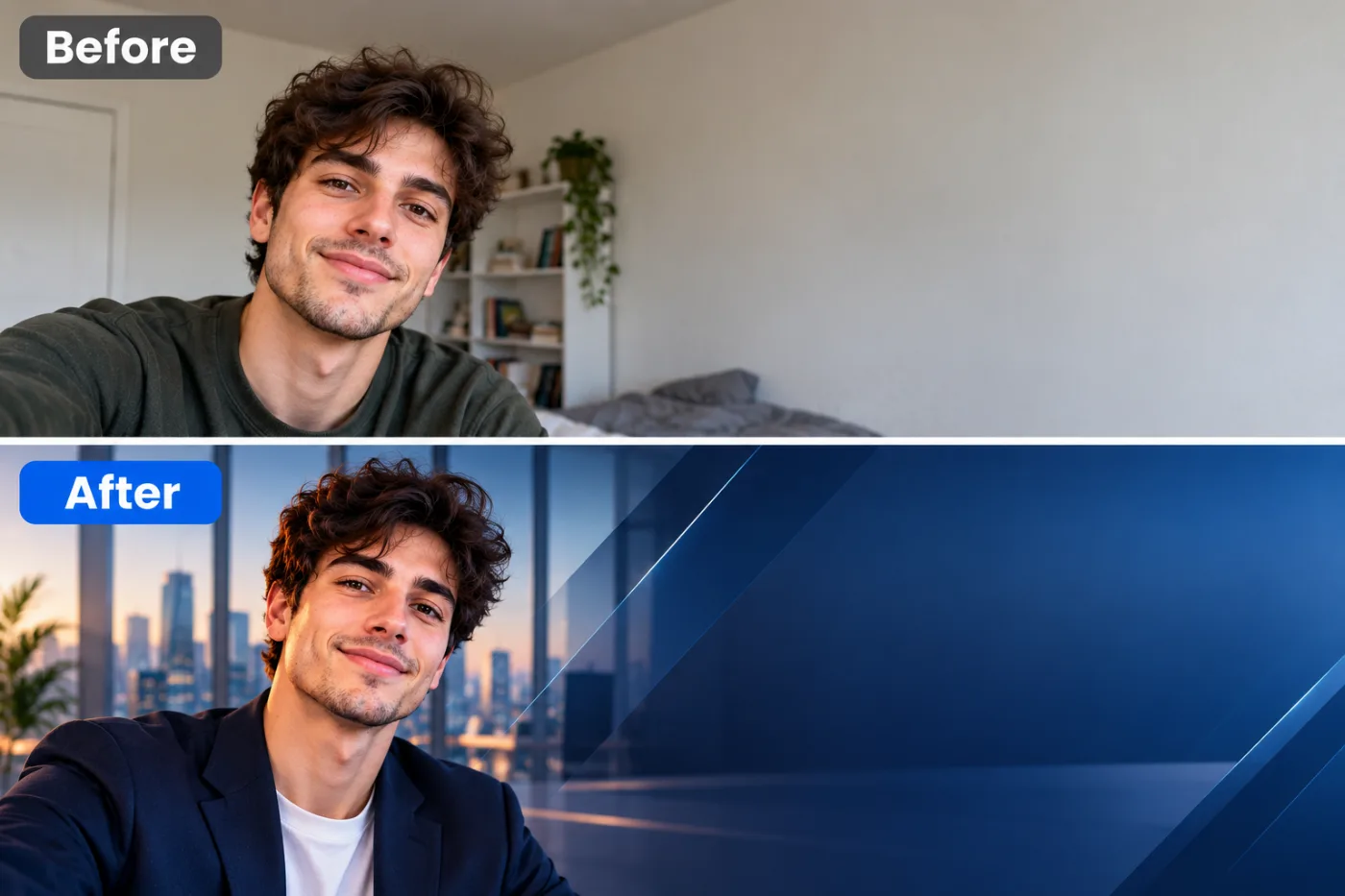
An AI headshot for LinkedIn and your resume might be the single highest-return upgrade you can make to your professional presence this year. Your profile photo is the first thing recruiters, hiring managers, and connections see — and the data backs up its importance: LinkedIn profiles with a professional photo get dramatically more views and connection requests than those without. Yet a professional photographer session can cost $150-300 and require scheduling, travel, and coordination. An AI headshot delivers a comparable result in minutes, from home, for a fraction of the cost.
This guide is a complete walkthrough of using AI headshots specifically for career purposes — LinkedIn profiles, resumes, email signatures, and job applications. We'll cover what makes a headshot recruiter-ready, how to choose styles that fit your industry, the exact steps to create one, and the mistakes that make an AI photo look off. Whether you're actively job hunting, building your personal brand, or just overdue for a profile refresh, you'll learn how to create a professional headshot for your resume and LinkedIn that looks like you paid a photographer — using Pixel Shine's AI headshot generator.
Why Your Profile Photo Matters More Than You Think
It's tempting to treat your headshot as a minor detail, but for career purposes it does real, measurable work.
It drives profile engagement. LinkedIn has repeatedly noted that profiles with photos receive far more views and connection acceptances than those without — a professional photo signals that you're a real, serious professional. A missing or poor photo quietly costs you visibility.
It shapes first impressions in seconds. Recruiters skim. Before they read a word of your experience, they've formed an impression from your photo. A clean, professional, approachable headshot buys you goodwill; a blurry vacation crop or a missing image raises subtle doubts.
It reinforces your personal brand. Across LinkedIn, your resume, your email signature, and your company bio, a consistent professional headshot ties your presence together and reads as intentional and polished.
It levels the playing field. Not everyone can afford a $200+ photographer, and that used to create an image gap between candidates. AI headshots close that gap — anyone can now present a professional image.
It's easy to get wrong and easy to get right. The stakes are high, but so is the opportunity: a small effort to create a proper headshot yields an outsized return in how you're perceived. Given how much your photo influences opportunities, it's one of the best-value investments in your job search — especially when you can do it free.
What Makes a Headshot Recruiter-Ready
Not every professional-looking photo works for a resume or LinkedIn. Here's the specific checklist recruiters respond to.
Clear, well-lit face. Your face should be the focal point, evenly lit, in sharp focus, and unobstructed. No sunglasses, no heavy shadows, no distracting elements.
Professional but approachable expression. A genuine, warm expression — a soft smile works well — makes you look confident and personable. A stern or overly stiff look can read as cold; a goofy grin reads as unserious.
Appropriate, uncluttered background. A clean, neutral, or softly blurred professional background keeps focus on you. Busy or casual backgrounds (your kitchen, a party) undercut the professional signal.
Industry-appropriate styling. Your attire and overall vibe should match your field's norms — a suit reads right in finance and law, while a smart-casual look fits tech and creative roles.
Recognizable likeness. Crucially, the headshot must actually look like you. When you show up to an interview or meet a connection, they should recognize you instantly. An AI headshot that's flattering but unrecognizable creates an awkward disconnect.
Correct framing. Head-and-shoulders, face taking up a good portion of the frame, eyes roughly in the upper third. This is the classic professional headshot composition.
Hit every item on this checklist and your headshot does its job: it makes recruiters see a credible, approachable professional they'd want to talk to.
Step-by-Step: Create Your LinkedIn Headshot
Here's the full process to generate a career-ready headshot with Pixel Shine.
Step 1: Take or select good source photos. Use clear, well-lit, front-facing photos of yourself at eye level. If you're shooting fresh, face a window for soft light and capture a few angles and expressions.
Step 2: Go to Pixel Shine and open the AI Headshot Generator.
Step 3: Upload your source photos. Provide your best, clearest shots. Better input produces better output — avoid dark, blurry, or heavily filtered images.
Step 4: Choose a professional style that fits your industry. Select attire, background, and overall tone appropriate to your field — conservative for finance and law, smart-casual for tech and creative work.
Step 5: Generate and review your options. The AI produces professional headshots. Evaluate them on the recruiter-ready checklist: clear face, natural expression, appropriate style, and — most importantly — genuine likeness.
Step 6: Pick the one that looks most like you. Prioritize recognizability over pure glamour. The best choice is professional and unmistakably you.
Step 7: Upscale for crisp quality. Run your chosen headshot through Pixel Shine's upscaler so it looks sharp on LinkedIn, in print, and at larger sizes.
Step 8: Crop and export for each use. LinkedIn displays profile photos as a circle, so keep your face centered with a little margin. Export versions sized for LinkedIn, your resume header, and your email signature.
Pro Tips for Career Headshots
These refinements make your headshot work harder across every professional channel.
Match the style to your target role, not just your current one. If you're aiming for a more senior or formal position, lean slightly more polished and conservative than your current job might require.
Keep it consistent everywhere. Use the same headshot on LinkedIn, your resume, your email signature, and company bios. Consistency builds recognition and reads as professional.
Mind the LinkedIn circle crop. LinkedIn crops profile photos into a circle. Center your face and leave breathing room so the crop doesn't cut off the top of your head or crowd your face.
Choose a background that doesn't fight your industry. A neutral or softly blurred background is safest. If your field is creative, a subtle branded color can work; if it's conservative, keep it plain.
Refresh it periodically. Update your headshot every couple of years or after a significant change in appearance, so people recognize you when you meet.
Use background removal for flexibility. If a specific application wants a white or branded background, generate your headshot then use Pixel Shine's background remover to place it exactly where you need it — all in the same platform.
Common Mistakes to Avoid
These errors undercut an otherwise good career headshot.
Choosing glamour over likeness. The most damaging mistake. A headshot that looks amazing but not like you creates distrust when you meet people in person or on video calls. Always prioritize recognizability.
Using an inappropriate style for your industry. A flashy, stylized headshot can undermine credibility in law, finance, or academia; an overly stiff corporate look can feel out of place in a creative field. Match your field.
A distracting or casual background. Vacation scenery, party backgrounds, or cluttered rooms pull focus and signal informality. Keep it clean and professional.
Ignoring the LinkedIn circle crop. A photo that looks fine as a square can get awkwardly cut off in LinkedIn's circular frame. Compose with the crop in mind.
Using a low-resolution image. A soft, pixelated headshot looks unprofessional. Upscale your final pick so it's crisp everywhere it appears.
Matching Your Headshot to Your Industry
The right style varies significantly by field, and getting this alignment right is what makes a headshot feel appropriate rather than generic.
Finance, law, and consulting call for traditional, polished professionalism: formal attire (suit or blazer), a neutral or softly blurred background, and a composed, confident expression. Conservative is the safe, credible choice.
Tech and startups allow more relaxed styling: smart-casual attire, an approachable expression, and a modern, clean background. You can look professional without a formal suit.
Creative fields (design, marketing, media) give you the most latitude for personality: you can incorporate a bit more style, a subtle branded background color, or a more expressive look, as long as it stays clearly professional.
Healthcare, education, and nonprofit roles benefit from warm, approachable, trustworthy styling — a genuine smile and clean, neutral presentation signal the reliability these fields value.
Executive and leadership roles across any industry lean toward polished, high-quality, confident imagery that conveys authority.
The common principle: your headshot should look like it belongs in your industry. With Pixel Shine, you can generate several styles and pick the one that fits your field's expectations, then use it consistently. At 2 credits a headshot, experimenting with a few professional styles stays cheap.
Who Uses AI Headshots for Career Purposes
The career use cases are wide-ranging. Active job seekers refresh their LinkedIn and resume photos to make the strongest first impression on recruiters — often the fastest, cheapest profile upgrade available. Recent graduates entering the job market create their first professional headshot without the budget for a photographer.
Remote and hybrid workers who rarely meet colleagues in person rely on a polished digital presence to represent them. Freelancers and consultants need professional imagery for LinkedIn, proposals, and personal websites to win clients. Career changers update their image to align with a new target industry.
Sales professionals put their headshot on email signatures, proposals, and outreach. Executives and founders need consistent, professional photos for bios, press, and speaking engagements. And plenty of working professionals simply realize their current photo is a decade old or a cropped selfie and want a proper update.
All of them get a photographer-quality result from home with Pixel Shine.
Frequently Asked Questions
Are AI headshots good for LinkedIn?Yes. AI headshots are realistic and professional enough for LinkedIn, provided you choose a result that clearly looks like you and matches your industry's style. Many professionals now use them in place of a photographer.
Can I use an AI headshot on my resume?Yes, where a photo is expected or accepted (note that in some countries, like the US, photos on resumes are generally discouraged, while in many others they're standard). When used, a clean, professional AI headshot works well.
Will recruiters know it's an AI headshot?A good AI headshot looks like a professional photo, and the key is that it genuinely resembles you. As long as it's recognizable and professional, it serves its purpose exactly like a photographer's headshot would.
How much does an AI headshot cost compared to a photographer?A photographer session typically runs $150-300. AI headshots are dramatically cheaper — Pixel Shine runs on inexpensive credits with no subscription.
What should I wear for a LinkedIn headshot?Dress for your industry: formal attire (suit or blazer) for finance and law, smart-casual for tech and creative fields. Solid colors and clean styling photograph best.
How do I make my headshot look professional but still like me?Upload clear, honest source photos and choose generated results that preserve your real features. Prioritize likeness over the most glamorous option so people recognize you.
What background is best for a LinkedIn photo?A neutral or softly blurred professional background keeps focus on you. If you need a specific color, generate the headshot and use background removal to swap it.
How often should I update my professional headshot?Every couple of years, or sooner if your appearance changes significantly, so that people recognize you when you meet in person or on video.
Key Takeaways
Your professional headshot is one of the highest-return elements of your career presence — it drives profile views, shapes recruiter first impressions, and reinforces your personal brand across LinkedIn, resumes, and email signatures. A recruiter-ready headshot is clear, well-lit, appropriately styled for your industry, and, above all, genuinely recognizable as you. AI now delivers this from home in minutes, closing the gap that expensive photographer sessions once created.
The practical path: use good source photos, pick a style that fits your field, choose the result that looks most like you, and upscale it for crisp quality everywhere. Pixel Shine's AI Headshot Generator needs no subscription, so head to Pixel Shine, create your professional headshot for 2 credits, and give your career presence the upgrade it deserves.