Best Free AI Image Upscaler Tools in 2025 (Compared)
With dozens of AI upscalers available, which ones actually deliver sharp results without hidden costs? We compare the top tools head-to-head.
Finding the best free AI image upscaler in 2025 shouldn't require signing up for three different accounts, dodging watermarks, or hitting a paywall after your second image. Yet that's exactly what most people run into. The good news? AI upscaling technology has matured dramatically, and a handful of tools now deliver genuinely impressive results without asking for your credit card. Whether you're rescuing a blurry old photo, prepping a product shot for your store, or blowing up a screenshot for print, the right free image upscaler online can turn a 500px thumbnail into a crisp, detail-rich image in seconds.
In this comparison, we'll break down what actually separates a great free upscaler from a frustrating one, test the leading options head-to-head, and show you exactly how to upscale image online free without the usual headaches. Spoiler: not all "free" tools are created equal, and the fine print matters more than the marketing. Let's get into it.
What Makes an AI Upscaler Actually "Free"?
Here's the dirty secret of the upscaling world: "free" often means "free trial" or "free with a giant watermark stamped across your image." When we evaluate the best free AI image upscaler options, we look at four things that separate real free tools from bait-and-switch offers.
No forced sign-up. The best tools let you upscale at least one image without creating an account. If you have to hand over your email just to test the quality, that's friction that shouldn't exist.
No watermarks on output. A watermark instantly disqualifies a tool for professional use. You shouldn't have to pay to remove branding from your own photo.
Real resolution gains, not just resizing. Many "free" tools simply stretch your image (the same thing you could do in Paint) and call it upscaling. True AI upscaling reconstructs detail using machine learning models trained on millions of images.
Reasonable limits. Some tools cap you at 2 images per day or limit output to 720p. A genuinely useful free tier gives you room to actually get work done. Pixel Shine stands out here: its Normal Upscale is completely free, unlimited, and requires no sign-in whatsoever.
The Top Free AI Upscalers Compared
We tested the major players in the AI upscaler comparison 2025 landscape across image quality, speed, limits, and hidden costs. Here's how they stack up.
Pixel Shine — The standout for accessibility. Normal Upscale is free, unlimited, and requires zero sign-in. No watermarks. A Pro AI mode using advanced diffusion models is available for credits when you need maximum detail recovery. Best all-around free option.
Upscale.media — Solid results but caps free users and pushes hard toward paid plans after a few images.
Let's Enhance — High-quality output but the free tier gives you just a handful of credits total, then it's subscription-only.
waifu2x — Free and open-source, great for anime and illustrations, but dated results on real photos and a clunky interface.
BigJPG — Free tier limited to smaller images and slower processing during peak hours.
Bottom line: most competitors gate their best features behind subscriptions or credit walls after 2-3 images. If your priority is upscaling frequently without cost or friction, Pixel Shine's unlimited free Normal Upscale is hard to beat.
Step-by-Step: How to Upscale an Image for Free
Using a free image upscaler online should take under a minute. Here's exactly how to do it with Pixel Shine, no account required.
Step 1: Go to the upscaler. Open Pixel Shine and navigate to the Upscale tool. You don't need to log in or create an account for the Normal Upscale.
Step 2: Upload your image. Drag and drop your photo directly into the upload box, or click to browse your files. Pixel Shine accepts common formats like JPG, PNG, and WebP. Even a small 400x400px image works fine.
Step 3: Choose your upscale factor. Select 2x or 4x depending on how large you need the final image. A 4x upscale turns a 500px image into a 2000px one, which is enough for most print and social uses.
Step 4: Pick your mode. For everyday needs, stick with the free unlimited Normal Upscale. If you're recovering a badly degraded photo or need maximum detail reconstruction, switch to Pro AI mode (uses credits).
Step 5: Process and download. Click Upscale and wait a few seconds while the AI reconstructs detail. Preview the before/after, then download your full-resolution result. No watermark, no email required.
Step 6 (optional): Batch or refine. Need to touch up further? Run the result through Pixel Shine's background remover or photo editor in the same session. Everything lives on one platform, so you never juggle multiple tools.
Pro Tips for Getting the Best Upscale Results
Start with the highest-quality source you have. Upscaling amplifies whatever's in the original. A JPEG saved five times over will show compression artifacts more clearly at 4x. If you have the original file, use it.
Don't over-upscale. Jumping straight to 4x on a tiny 200px image can produce a plasticky, over-smoothed look. Try 2x first and evaluate before pushing further.
Match the mode to the content. Portraits and faces benefit from Pro AI mode, which handles skin texture and eyes more naturally. Graphics, logos, and simple product shots usually look great with the free Normal Upscale.
Upscale, then edit — not the other way around. Apply your upscale first, then do color correction or cropping. Editing a low-res file and upscaling afterward locks in your mistakes at higher resolution.
Test on a small batch first. Before running 50 product images through, upscale two or three to confirm the settings look right. It saves you redoing the whole set.
Keep a copy of the original. Always. Upscaling is non-destructive on Pixel Shine, but good file hygiene means you can re-run with different settings later.
Common Mistakes to Avoid
Assuming all free tools reconstruct detail. Many just resize with bicubic interpolation and slap "AI" on the label. If your output looks like a stretched, blurry version of the input, the tool isn't actually using AI. Real upscalers add plausible new detail.
Ignoring the watermark fine print. Some "free" tools let you upscale freely but stamp their logo on the download. Always check the output before you rely on a tool for anything public-facing.
Uploading heavily compressed screenshots. Screenshots of screenshots, or images pulled from messaging apps, are already degraded. Upscaling can't invent detail that was destroyed, though it will clean up the result significantly.
Expecting print quality from a thumbnail. A 100x100px favicon will never become a billboard. AI upscaling has limits — it works best when there's real detail to build on. Aim for 2-4x, not 20x.
Forgetting to check the final dimensions. Upscaling to 4x quadruples your pixel count. Make sure the output size actually fits your intended use before downloading.
Free vs Paid Upscaling: When to Upgrade
For roughly 80% of everyday tasks, a free upscaler is all you'll ever need. Enlarging social media images, cleaning up product photos, prepping web graphics, rescuing old family pictures — the free unlimited Normal Upscale on Pixel Shine handles all of these cleanly.
So when does paying make sense? The line usually comes down to how much detail needs to be *invented* versus simply sharpened. Pro AI modes use more advanced diffusion-based models that can reconstruct realistic skin texture, hair strands, and fine patterns that basic upscaling smooths over. That matters for:
Professional portraits and headshots where facial detail is scrutinized. Large-format print like posters and banners where you're viewing at close range. Heavily degraded archival photos that need aggressive restoration. Commercial product photography for premium listings.
The smart approach is to try the free tier first. On Pixel Shine, you can run the free Normal Upscale, see if it meets your standard, and only spend credits on Pro AI when the free result genuinely isn't enough. Because credits start very cheap and there's no subscription lock-in, you pay only for the specific images that need the extra horsepower — not a monthly fee for capacity you won't use.
Who Uses Free AI Upscalers (And Why)
E-commerce sellers upscale supplier-provided product photos that arrive too small for Amazon's 1000px+ zoom requirement. A quick 4x upscale gets a 500px image over the threshold in seconds.
Real estate agents enhance phone-shot property photos before uploading to listing sites, where higher resolution correlates with more clicks.
Content creators and bloggers rescue stock images and screenshots that would otherwise look pixelated on retina displays.
Print-on-demand designers upscale artwork to meet the 300 DPI requirements for t-shirts, mugs, and posters.
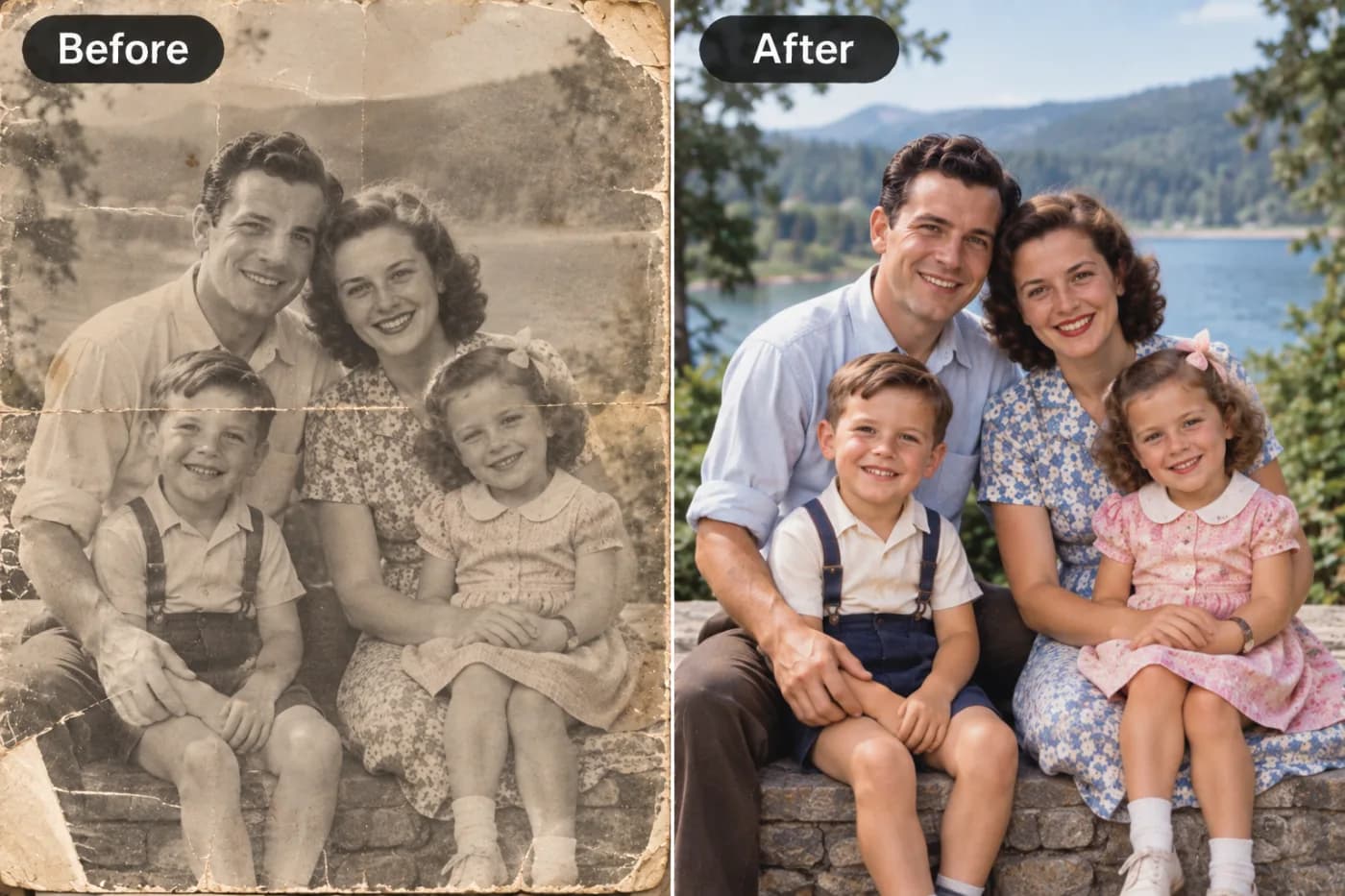
Genealogy hobbyists restore and enlarge scanned family photos from the 1950s and 60s, bringing faded memories back to life for reunions and gifts.
Social media managers batch-enhance a week's worth of posts so nothing looks soft in the feed.
The common thread: none of these people are professional retouchers, and none want to pay a subscription. A capable free tool that just works, without sign-up friction, fits how they actually operate.
Frequently Asked Questions
What is the best free AI image upscaler in 2025?Pixel Shine leads for accessibility because its Normal Upscale is completely free, unlimited, and requires no sign-in or watermark. For maximum detail recovery, its Pro AI mode is available cheaply. Other strong options include Upscale.media and Let's Enhance, though both limit free usage more aggressively.
Can I upscale an image online for free without signing up?Yes. Pixel Shine's Normal Upscale requires no account at all — just visit the Pixel Shine upscaler, upload, and download. Many competitors force registration after one or two images.
How much can I enlarge an image with AI?Most tools offer 2x and 4x. A 4x upscale quadruples both dimensions (a 500px image becomes 2000px). Beyond 4x, results depend heavily on the source quality — AI can enhance detail but can't fully invent what was never captured.
Do free upscalers add watermarks?Some do. Pixel Shine does not add watermarks to any output, free or paid. Always check a tool's downloaded result before using it publicly.
Will AI upscaling fix a blurry photo?It significantly improves blur, compression artifacts, and softness by reconstructing detail. It works best on images with real underlying detail rather than extreme motion blur or total pixelation.
Is AI upscaling better than Photoshop's resize?Yes. Photoshop's standard resize uses interpolation that stretches existing pixels, producing softness. AI upscalers generate new plausible detail, yielding sharper, more natural results at higher magnifications.
What image formats can I upscale?Pixel Shine supports common formats including JPG, PNG, and WebP. Upload whatever you have and download in high resolution.
Is there a limit on how many images I can upscale free?With Pixel Shine's Normal Upscale, no — it's unlimited and free.
Key Takeaways
The best free AI image upscaler in 2025 is the one that delivers real detail reconstruction without watermarks, sign-up walls, or surprise limits. On those criteria, Pixel Shine's unlimited free Normal Upscale is the standout choice for everyday use, with an affordable Pro AI mode when you need to squeeze out maximum quality.
Before you settle for a subscription or tolerate a watermark, try the free option first — you'll likely find it handles the vast majority of your images perfectly. Head to the Pixel Shine upscaler, drop in an image, and see the difference for yourself in seconds. No account, no cost, no catch.
Try Pixel Shine Upscaler Free →