Edit Photos Without Photoshop: A Free AI Alternative
Photoshop is powerful but complex and costly. Here's how to do the most common edits for free using AI text prompts — no skills required.
Learning to edit photos without Photoshop for free has become one of the smartest moves for anyone who works with images — because Photoshop, for all its power, is genuinely overkill for most people. It costs a recurring subscription, takes months to learn, and demands a powerful computer, all to accomplish edits that many users could describe in a single sentence. If you've ever wanted to remove a background, retouch a portrait, or transform a photo without wrestling with layers and masks, there's now a far simpler path.
This guide introduces the free AI photo editor as a genuine Photoshop alternative. Instead of manual tools and technical skill, AI editing lets you describe what you want in plain language and delivers the result automatically. You'll learn how AI photo editing works, how to use Pixel Shine's online editor step by step, and where it beats — and where it doesn't beat — traditional software. Best of all, Pixel Shine adds no watermark, so you can edit images like a pro without ever opening Photoshop or paying a subscription.
Why Photoshop Isn't the Right Tool for Most People
Photoshop is extraordinary software, but it was built for professionals doing complex, pixel-level work — and that makes it a poor fit for the majority of everyday editing needs. Understanding this mismatch explains why AI alternatives have exploded in popularity.
The cost is ongoing. Photoshop requires a recurring subscription with no permanent-ownership option, which is hard to justify if you only edit photos occasionally.
The learning curve is steep. Layers, masks, selection tools, adjustment stacks — professionals spend years mastering these. For someone who just wants to remove a background or fix a portrait, that's an enormous investment for a simple result.
It demands hardware and installation. Photoshop is a heavy desktop application that needs a capable computer and setup time. You can't just open a browser and get to work.
Most edits are conceptually simple. "Remove the background," "make the sky more dramatic," "clean up my skin" — these are simple requests buried under complex manual workflows. The gap between what people want and the effort Photoshop requires is exactly the space AI photo editors fill. By letting you describe an edit in plain words, AI collapses a twenty-step manual process into a single instruction, making professional-looking results accessible to everyone.
How Pixel Shine Edits Photos Without Photoshop
Pixel Shine replaces manual editing with AI that understands what you want and does the work for you. Rather than learning tools, you describe your goal — and the AI handles the technical execution. This text-prompt approach is the core of the AI Photo Editor, and it fundamentally changes who can edit photos well.
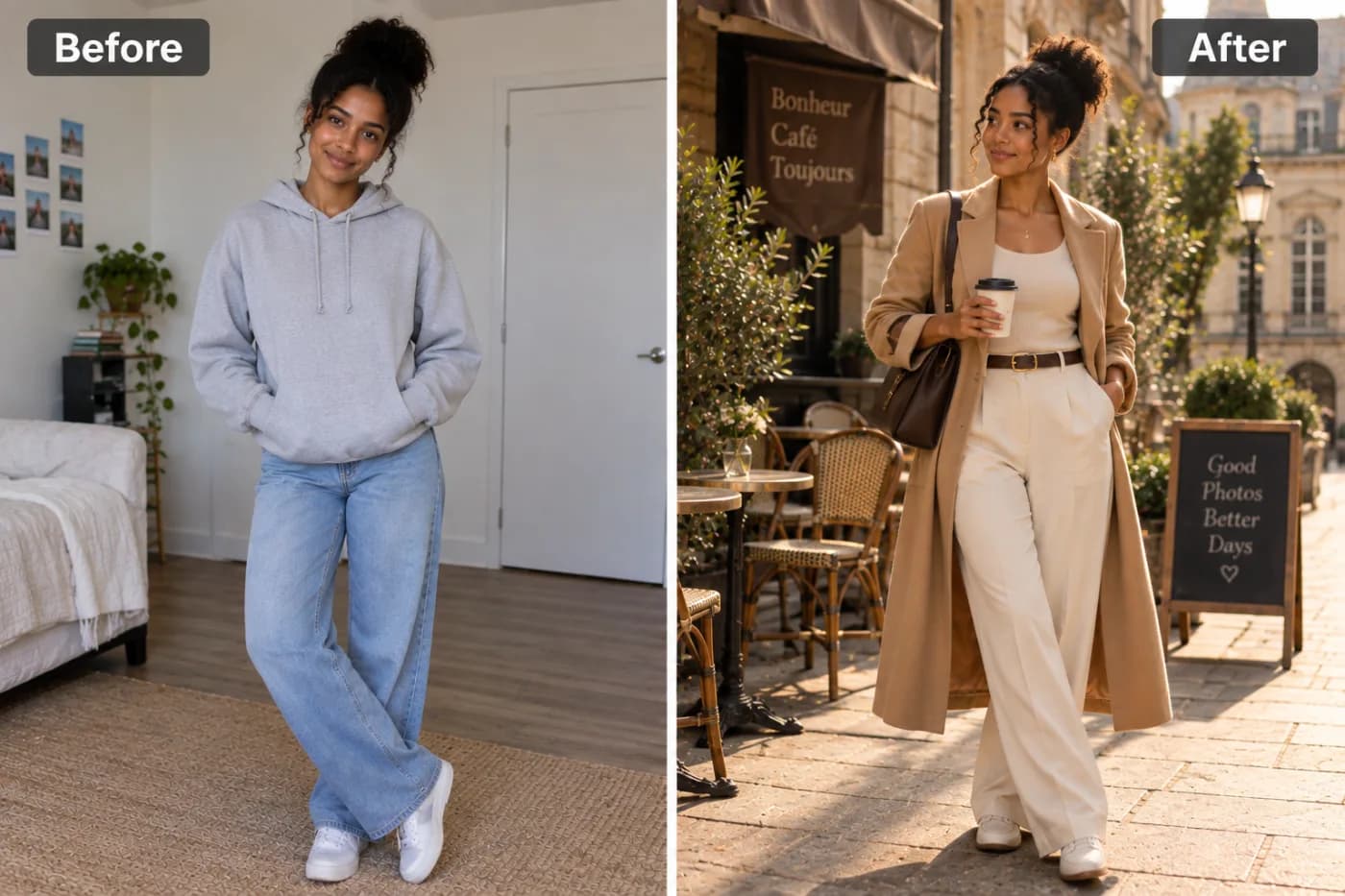
Say you want to remove a distracting object, change a background, or restyle a portrait. In Photoshop, that means selections, masking, cloning, and blending — a real project. With Pixel Shine's editor, you type what you want in plain language, and the AI interprets your instruction and generates the edited result. No layers, no masks, no manual selections.
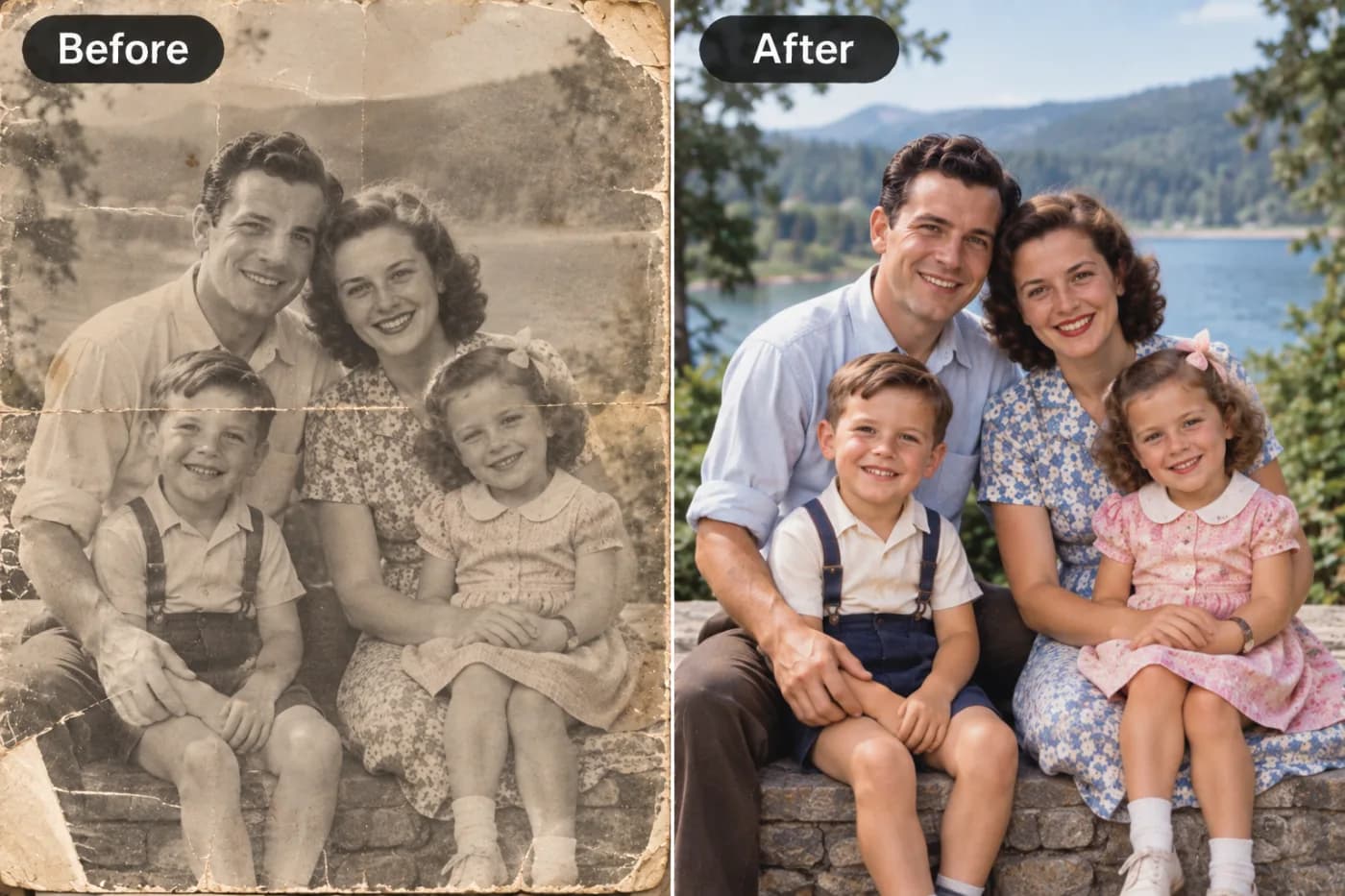
Beyond prompt-based editing, Pixel Shine bundles a full suite of tools that each replace a common Photoshop task: a Background Remover for clean cutouts, an AI Upscaler to sharpen and enlarge images (Normal mode free and unlimited), an AI Headshot Generator for professional portraits, and Creative AI Photo Effects for stylized transformations. Everything runs online — no installation, no powerful computer required. Pixel Shine adds no watermark to your results, so what you create is clean and ready to use.
Step-by-Step: Edit a Photo Without Photoshop
Here's how to edit a photo using Pixel Shine's online tools instead of Photoshop:
1. Open the editor. Go to Pixel Shine and launch the AI Photo Editor. Everything runs online, so there's nothing to install.
2. Upload your photo. Drag it into the upload area or click to browse. Pixel Shine supports JPG, PNG, WebP, and more. Use the best-quality source you have for the cleanest result.
3. Describe your edit in plain language. Instead of hunting for tools, type what you want — for example, "remove the background," "change the sky to sunset," or "clean up the skin and brighten the photo." Be specific about the outcome you're after.
4. Generate the result. Let the AI interpret your instruction and produce the edited image. This replaces what would be a multi-step manual process in Photoshop.
5. Refine if needed. If the result isn't quite right, adjust your description and run it again, or switch to a dedicated tool like the Background Remover or Upscaler for a specific task.
6. Download your edit. Review the result and download it. There's no watermark, so your edited photo is clean and ready to post, print, or share.
Pro Tips for Better AI Photo Editing
These techniques help you get professional results from AI editing:
Be specific in your prompts. "Make it better" gives the AI little to work with. "Brighten the photo, warm the tones, and blur the background" produces a far more predictable, useful result. Describe the outcome clearly.
Use the right tool for the job. For a clean cutout, reach for the dedicated Background Remover rather than a prompt. For sharpening and enlarging, use the Upscaler. Matching the tool to the task gives cleaner results than forcing everything through one prompt.
Start with a good source. AI editing works best on a decent-quality original. Upload the highest-resolution version you have rather than a compressed re-share.
Iterate in small steps. Make one change, review it, then make the next. Stacking too many instructions in a single prompt can muddy the result.
Combine tools in sequence. Remove the background, then upscale, then apply an effect — chaining the tools lets you build a polished result no single step could achieve.
Experiment with a few approaches. Test different prompts and tools before settling on your approach, so you learn what each does best without pressure.
Common Mistakes to Avoid
Avoid these pitfalls when switching from Photoshop to AI editing:
Writing vague prompts. The AI can only act on what you describe. Vague instructions produce unpredictable edits — be specific about what you want changed and how.
Expecting pixel-perfect manual control. AI editing excels at describing outcomes, not at nudging a single pixel by hand. For truly surgical, region-level control, traditional software still has an edge; know when your task genuinely needs it.
Starting with a low-quality image. A tiny, compressed source limits what any editor can achieve. Begin with the best original you have.
Overloading a single prompt. Cramming five different edits into one instruction often confuses the result. Make changes in stages and review each.
Ignoring the dedicated tools. Some users try to do everything through prompts when a purpose-built tool — Background Remover, Upscaler, Headshot Generator — would do the job faster and cleaner. Use the specialized tools when they fit.
Real-World Uses for a Free AI Photo Editor
A free AI photo editor covers the vast majority of everyday editing needs:
Product photos for sellers. Remove cluttered backgrounds, brighten images, and sharpen details so listings look professional — no Photoshop skills required.
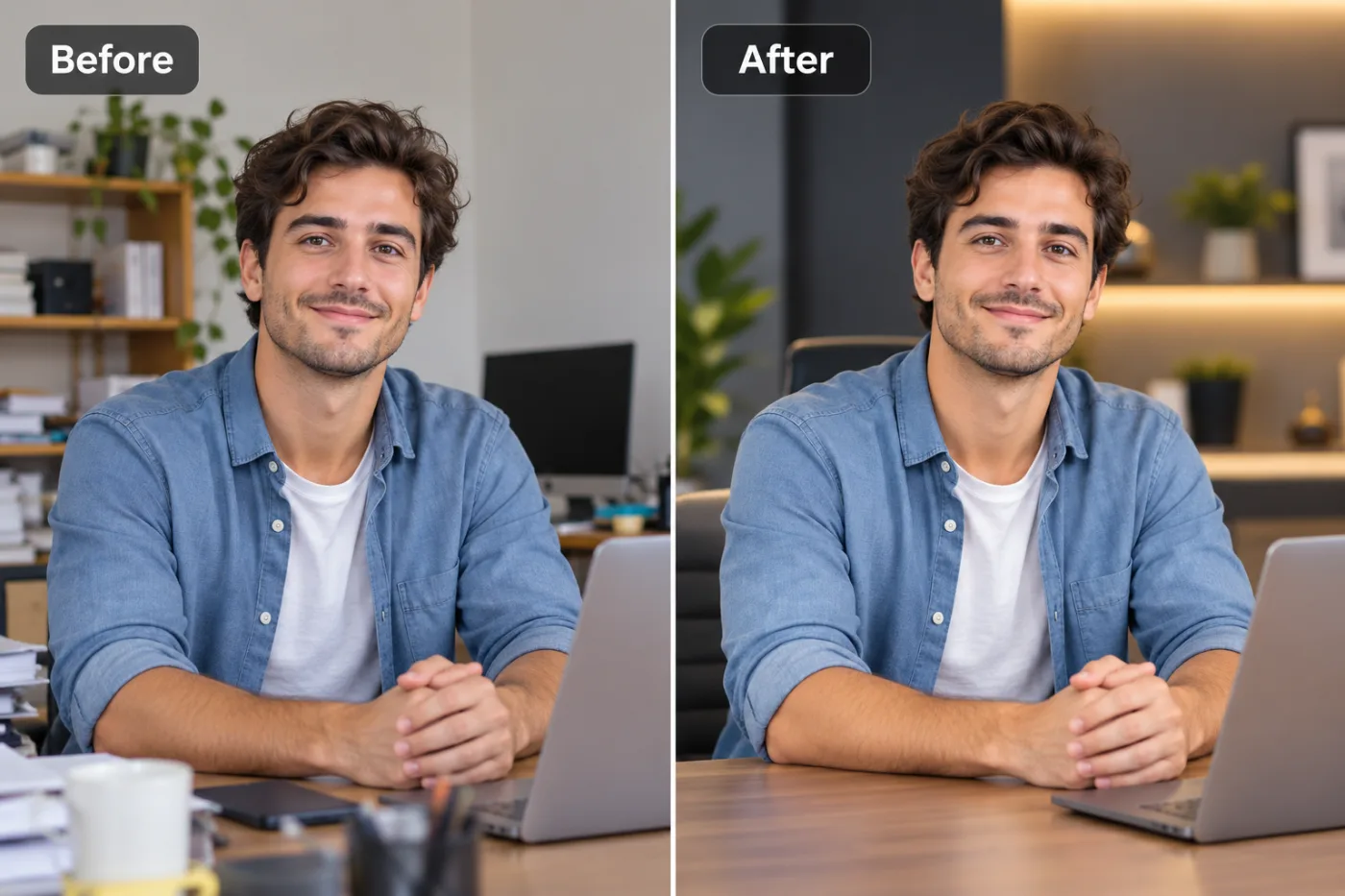
Professional headshots. Turn a casual photo into a polished, LinkedIn-ready headshot using the AI Headshot Generator, without a photography session.
Social media content. Restyle, brighten, and transform photos with prompts and effects to keep a feed looking cohesive and eye-catching.
Background removal and replacement. Create clean cutouts for thumbnails, banners, or transparent PNGs, then drop in a new background — a task that's fiddly in Photoshop and instant with AI.
Quick portrait retouching. Brighten, clean up, and enhance portraits by describing what you want, ideal for profile pictures and personal photos. Across all of these, Pixel Shine delivers watermark-free results: the browser tools are free, and the AI tools cost 2 credits per edit.
AI Editor vs. Photoshop: When to Use Each
The honest answer is that AI editors and Photoshop serve different needs, and knowing which to reach for saves time. Choose an AI editor when your edit is describable in plain language — removing a background, changing a sky, retouching a portrait, applying an effect, generating a headshot, or sharpening an image. For these tasks, which cover the overwhelming majority of everyday editing, AI is faster, cheaper, requires no skill, and runs online. There's simply no reason to open Photoshop to remove a background anymore.
Choose Photoshop when you need pixel-level manual control over a complex composite — intricate masking of fine hair against a busy background, precise retouching that must match a specific artistic vision, or multi-layer commercial work with exacting requirements. Professionals doing detailed client work still benefit from that control.
For everyone else — sellers, creators, small businesses, and casual users — an AI editor like Pixel Shine handles the job without the subscription, the learning curve, or the installation. The smart move is to use AI for the 90% of edits it does brilliantly, and reserve traditional software for the rare 10% that genuinely needs manual precision. Most people find they never need to open Photoshop at all.
Who Uses AI Photo Editors Instead of Photoshop
AI photo editors have become the go-to for a broad range of users. Small-business owners and e-commerce sellers edit product photos and remove backgrounds without hiring a designer or learning complex software. Content creators and social media managers restyle and enhance images quickly to keep their feeds polished. Job seekers and professionals generate LinkedIn-ready headshots without a photography session. Bloggers and marketers create clean graphics and thumbnails on a budget. Students and everyday users retouch personal photos and profile pictures without any editing background. What unites them is a shared realization: they don't need Photoshop's full power for what they actually do. They need fast, free, professional-looking results — and describing an edit in plain language delivers exactly that, without the cost or the learning curve.
Frequently Asked Questions
Can I really edit photos without Photoshop for free?Yes. Pixel Shine handles background removal, upscaling, retouching, headshots, and prompt-based edits online. The Normal upscaler and the browser tools are free and unlimited; the AI tools use credits, with no subscription.
Is Pixel Shine a good Photoshop alternative?For the vast majority of everyday edits — backgrounds, retouching, sky changes, effects, headshots — yes. It's faster and requires no skill. Photoshop only wins for pixel-level manual control on complex composites.
Do I need to install anything?No. Pixel Shine runs entirely online, so there's nothing to download or install and no powerful computer required.
Will my edited photos have a watermark?No. Pixel Shine adds no watermark, so your edited images are clean and ready to post, print, or sell.
How does prompt-based editing work?Instead of using manual tools, you describe the edit you want in plain language — like "remove the background" or "brighten and warm the photo" — and the AI generates the result automatically.
What can the AI editor actually do?Pixel Shine offers background removal, AI upscaling, an AI headshot generator, creative photo effects, and text-prompt editing — covering the most common tasks people use Photoshop for.
Is it really free, or is there a catch?Many tools are genuinely free — the Normal upscaler, crop, resize, compress, and convert are free and unlimited with no sign-up. The AI features (background removal, headshots, prompt edits) use credits, with no subscription.
Do I need editing experience to use it?No. That's the whole point. Because you describe what you want in plain language and use one-click tools, no prior editing experience is required.
Key Takeaways
Photoshop is powerful, but for most people it's expensive overkill — a steep learning curve and a recurring subscription to accomplish edits you could describe in one sentence. AI photo editors change the equation entirely: describe what you want in plain language, or use a one-click tool, and get a professional result online with no installation and no skill required.
Pixel Shine delivers this as a no-subscription Photoshop alternative — background removal, upscaling, headshots, effects, and prompt-based editing — with no watermark. Reserve Photoshop for the rare tasks that truly need manual precision, and let AI handle everything else. Try the AI photo editor at Pixel Shine and see how much you can do without ever opening Photoshop.