AI Photo Editor for Real Estate: Brighten Rooms, Fix Lighting, Remove Clutter
Better listing photos sell homes faster and at higher prices. AI photo editing makes professional-quality enhancement accessible to every agent.
An AI photo editor for real estate can transform a dim, cluttered listing photo into a bright, inviting image that makes buyers stop scrolling — and it can do it in seconds, for free. If you're an agent, property manager, or homeowner selling your place, you already know the truth: listing photos sell homes. Research consistently shows that listings with high-quality photos sell faster and for more money, and that the vast majority of buyers start their search online, judging properties on images alone before they ever schedule a showing. A brighter room, corrected lighting, and a decluttered space can be the difference between a scroll-past and a showing request.
In this guide, you'll learn how to use AI to brighten rooms, fix lighting, remove clutter, and enhance real estate photos without expensive software or a professional photographer. We'll walk through a complete free workflow with Pixel Shine, share pro techniques that make listings look magazine-ready, and cover the ethical line between enhancing and misrepresenting a property. Whether you're listing a starter condo or a luxury home, these AI real estate photo enhancement techniques will help your listings shine — and get more clicks, showings, and offers. Let's turn your ordinary listing photos into scroll-stopping ones, for free.
Why Listing Photos Make or Break a Sale
Before the how, understand the stakes — because in real estate, photos aren't just marketing, they're the first showing.
Buyers judge in seconds. The overwhelming majority of home buyers begin their search online, scrolling through listing after listing. Your photos have a split second to make an impression. Dark, cluttered, poorly-lit images get skipped; bright, inviting ones earn the click.
Better photos mean faster sales and higher prices. Industry studies repeatedly find that listings with professional-quality photos sell faster and often command higher prices than those with amateur snapshots. Homes with great photos can sell measurably quicker and attract more offers.
More clicks mean more showings. Listing platforms surface engaging content, and buyers request showings based on photos. A brighter, cleaner set of images directly increases the number of people who want to see the property in person.
The cost problem. Professional real estate photography runs $150 to $500+ per shoot, and not every listing — especially rentals or lower-priced homes — justifies that expense. Agents managing multiple listings can't always afford a pro for each one.
Where AI fits: AI photo editing lets you take decent phone or camera photos and enhance them to near-professional quality — brightening rooms, balancing lighting, and removing distractions — for free. It democratizes great listing photography, so every property, not just the luxury ones, gets images that sell.
The Key AI Enhancements for Real Estate Photos
Almost every listing photo problem falls into a few fixable categories — and AI handles each one.
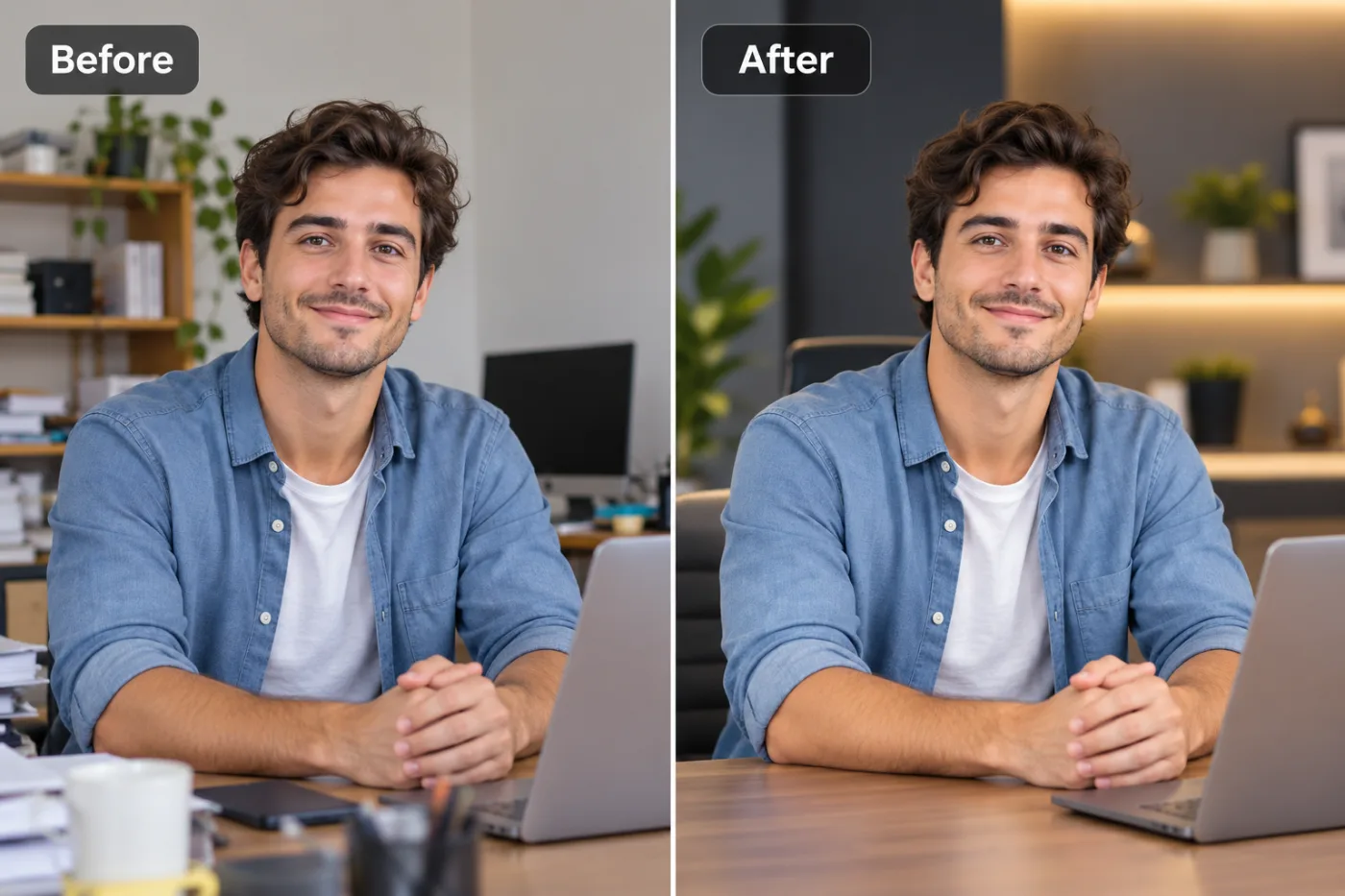
Brightening dark rooms. Interiors often photograph darker than they look in person, especially rooms with limited natural light. AI brightening lifts shadows and evens exposure, making spaces feel open, airy, and welcoming rather than gloomy and cramped.
Fixing lighting and color balance. Mixed lighting — warm bulbs, cool daylight through windows — creates odd color casts (orange or blue tints). AI corrects white balance so walls look their true color and the space feels clean and natural.
Removing clutter and distractions. A stray trash can, personal photos, a pet bowl, or countertop mess pulls attention from the property. AI cleanup removes these distractions, helping buyers picture themselves in the space rather than the current owner's stuff.
Enhancing sharpness and detail. Slightly soft or low-resolution photos can be sharpened and upscaled, so listings look crisp on large screens and enable buyers to zoom in on features.
Sky and window enhancement. Blown-out windows (pure white outside) and gray skies can be balanced so you see the view and the sky looks pleasant — a hallmark of professional real estate photography.
The combined effect: run an average phone photo through these enhancements and you get a bright, color-accurate, clutter-free, crisp image that looks like it came from a professional shoot — for a few credits with Pixel Shine.
Step-by-Step: Enhance a Listing Photo with AI for Free
Here's the complete free workflow using Pixel Shine to turn a raw listing photo into a scroll-stopping one.
Step 1 — Shoot the best raw photo you can. Even AI works better with good input. Shoot during the day with curtains open for natural light, turn on interior lights, hold the camera steady (a tripod helps), and shoot from a corner at chest height to make rooms look spacious.
Step 2 — Declutter physically first if possible. Remove obvious personal items and mess before shooting. AI can handle the rest, but a tidy starting point yields the best results.
Step 3 — Open Pixel Shine's AI Editor. Go to Pixel Shine and open the AI Photo Editor. Sign in with a free account to start.
Step 4 — Upload your room photo. Drag and drop your image into the editor.
Step 5 — Brighten and balance the exposure. Increase brightness to lift dark rooms, and adjust contrast so the space feels open and inviting without looking washed out.
Step 6 — Correct the color and white balance. Fix any orange or blue color casts so walls and surfaces show their true colors and the room looks clean and natural.
Step 7 — Remove remaining clutter. Use the editing tools to erase distracting objects — stray items, cords, personal photos — that pull focus from the property.
Step 8 — Sharpen and upscale if needed. If the photo is soft or low-resolution, run it through the AI Upscaler (Normal upscale is free and unlimited) for crisp, zoom-ready detail.
Step 9 — Balance windows and sky (optional). Recover blown-out windows and enhance the sky for that professional real estate look.
Step 10 — Export and repeat. Download the enhanced image at full resolution (no watermark) and apply the same treatment to every photo in the listing for a consistent, polished set.
Pro Tips for Listing Photos That Sell
Tip 1 — Shoot during the day with all lights on. Natural light plus interior lights gives you the brightest, most inviting base image — and makes AI enhancement far more effective.
Tip 2 — Keep enhancements realistic. Brighten and clean, but don't misrepresent. A room that looks dramatically different in person than in photos leads to disappointed buyers and wasted showings. Enhance honestly.
Tip 3 — Maintain consistency across the whole listing. Apply the same brightness, color, and style to every photo so the listing feels cohesive and professional, not like a patchwork of different edits.
Tip 4 — Shoot from corners at chest height. This angle makes rooms look larger and more natural. Combined with AI brightening, it maximizes the sense of space.
Tip 5 — Straighten vertical lines. Walls and doorframes should be vertical, not tilted. Straight lines read as professional; crooked ones look amateur. Correct them in editing.
Tip 6 — Lead with your best photo. The first image is the thumbnail buyers see in search results. Make it your brightest, most impressive room — usually the living room, kitchen, or an exterior shot — to maximize clicks.
Common Mistakes to Avoid
Mistake 1 — Over-editing into misrepresentation. Brightening a dim room is fine; making a small, dark space look like a sunlit mansion is deceptive. Buyers feel misled at the showing, wasting everyone's time. Enhance honestly.
Mistake 2 — Inconsistent edits across photos. One room bright and warm, the next dark and cool, makes a listing look sloppy. Apply consistent treatment throughout.
Mistake 3 — Leaving clutter in the frame. Personal items, mess, and distractions stop buyers from picturing themselves in the home. Remove them — physically or with AI.
Mistake 4 — Using dark, unbrightened photos. Dim interiors are the most common listing-photo failure. Always brighten rooms so they feel open and welcoming.
Mistake 5 — Ignoring crooked verticals and low resolution. Tilted walls and blurry, small images scream amateur. Straighten lines and upscale soft photos for a professional finish.
AI Editing vs. Hiring a Professional Photographer
When does AI make sense versus hiring a pro? Here's an honest comparison.
Hiring a professional photographer delivers the highest quality: expert composition, professional lighting equipment, wide-angle lenses, and drone shots for exteriors. It's ideal for luxury listings and high-value homes where the marketing budget supports it. The downside is cost ($150 to $500+ per shoot) and scheduling — you have to coordinate a visit, which delays listing.
AI photo editing delivers near-professional results from your own phone or camera photos, instantly and for free. It's perfect for rentals, mid-range homes, quick relistings, and agents managing many properties who can't justify a pro shoot for each. You can enhance photos the same day you take them, with no scheduling.
The smart hybrid approach: many agents use professionals for premium listings and AI editing for everything else — or use AI to enhance and touch up even professionally-shot photos (brightening, removing a last-minute stray object). AI also rescues situations where a reshoot isn't possible: a tenant-occupied rental, a remote property, or a listing that needs to go live immediately.
The bottom line: AI doesn't fully replace a skilled photographer for high-end work, but it dramatically raises the floor for every other listing — ensuring no property goes online with dark, cluttered, amateur photos. For most agents and homeowners, free AI enhancement covers the vast majority of listings beautifully.
Real-World Results: Agents Who Boosted Listings
A busy agent managing a dozen rental listings couldn't afford a professional shoot for each. She photographed the units on her phone, then used AI to brighten the rooms, correct the yellowish indoor lighting, and remove tenant clutter. The listings went from dim and forgettable to bright and inviting, and she reported noticeably more inquiries and faster fills.
A homeowner selling by owner had photos that looked gloomy despite a lovely home. Brightening and color-correcting them in the AI editor made the space look as warm and open as it felt in person, and the improved listing drew significantly more online views.
A property manager needed to relist a unit fast after a tenant moved out, with no time for a photographer. He enhanced his own quick photos with AI in minutes and got the listing live the same day, looking polished.
Across these cases, AI let agents and owners produce compelling, professional-looking listing photos on any budget and timeline — turning average snapshots into images that actually drove clicks and showings.
Frequently Asked Questions
Can I enhance real estate photos for free?Yes, for the basics. Pixel Shine's Normal upscaling and brightening are free and unlimited with no sign-in; AI edits cost 2 credits each, with no subscription and no watermarks.
How do I brighten a dark room photo?Upload it to Pixel Shine's AI Editor at Pixel Shine and increase the brightness and adjust contrast. AI brightening lifts shadows and evens exposure, making dim rooms look open and inviting.
Is it ethical to edit real estate listing photos?Enhancing photos — brightening, color-correcting, sharpening, and removing minor clutter — is standard and ethical. What's not acceptable is misrepresenting the property, like erasing permanent defects or making spaces look dramatically larger than they are. Enhance honestly.
Can AI remove clutter from listing photos?Yes. AI editing tools can remove distracting objects — stray items, cords, personal photos — helping buyers focus on the property and picture themselves living there.
Do I still need a professional photographer?For luxury or high-value listings, a pro adds value with equipment and expertise. For rentals, mid-range homes, and quick relistings, free AI editing produces near-professional results without the cost or scheduling.
How do I fix the color cast from indoor lighting?Use the white balance and color correction tools to neutralize orange or blue tints, so walls and surfaces show their true colors and the room looks clean and natural.
What's the best photo to lead a listing with?Use your brightest, most impressive image — typically the living room, kitchen, or an attractive exterior — as the first photo, since it's the thumbnail buyers see in search results.
Can I make my listing photos consistent?Yes. Apply the same brightness, color, and style settings across all photos for a cohesive, professional-looking listing.
Key Takeaways
In real estate, listing photos are the first showing — and bright, clean, professional-looking images sell homes faster and for more. An AI photo editor lets you brighten dark rooms, fix lighting and color, remove clutter, and sharpen detail, turning ordinary phone photos into scroll-stopping listings for free.
The keys are simple: shoot the best raw photo you can, brighten and color-correct honestly, remove distractions, keep your edits consistent across the listing, and always lead with your most impressive image. Just remember to enhance, not misrepresent — honest, appealing photos build trust and drive real showings.
Ready to make your listings shine? Head to Pixel Shine at Pixel Shine and enhance your first listing photo — the Normal upscaler is free with no account, and the AI Editor needs only a free sign-in. Brighter rooms and cleaner spaces are just seconds away.