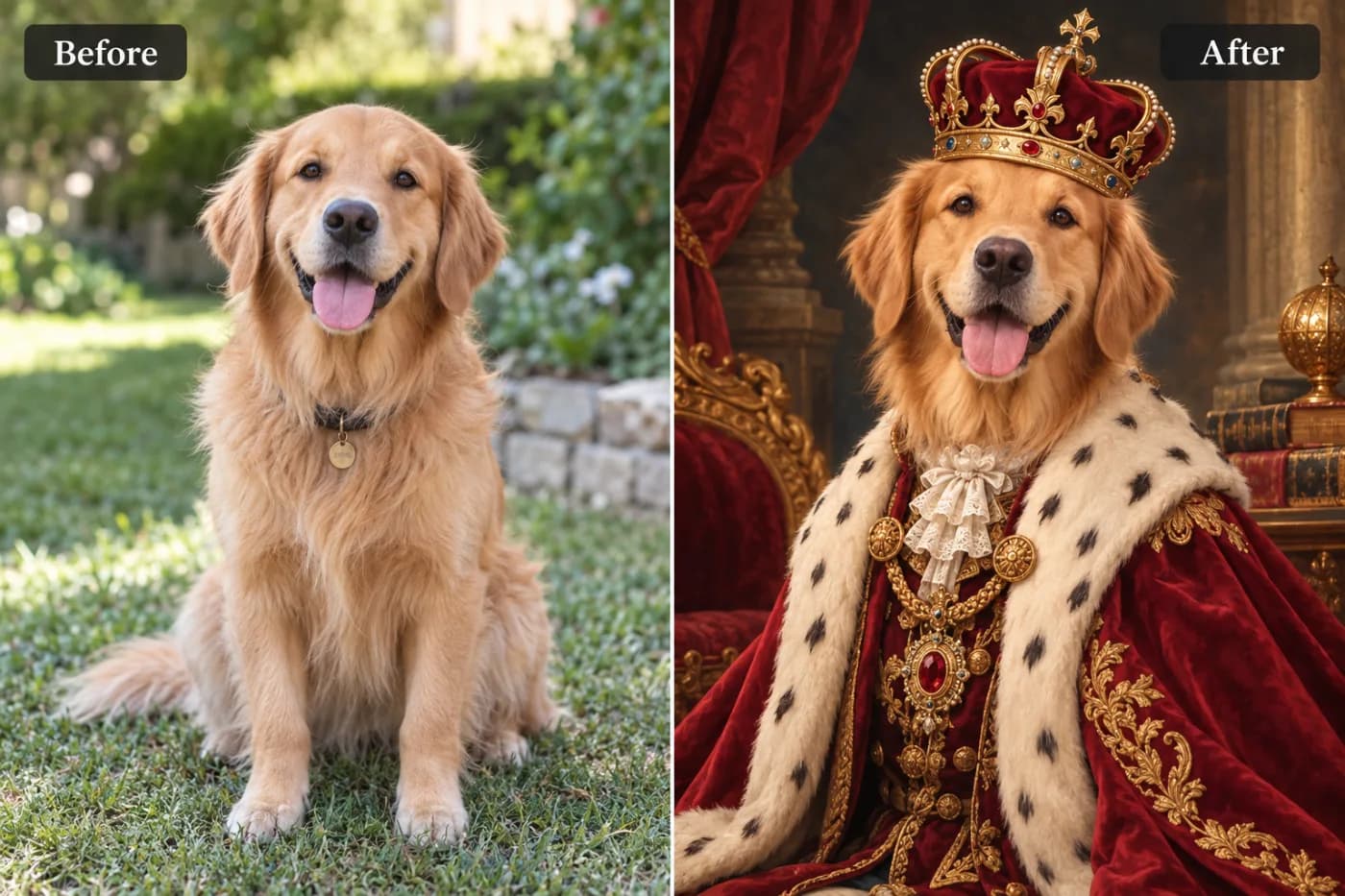
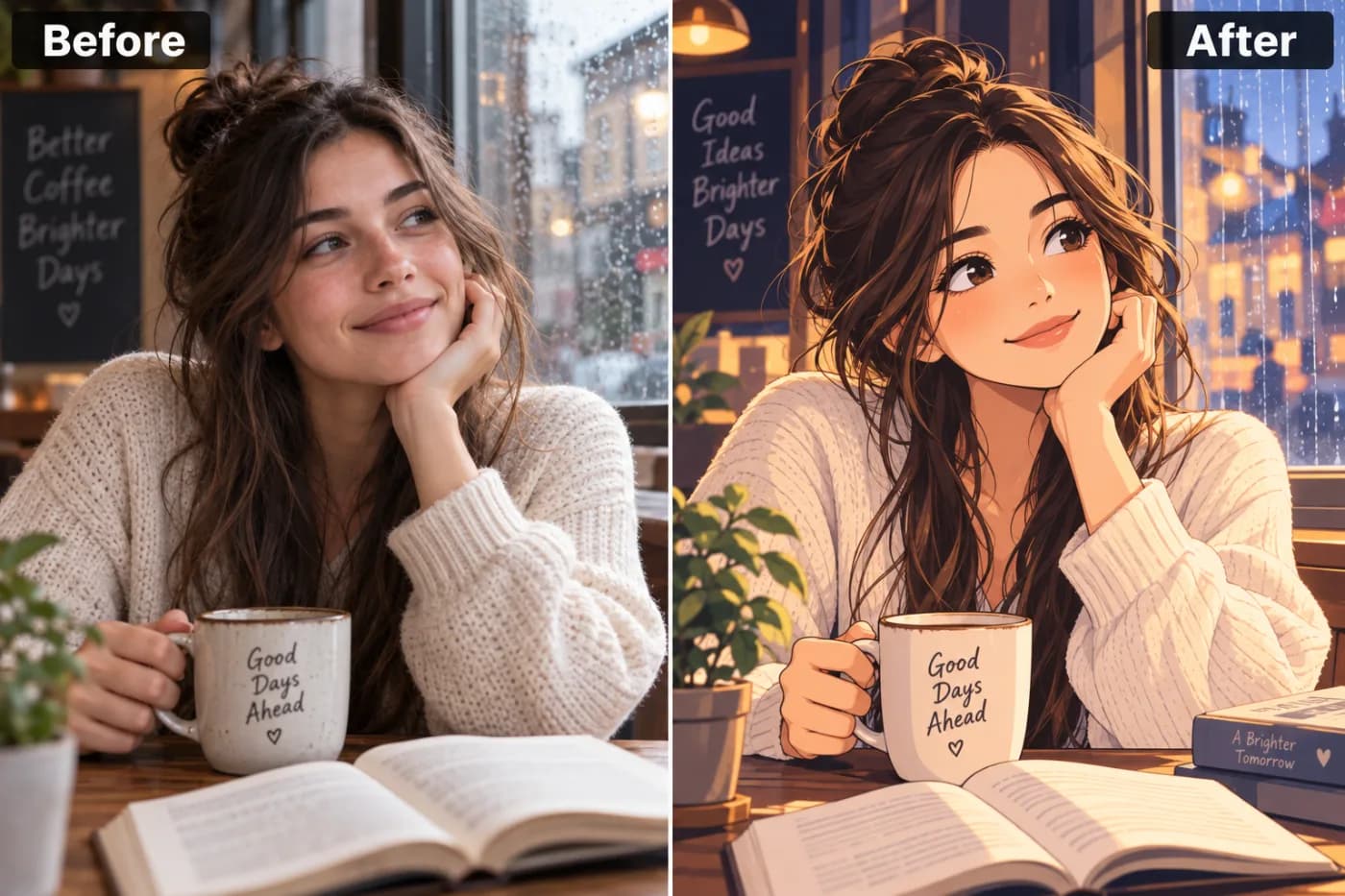
Upscale Images Free and Unlimited — No Sign-in Required
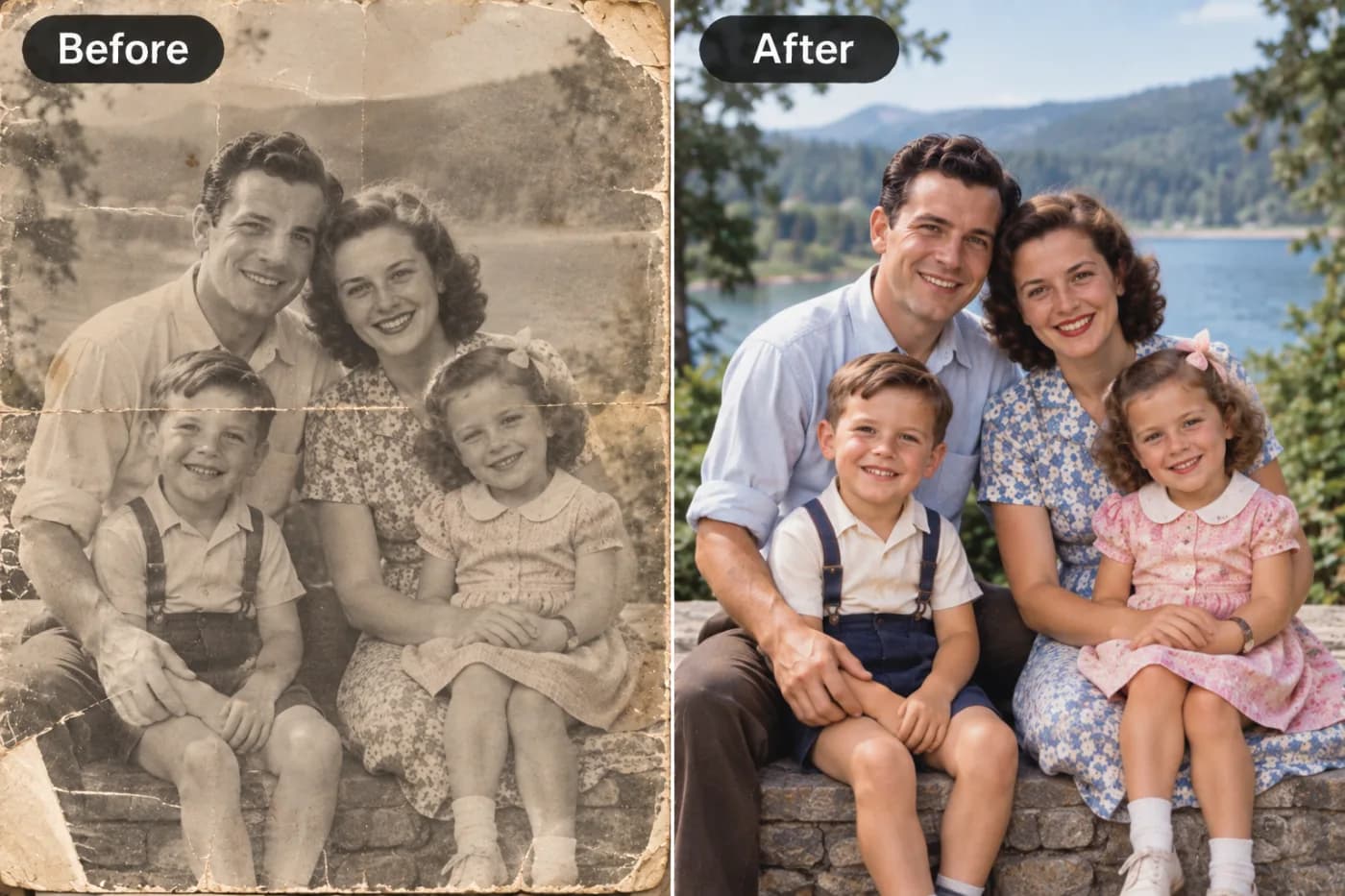
Most AI image upscalers either charge you, watermark your images, or require you to create an account first. Pixel Shine's Normal Upscale is completely free, unlimited, and requires no sign-in at all. Here's what that means for you.
If you want to upscale images free and unlimited with no sign-in required, you've hit the exact problem most 'free' upscalers pretend to solve and then don't. Pixel Shine at Pixel Shine actually delivers it: its Normal Upscale is completely free, genuinely unlimited, and works without creating an account — no watermark, no daily cap, no email harvesting before you can even try it.
Here's why that's rare. Most 'free AI upscaler no watermark' tools give you two or three images, then throw up a paywall. Others let you upscale but stamp a logo across your result unless you subscribe. A lot of them demand your email and a password before you've seen a single output. It's frustrating, and it wastes your time.
Pixel Shine takes the opposite approach. You land on the page, drop in your image, and upscale it — right now, as many times as you want. The Normal Upscale tier is free forever with no account. If you later want the Pro AI model for extra-heavy detail reconstruction, that uses credits. But for everyday upscaling — sharpening, enlarging, cleaning up resolution — you never have to pay or register. That's the whole point.
Why 'Free and Unlimited' Almost Never Means Free and Unlimited
Let's be honest about how the online upscaler market actually works, because it explains why finding a real no-signup tool feels like a small miracle.
Most upscaling sites operate on a bait-and-switch. The homepage screams 'FREE,' but the fine print reveals a limit — often 3 to 5 images before you're locked out. Then comes the classic move: they'll process your image, show you a low-res watermarked preview, and hold the clean download hostage behind a $9.99/month subscription. You've already done the work of uploading and waiting, so many people cave and pay.
Others gate everything behind an account. You can't even see the tool until you hand over an email, which then gets funneled into marketing sequences. And 'unlimited' plans frequently hide a fair-use throttle that quietly slows or blocks you after a certain volume.
The reason for all this is straightforward: AI upscaling costs compute, and compute costs money. So most companies restrict the free tier to a teaser. Pixel Shine's model is different — the Normal Upscale runs efficiently enough to stay genuinely free and unlimited, while the heavier Pro AI model (which does deeper reconstruction) is where credits come in. That split lets Pixel Shine give away the everyday use case for real, with no strings, while still sustaining the business on the power-user features.
What You Can Actually Do with Free Unlimited Upscaling
The free Normal Upscale tier isn't a crippled demo — it's a fully useful tool for the vast majority of real-world needs. So what does 'unlimited' actually unlock in practice?
You can enlarge small images that were too low-resolution to use — old profile pictures, thumbnails, images pulled from messaging apps that compressed them into mush. You can sharpen soft or slightly blurry photos so details become crisp again. You can prep a batch of product photos, one after another, without ever hitting a wall or being asked to upgrade.
Because it's unlimited with no account, it's perfect for high-volume, repetitive tasks. Resellers upscaling dozens of catalog images, students cleaning up figures for a report, social media managers preparing a week's worth of posts — all of it works without a single restriction. You're not rationing your uses or watching a counter tick down.
And critically, there's no watermark on the output. What you download is clean and usable immediately — for print, web, presentations, listings, or anywhere else. When a task genuinely needs maximum detail reconstruction (heavily damaged photos, extreme enlargements), the Pro AI model is there. But you'll be surprised how much the free tier alone handles.
Step-by-Step: Upscale an Image Free with No Sign-In
Step 1 — Go to the upscaler. Open Pixel Shine and click into the Upscale tool. You'll notice there's no login wall — you can start immediately.
Step 2 — Upload your image. Drag and drop your file directly onto the page, or click to browse your device. JPG, PNG, and other common formats are supported. No account prompt appears.
Step 3 — Select the Normal Upscale option. This is the free, unlimited tier. It's the default choice for everyday enlarging and sharpening, and it costs nothing — ever.
Step 4 — Choose your scale. Pick how much you want to enlarge the image (commonly 2x or 4x). Larger scale factors add more pixels; pick the one that matches your target use.
Step 5 — Process. Hit upscale and let the AI reconstruct the added detail. This usually takes just a few seconds for the Normal model.
Step 6 — Preview the result. Compare the upscaled version to your original. You'll see sharper edges and cleaner detail with no logo stamped across it.
Step 7 — Download. Save your clean, watermark-free image directly to your device. It's ready to use anywhere.
Step 8 — Repeat as needed. Upload the next image and do it again — there's no limit, no counter, and no signup interrupting your flow. Upscale as many as you need.
Pro Tips for Better Free Upscaling
Tip 1 — Start with the best source you have. Upscaling adds detail intelligently, but it can't invent what was never captured. A cleaner original always yields a better result than a heavily compressed one.
Tip 2 — Match the scale to your goal. If you only need a slightly bigger image, 2x preserves the most natural look. Jump to 4x when you genuinely need a large enlargement, like preparing for print.
Tip 3 — Use Normal for volume, Pro for hero shots. Free Normal Upscale handles the bulk of everyday work perfectly. Save the Pro AI credits for the one or two images where you need maximum detail reconstruction.
Tip 4 — Upscale, then crop. If you plan to crop, upscale first so you're cropping into a higher-resolution image and keeping more usable detail.
Tip 5 — Re-check text and faces. These are where upscaling quality matters most. Zoom in on faces and any text after processing to confirm they came out clean.
Tip 6 — Keep your original. Always save the upscaled copy as a new file so you retain the source. Upscaling is non-destructive when you don't overwrite the original.
Common Mistakes to Avoid
Mistake 1 — Feeding it an already-degraded image. If you upscale a screenshot of a screenshot, you're amplifying existing damage. Track down the highest-quality version of the image you can find before upscaling.
Mistake 2 — Over-scaling small images. Blowing a 100x100 pixel thumbnail up to 4x won't magically produce a poster. AI upscaling has limits — modest enlargements from a reasonable source look far more natural than extreme ones from tiny inputs.
Mistake 3 — Assuming you need to pay for basic upscaling. Many users reflexively hunt for a subscription. For everyday enlarging and sharpening, the free Normal tier is all you need — don't pay for what's already free.
Mistake 4 — Ignoring the source aspect ratio. Upscaling preserves proportions. If you need a different aspect ratio, crop deliberately rather than expecting the upscaler to reshape your image.
Mistake 5 — Overwriting your original file. Always save as a copy. If you're not happy with a result, you want the untouched source to try again.
Pixel Shine vs. Other 'Free' Upscalers
Put Pixel Shine's Normal Upscale next to the typical free upscaler and the differences are stark.
On limits: Most competitors cap you at 3 to 5 free images before demanding payment. Pixel Shine's Normal tier is genuinely unlimited — process one image or five hundred, the terms don't change.
On sign-in: Many tools require an account and email before you can even upload. Pixel Shine lets you upscale with no sign-in at all for the free tier. You're using it within seconds of landing on the page.
On watermarks: A huge number of 'free' upscalers stamp a logo on your result to pressure you into upgrading. Pixel Shine's downloads are clean — no watermark on the free tier.
On honesty: Where others advertise 'free' and then paywall the download, Pixel Shine is upfront: Normal Upscale is free and unlimited, Pro AI uses credits for heavier work.
On breadth: Beyond upscaling, Pixel Shine is an all-in-one platform — background remover, AI headshots, photo editor, and creative effects live in the same place. Most standalone upscalers do exactly one thing. That combination of a real free tier plus a full toolkit is what sets it apart.
Who Uses Free Unlimited No-Signup Upscaling
Online sellers and resellers upscale product photos in bulk for their listings on marketplaces where sharp images directly affect sales — without paying per image or hitting caps.
Students and researchers clean up low-resolution figures, diagrams, and screenshots for assignments and papers, quickly and for free.
Social media managers prep batches of images for a content calendar, upscaling soft or small graphics to look crisp across platforms.
Everyday people rescue old family photos, low-res pictures from group chats, and pixelated images they want to print or share.
Freelancers and small teams who can't justify a paid subscription for occasional upscaling get exactly what they need with zero cost and zero friction.
The common denominator is simple: people who need real upscaling without the runaround of caps, signups, and watermarks. For all of them, a tool that's free, unlimited, and account-free isn't a nice-to-have — it's the whole reason they can get the job done at all.
Frequently Asked Questions
Is Pixel Shine's upscaler really free and unlimited?Yes. The Normal Upscale tier is completely free and unlimited with no sign-in required. You can upscale as many images as you want without a cap or a paywall.
Do I need to create an account?No. You can use the free Normal Upscale without signing in at all. An account is only relevant if you choose to use Pro AI credits later.
Is there a watermark on the free version?No. Your upscaled downloads from the free tier are clean, with no watermark.
What's the difference between Normal and Pro AI upscale?Normal Upscale is free, unlimited, and great for everyday enlarging and sharpening. Pro AI does deeper detail reconstruction for demanding cases and uses credits.
How many images can I upscale for free?As many as you want on the Normal tier. There's no daily or total limit.
What file formats are supported?Common formats like JPG and PNG work directly.
How much can I enlarge an image?Typically 2x or 4x. Results are best when the source is reasonably clear to begin with.
Is it safe to use without an account?Yes. You simply upload, upscale, and download without handing over personal details for the free tier.
Key Takeaways
Most 'free' upscalers aren't really free — they cap your images, demand your email, or watermark your results until you pay. Pixel Shine's Normal Upscale breaks that pattern with genuinely free, genuinely unlimited upscaling that requires no sign-in and adds no watermark.
For the everyday tasks that make up the vast majority of upscaling needs — enlarging small photos, sharpening soft images, prepping batches — the free tier is all you'll ever need. And when a demanding image calls for maximum detail reconstruction, the Pro AI model is one click away.
No counter ticking down, no login wall, no logo across your work. Just upload, upscale, and download as many times as you like.
Try it right now — Upscale Free, No Sign-in → at Pixel Shine.