
HD
4K
✦
✦
✓
☁️ Pixel Shine

Upscale Old Photos

Turn a small, soft scan of an old family photo into a larger, sharper picture you can print, frame or share, with faces, hair and fabric brought back into focus.

📤
Drop your image here
or click to browse from your device
or drop image anywhere
Supports JPG · JPEG · PNG · WEBP · up to 16 MB
By uploading you agree to our Terms of Use and Privacy Policy
Upscale Old Photos — before (low resolution photo)Low-Res Input
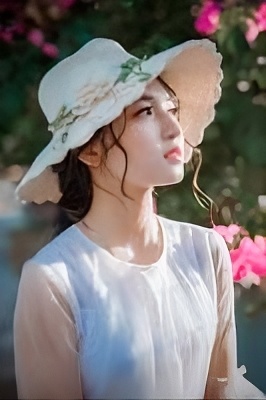
Upscale Old Photos — after (sharper, larger result)✨ 4K AI Upscaled
On this page
  1. How do you upscale an old photo?
  2. Upscale or restore: which does your photo need?
  3. Who upscales old photos?
  4. How sharp can an old photo get?
  5. Scanning tips that make the biggest difference
  6. What does restoring and upscaling cost?

How do you upscale an old photo?

1. Scan or photograph the print

A flatbed scanner at 600 dpi is best. With a phone, lay the print flat by a window, hold the phone straight above it, and avoid glare on glossy prints. Crop away the table.

2. Choose Pro AI and 2× or 4×

Drop the scan here. For old photos, Pro AI (2 credits) is the one that matters: it rebuilds faces, hair and textures that a plain enlargement would only blur. Pick 4× for a small print, 2× if the scan is already large.

3. Compare and download

Check faces against the original, then download. If the photo is also faded, scratched or torn, run it through restore as well (below).

Upscale or restore: which does your photo need?
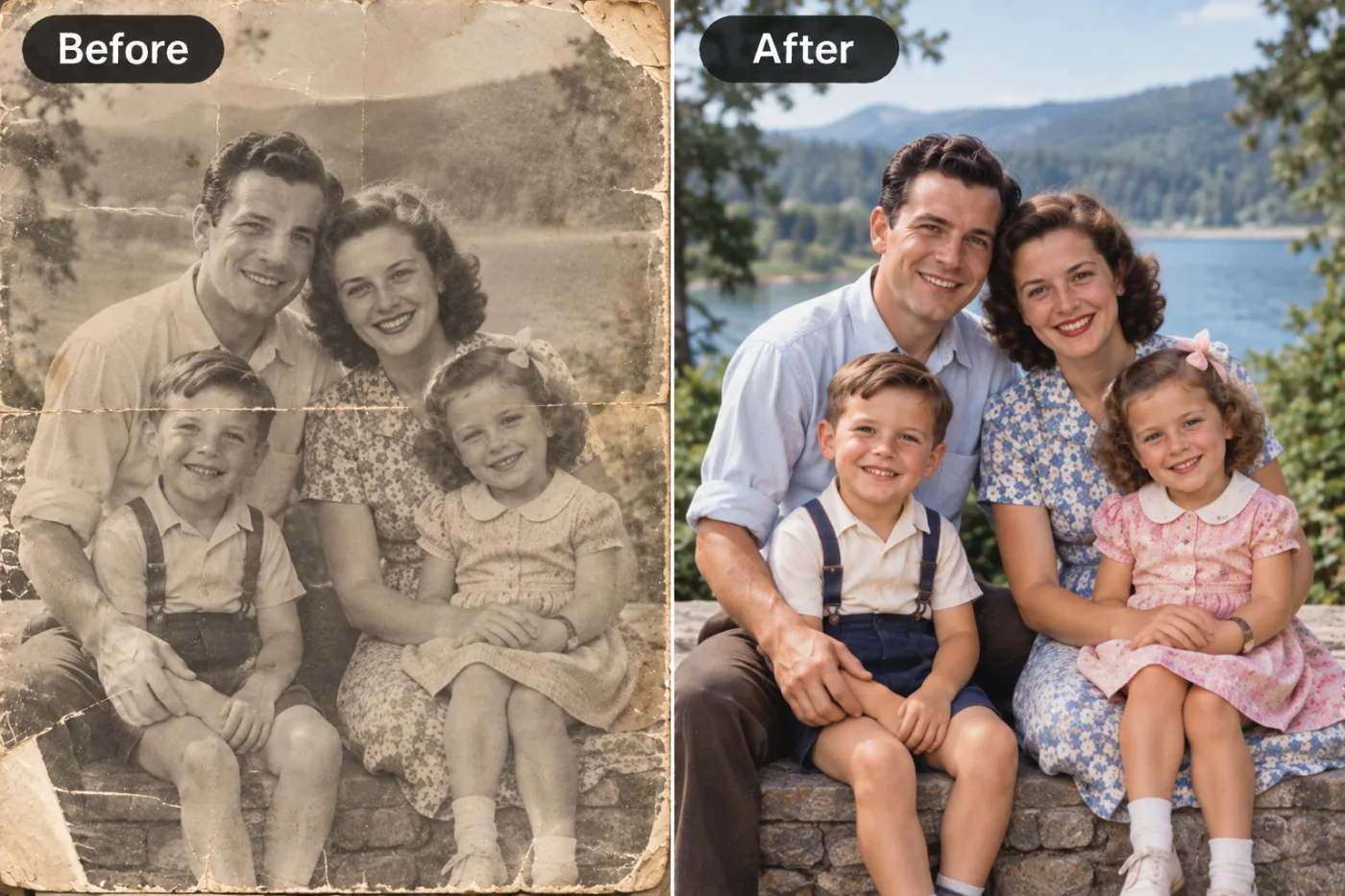
A torn, faded sepia family photo next to the same photo restored in sharp colour
A torn, faded family print, restored and colourised. Made with the Restore Old Photos app.

Upscaling makes a photo bigger and sharper. Restoring repairs damage: tears, creases, spots, scratches, fading and colour casts, and can add colour to black-and-white. Many old photos need both.

Your photo is…Use
Small or soft but in good conditionUpscale (Pro AI)
Faded, scratched, creased or tornRestore old photos, then upscale if you need it bigger
Black and white and you'd like colourColorize photo
Good, just needs to be bigger for a printUpscale (Normal is often enough)

Who upscales old photos?

Families making albums and gifts

Grandparents' wedding photos, school portraits and holiday snaps printed small in the 1960s–90s can be enlarged for frames, canvases and anniversary gifts.

People preparing memorials

A funeral or memorial often needs one photo printed large at short notice, and the only copy is a small, old print. Upscaling makes it presentable at poster size.

Family historians

Sharpen faces in group photos and old documents so relatives can be recognised and labelled for the family tree.

Local history groups and archives

Make digitised photos clearer for exhibitions, books and websites, while keeping the original scan as the record.

How sharp can an old photo get?

It depends on what the original captured. A small but well-focused print upscales beautifully. A photo that was blurry when it was taken, or a face that's only a few millimetres wide in a group shot, will get sharper but the AI has to fill in detail it can't see. The result looks natural, but small features like teeth, eyes and jewellery may not match exactly.

Because Pro AI redraws fine detail, always compare faces with the original. If a face looks unfamiliar, run it again or use the Normal mode result, which only enlarges what's there.

Scanning tips that make the biggest difference

  • Scan at 600 dpi or more for small prints; the more real detail you start with, the less the AI has to guess.
  • Clean the print and the scanner glass with a soft, dry cloth. Dust becomes spots.
  • Avoid glare on glossy prints. Photograph at a slight angle to the window, or use a scanner.
  • Scan the whole print, borders included, then crop in the editor.
  • Keep the original scan untouched as your master copy.

What does restoring and upscaling cost?

Pro AI upscaling is 2 credits per photo, charged only when it works; Normal 2× upscaling is free in your browser. Restoration and colourisation are 2 credits each as well. Credits come from packs (from $2, never expiring) or a monthly plan. No watermark is added.

Your photo is processed by fal.ai's servers for Pro AI and saved to My Creations, where you can delete it. Images aren't used to train AI models.

More use cases
Free 4K Image UpscalerFree Anime & AI-Art UpscalerFree Profile Picture Enhancer

Guides

All upscale & enhance guides →
Free 4K Image Upscaler — AI Tool for Ultra-HD Photo Quality
11 min read
AI Image Upscaler: Enhance Any Photo to 4K Quality
11 min read
AI Photo Restoration Free Online — Bring Old and Damaged Photos Back
11 min read
AI Upscale Before and After: See the Real Difference on Real Photos
11 min read
More Free Tools

All your image tools in one place

The browser tools are free with no watermark · the AI tools use credits

🗜️Image CompressorOpen →🔀Image ConverterOpen →✂️Crop ImageOpen →🔄Rotate & FlipOpen →↔️Resize ImageOpen →🔖Add WatermarkOpen →😂Meme GeneratorOpen →📄Image to PDFOpen →🫥Blur ImageOpen →🔳QR Code GeneratorOpen →
Pricing

Monthly plans or one-time credits.

Upscale Old Photos and every other browser tool are free and unlimited. Credits are only for the AI features — 2 credits per generation. Go monthly for the lowest price per credit and cancel any time, or buy an add-on whose credits never expire.

Starter
₹415/mo≈ $5
24 credits every month12 AI generations · ₹17.3 per credit

Try the AI tools every month.

Creator
₹996/mo≈ $12
64 credits every month32 AI generations · ₹15.6 per credit

Regular edits for your feed.

StudioBest value
₹2,075/mo≈ $25
150 credits every month75 AI generations · ₹13.8 per credit

The lowest price per credit.

Renews monthly · cancel anytime in Settings, no further charges · monthly credits refresh each renewal and don't carry over. 2 credits per AI generation; the free tools stay free.

See full pricing and questions

FAQ

Frequently Asked Questions

How can I make an old photo clearer?
Scan it at 600 dpi or more, drop it on this page and use Pro AI at 2× or 4×. If it's also faded or damaged, restore it as well.
What's the difference between upscaling and restoring?
Upscaling makes a photo bigger and sharper. Restoring repairs damage like tears, scratches and fading. Many old photos benefit from both.
Can I enlarge an old photo for a frame?
Yes. As a guide, a sharp print needs about 300 pixels per inch, so a 10×8-inch print wants roughly 3,000×2,400 pixels.
Will the faces stay the same?
Pro AI aims to keep likeness, but it redraws fine detail. Compare faces with the original and run it again if one doesn't look right.
Can it colourise black-and-white photos?
Not the upscaler itself. Use the Colorize Photo app, then upscale the result if you need it bigger.
How much does it cost?
2 credits per photo for Pro AI, only when it works. Normal 2× upscaling is free.
Can I scan with my phone?
Yes. Lay the print flat by a window, hold the phone straight above it, avoid glare, and crop away the background.
Is there a watermark?
No. Restored and enlarged family photos download without any mark, ready to print.