AI Couple Photoshoot: Create Romantic Portraits from Any Two Photos
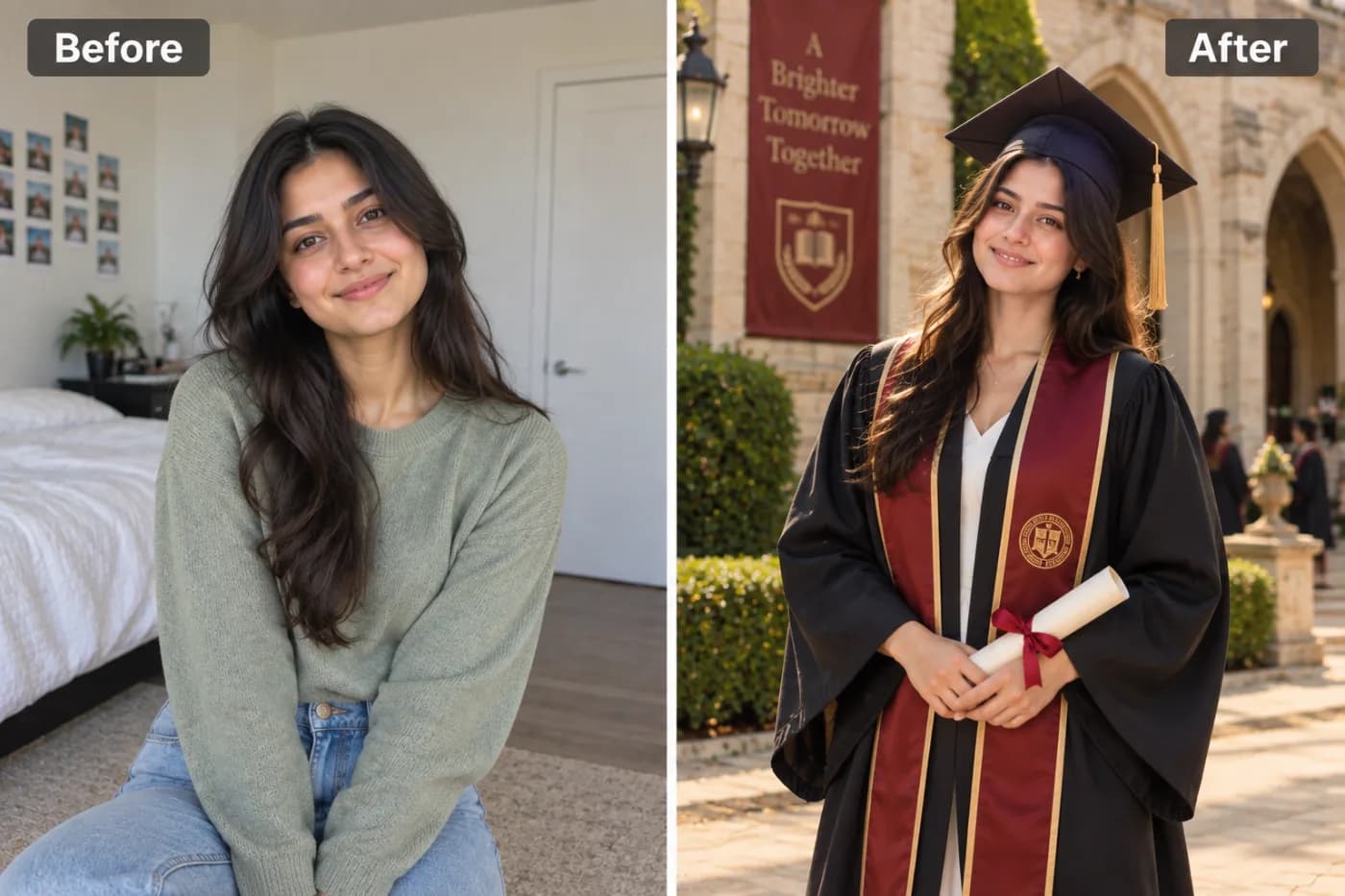
Couple photoshoots are meaningful but expensive. AI can create romantic, professional couple portraits from any two photos — even when you're in different locations. Here's how.
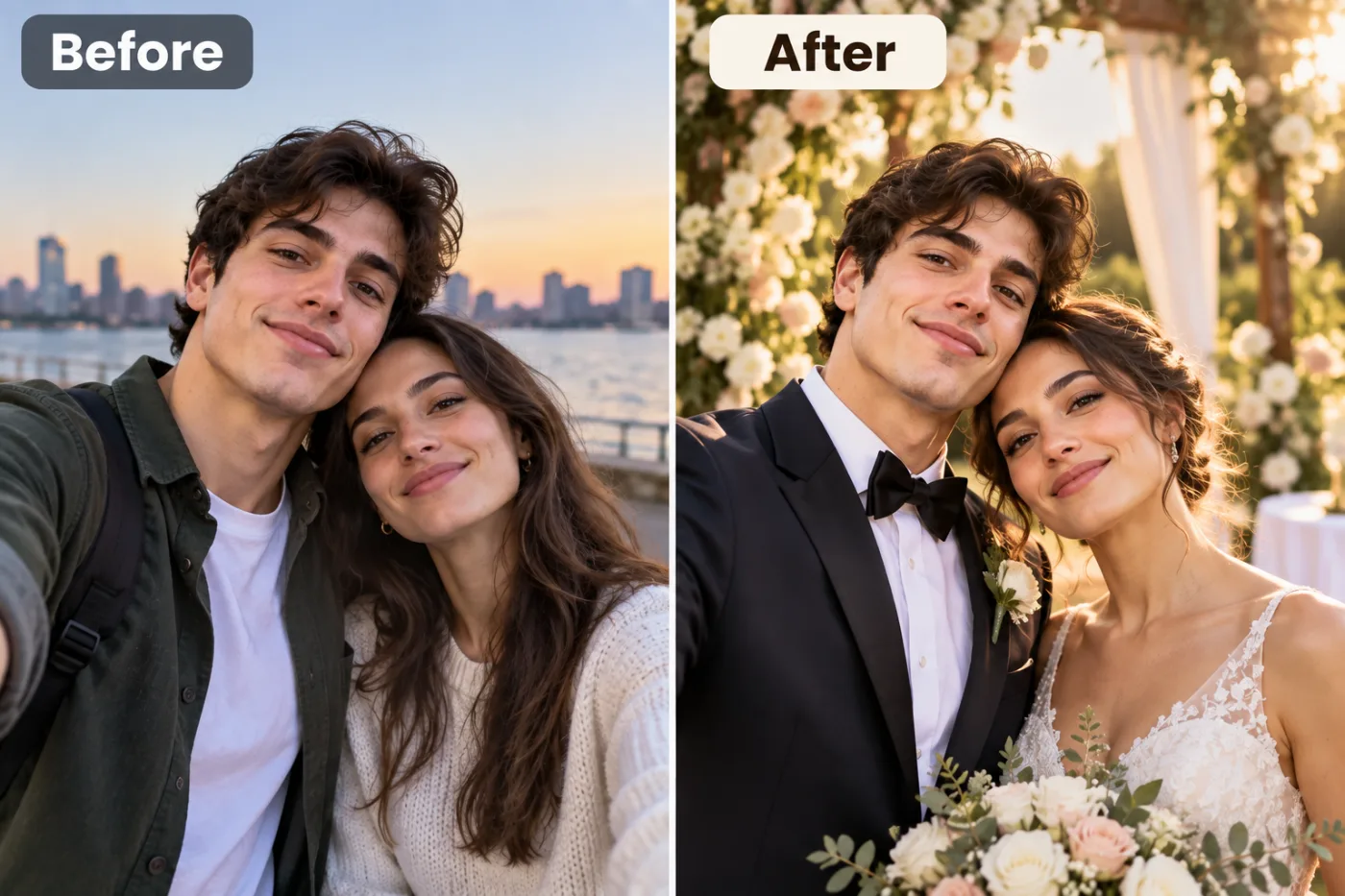
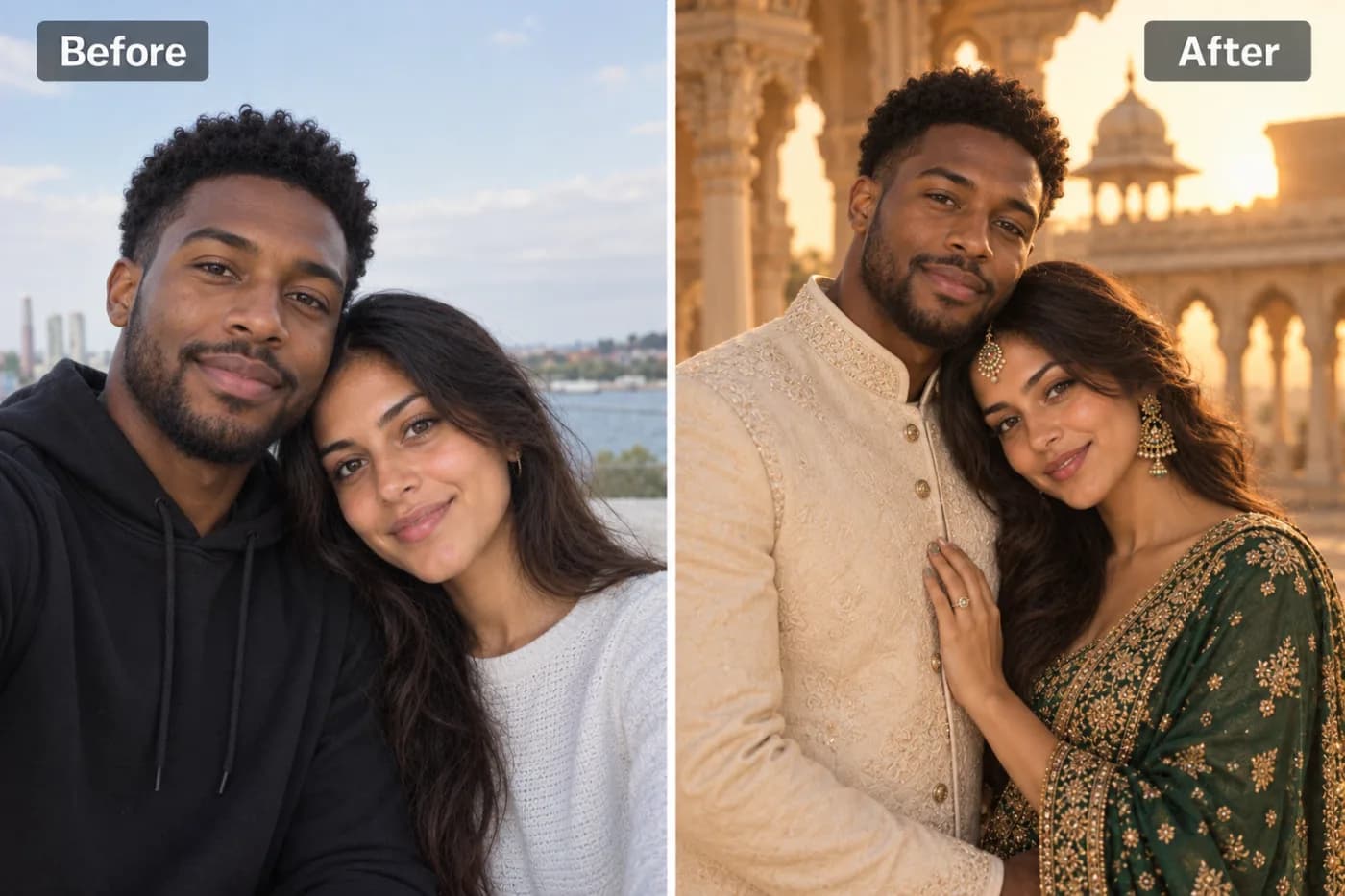
Planning a couple photoshoot usually means booking a photographer, coordinating outfits, and dropping a few hundred dollars for an afternoon of posing. An AI couple photoshoot online flips that script entirely — upload two photos, pick a setting, and get romantic, professional-looking portraits in minutes, for free. No studio, no scheduling, no awkward posing in a park while strangers watch.
Whether you're in a long-distance relationship and never got that perfect photo together, or you simply want a romantic couple portrait AI for your anniversary, this technology has become genuinely impressive. Modern AI can blend two people into a single cohesive scene, match the lighting, and place you in dreamy backdrops from Parisian streets to golden-hour beaches.
On Pixel Shine, the AI couple photo maker runs online. In this guide, you'll learn how it works, how to get portraits that look natural rather than pasted-together, the mistakes that give away an obvious edit, and why Pixel Shine's pay-as-you-go credits make it the easiest place to create couple art without a subscription.
How AI Couple Photoshoots Actually Work
The magic behind a couple photo AI filter free tool is more sophisticated than a simple copy-paste. When you upload two individual photos — or one existing couple photo — the AI does several things at once.
First, it detects and isolates each face, mapping facial landmarks so it understands your unique features. Then it generates a shared scene: a coherent background, consistent lighting direction, and a matching color grade so both people look like they were photographed together in the same moment. This is the part cheap tools get wrong — mismatched lighting is the number-one giveaway of a fake couple photo.
Good AI also handles pose and interaction. Instead of two people awkwardly standing side by side, it can place you in natural romantic poses — a gentle embrace, foreheads touching, or holding hands during a walk. The model draws on training data of real couple photography to make the composition feel authentic.
Finally, it harmonizes skin tones, shadows, and edges so there are no telltale seams. On Pixel Shine, this whole pipeline runs automatically — you provide the faces and the vision, the AI handles the technical blending that would take a Photoshop expert hours.
Best Settings and Styles for Couple Portraits
The setting you choose sets the entire emotional tone of your romantic couple portrait AI creation. Here are the ones that consistently produce the most striking results.
Golden-hour outdoor scenes — a beach at sunset, a wildflower field, or a city rooftop as the sun dips — flood your portrait with warm, flattering light. This is the most universally loved look because that soft orange glow makes everyone look their best.
Classic studio portraits with a clean backdrop and elegant lighting feel timeless and formal, perfect for engagement announcements or framed prints.
Travel and landmark backdrops place you somewhere aspirational — in front of the Eiffel Tower, on a Venetian bridge, or beneath cherry blossoms in Kyoto. Great for couples who love to travel or dream of it.
Cozy and candid settings — a coffee shop, a rainy window, autumn leaves — feel intimate and real rather than staged.
Cinematic and moody styles with dramatic lighting and rich shadows give your portrait a film-still quality.
On Pixel Shine you can try several settings from the same uploaded photos, so you can compare a sunlit beach against a moody city night and pick the version that captures your relationship best — without paying per attempt.
Step-by-Step: Create Your AI Couple Portrait
Here's the full process on Pixel Shine, from start to finished portrait:
Step 1 — Visit Pixel Shine and open the Couple Photoshoot tool in the Creative AI Photo Effects section. It works on desktop or mobile.
Step 2 — Upload your photos. Depending on the tool mode, you'll either upload two clear individual photos (one of each person) or an existing photo of you both together. Use images where faces are visible, well-lit, and facing roughly forward.
Step 3 — Choose your setting and style. Browse the available backdrops and moods — golden-hour beach, studio, travel landmark, cozy candid — and select the one that fits your vibe.
Step 4 — Generate. Start the process and let the AI blend both people into the scene, matching lighting and adding a natural pose. This usually takes 15 to 40 seconds.
Step 5 — Review the result. Check that both faces look natural and the lighting is consistent. If something looks off — a mismatched shadow or an unnatural blend — try re-uploading sharper photos or picking a different setting.
Step 6 — Regenerate for variety. Create a few versions in different settings to compare.
Step 7 — Download. Save your favorite portrait in full resolution with no watermark. It's ready to print, share, or set as your shared profile picture.
The entire flow typically takes two to three minutes.
Pro Tips for Natural-Looking Couple Photos
Match the photo quality of both people. If one photo is a crisp DSLR shot and the other is a grainy old selfie, the AI struggles to blend them convincingly. Use two images of similar resolution and quality.
Choose photos with similar lighting direction. Two portraits both lit from the front blend far more naturally than one lit from the left and one from the right. The AI harmonizes lighting, but giving it a head start helps.
Use forward-facing, unobstructed faces. Sunglasses, hats pulled low, or extreme profiles make it harder for the AI to place you naturally. Clear, front-facing shots work best.
Pick a setting that suits both of you. A dramatic cinematic scene is stunning, but a cozy candid backdrop might feel more like your actual relationship. Choose what fits.
Try both a warm and a cool setting. Golden-hour warmth and moody blue tones create completely different feelings from the same faces. Comparing them helps you find the one that clicks.
Crop to the head and shoulders on your source photos for tighter, more focused blending — especially useful when you want a portrait-style result rather than a full scene.
Common Mistakes to Avoid
Uploading photos with wildly different lighting. One sunny outdoor shot and one dim indoor selfie will produce mismatched skin tones. Aim for similar lighting in both source images.
Using blurry or heavily compressed images. Low-quality inputs give the AI little detail to work with, leading to soft, unconvincing faces. Feed it the sharpest photos you have.
Expecting perfect results from extreme angles. A face turned 90 degrees away is hard to blend into a romantic pose. Front-facing or slight-angle shots are far more reliable.
Settling for the first output. The first generation might have an odd shadow or blend. Regenerate — you often get a noticeably better result on the second or third try.
Ignoring background clash. If you want a beach portrait but upload photos where you're clearly indoors under fluorescent light, the color grade fights the setting. Neutral, evenly lit source photos adapt best to any backdrop.
AI Couple Photoshoot vs. Hiring a Photographer
A traditional couple photoshoot is wonderful — but it comes with real costs and constraints. A professional session typically runs anywhere from $150 to $500 or more, requires scheduling weeks ahead, depends on good weather, and means both people have to be in the same place at the same time. For long-distance couples, that last point alone can make a real photoshoot impossible for months.
An AI couple photo maker removes every one of those barriers. It's quick to start on Pixel Shine, available instantly at any hour, and works even if the two of you have never been photographed together. Long-distance partners can finally have a "couple photo" using selfies taken thousands of miles apart. You can experiment with a dozen settings in the time it would take to drive to a studio.
That said, AI isn't a full replacement for a milestone wedding album shot by a pro. Think of them as different tools: a photographer captures a real, once-in-a-lifetime moment, while an AI couple photoshoot gives you fun, romantic, endlessly customizable portraits for social media, gifts, and everyday keepsakes — without the price tag, the scheduling, or the geography problem.
Who Uses AI Couple Photoshoots
Long-distance couples are the biggest fans. When you can't be together for months, an AI portrait built from two solo photos lets you finally have an image of the two of you side by side — for phone wallpapers, shared profiles, or a little comfort on hard days.
Couples celebrating anniversaries create custom romantic portraits as heartfelt, personal gifts that cost little but feel thoughtful.
People planning surprise gifts turn candid photos into framed art for a partner's birthday.
Newly dating couples who don't have professional photos yet make a nice shared image for social media without the pressure of a formal shoot.
Friends and families use the same tools for group and sibling portraits. One long-distance couple used Pixel Shine to create a golden-hour beach portrait from selfies taken on two different continents, printed it, and gave it as an engagement gift. The result looked so natural that guests assumed they'd flown out for a real shoot.
Frequently Asked Questions
Is the AI couple photoshoot free?Pixel Shine's creative tools run on credits, with packs starting at ₹166 and no subscription. You pay only for what you create.
Can I make a couple photo if we've never been photographed together?Absolutely — that's one of the biggest use cases. Upload two separate photos, one of each person, and the AI blends you into a single shared scene. It's perfect for long-distance couples.
Do the results look realistic?When you use clear, well-lit photos with similar lighting, results can look remarkably natural. The AI matches lighting, shadows, and color so both people appear photographed together.
Is there a watermark on the final image?No. Pixel Shine lets you download your couple portrait without a watermark, unlike many competing apps.
What kind of photos should I upload?Clear, front-facing, well-lit photos of similar quality and resolution work best. Avoid sunglasses, extreme angles, and heavy filters.
Can I choose different backgrounds and settings?Yes. You can select from settings like golden-hour beach, studio, travel landmarks, and cozy candid scenes, and try several from the same photos.
Does it work on mobile?Yes. Pixel Shine runs on your phone, so you can create and download couple portraits directly from your phone.
Do I need to sign in?For the couple photoshoot, yes: a free account. The free Normal Upscale needs no sign-in at all.
Key Takeaways
An AI couple photoshoot online gives you romantic, professional-looking portraits without the cost, scheduling, or geography of a traditional shoot. Whether you're long-distance, celebrating an anniversary, or just want a fun shared photo, uploading two clear, well-lit images and picking the right setting gets you there in minutes.
The keys to natural results: match photo quality and lighting between both people, use front-facing shots, and regenerate a few times to find the best blend. Pixel Shine makes it genuinely free to start, adds no watermarks, and combines couple portraits with upscaling and background removal in one platform. Head to Pixel Shine, upload your two favorite photos, and create a romantic portrait that looks like you both showed up for the shoot — even if you're oceans apart.