AI Saree Photoshoot: Transform Any Photo into a Traditional Indian Portrait
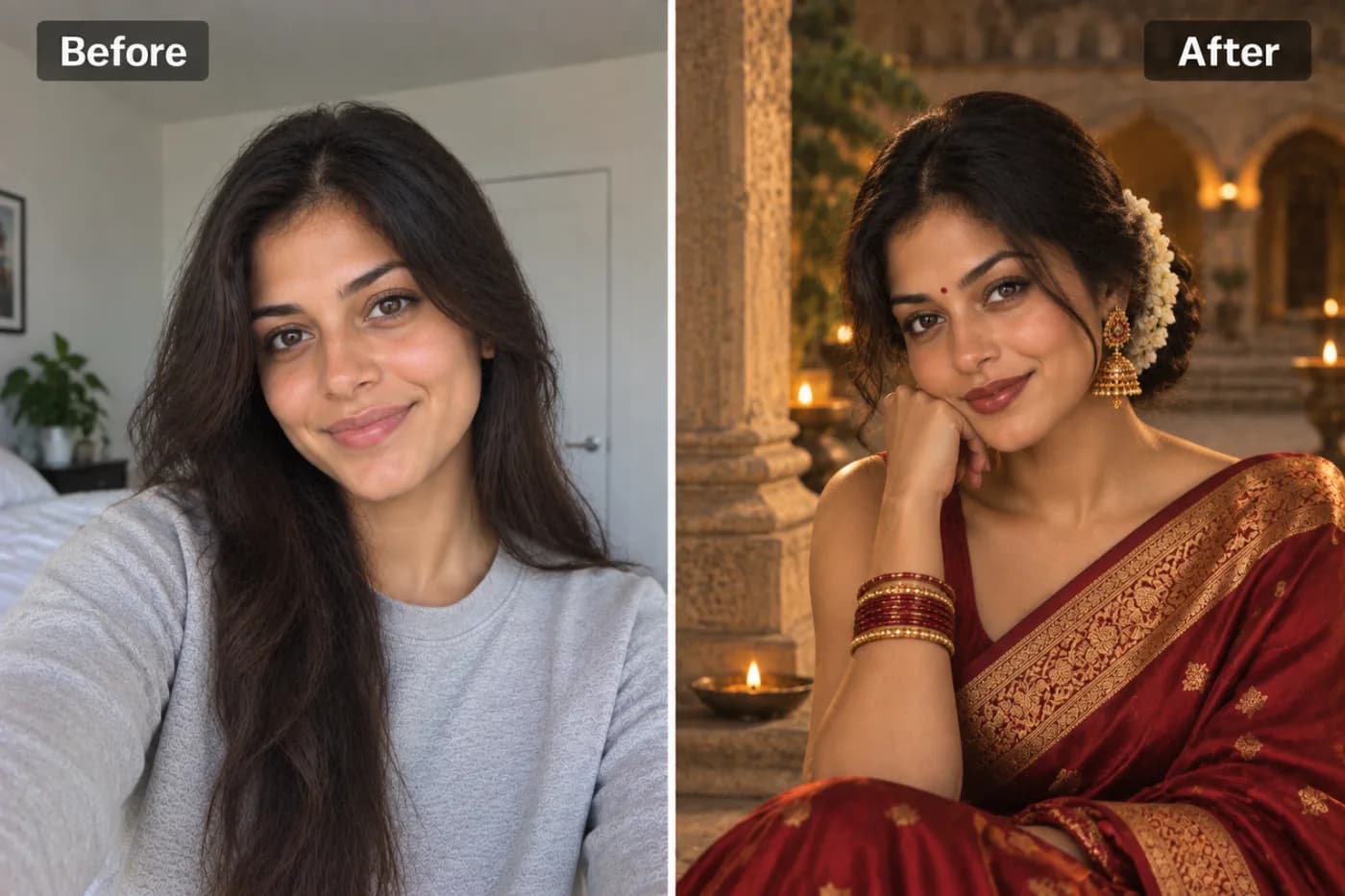
A saree portrait photoshoot with professional lighting and traditional styling can cost hundreds. AI puts that same result within reach from any clear photo — no studio, no costume, no photographer needed.
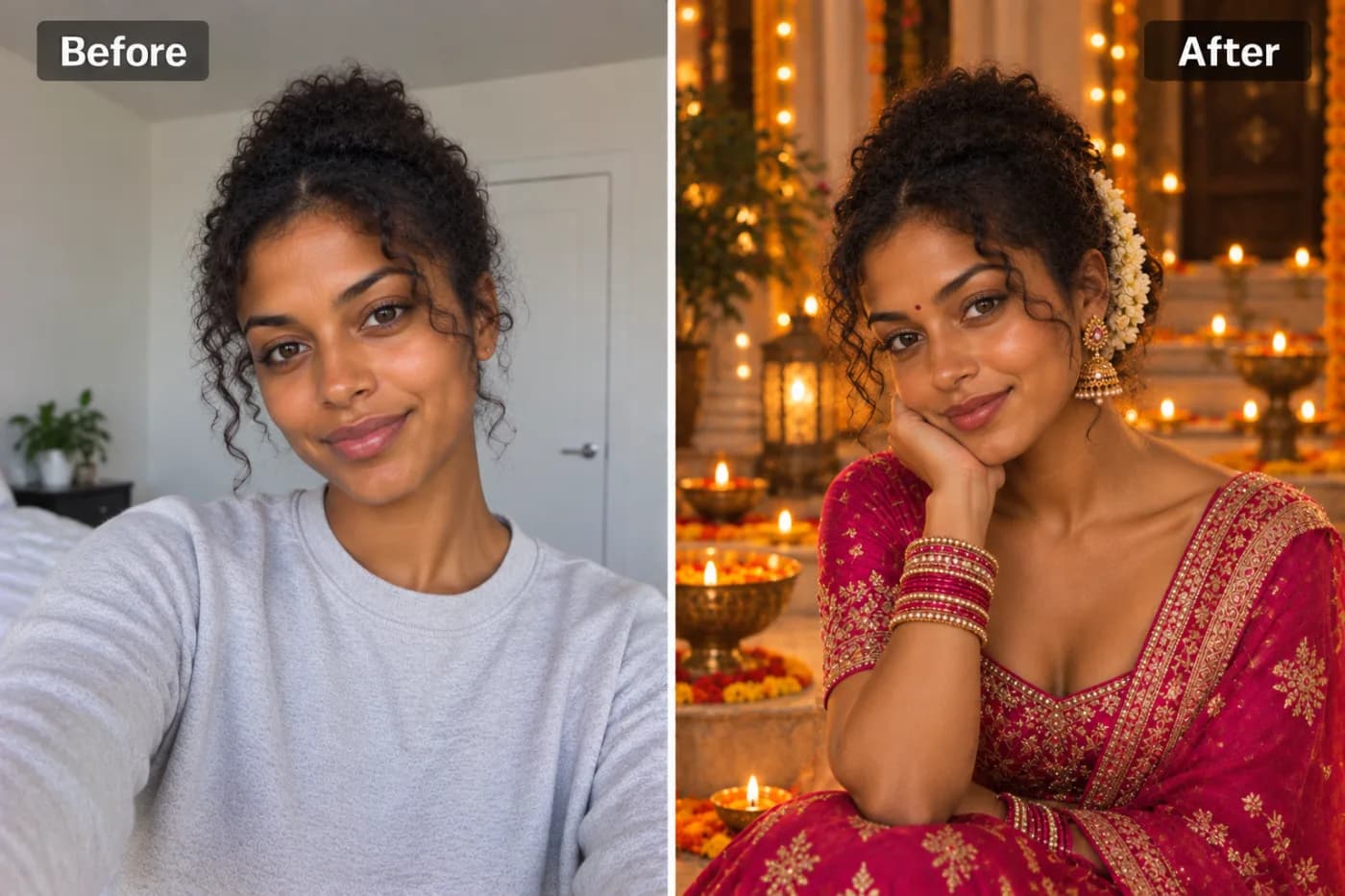
An AI saree photoshoot transforms any ordinary photo into a stunning traditional Indian portrait — draped in an elegant saree, complete with graceful styling and a beautiful setting — without owning a single yard of fabric or booking a studio. If you've ever wanted to see yourself in a gorgeous silk saree for a festival, a profile picture, or just for the joy of it, Pixel Shine's saree filter lets you turn a photo into a saree portrait free at Pixel Shine.
Here's what makes this so appealing. A traditional saree photoshoot with a real photographer, wardrobe, and stylist can easily run into hundreds or thousands of rupees (or dollars), plus the time to shop for the outfit, get draped, do the makeup, and travel to a location. Beautiful sarees themselves are an investment. An AI saree photoshoot skips every one of those steps and delivers the finished portrait in under a minute.
And Pixel Shine keeps it simple: no watermark stamped across your portrait, no app and no subscription. Whether it's for Diwali, a wedding season profile update, or simply because you love traditional Indian aesthetics, you can create your saree portrait today, for free.
The Timeless Appeal of the Saree
The saree is one of the world's oldest continuously worn garments, with a history stretching back thousands of years across the Indian subcontinent. It's more than clothing — it's culture, artistry, and identity woven into a single elegant drape. That depth of meaning is exactly why an AI saree photoshoot resonates so strongly with people.
Sarees come in an extraordinary range: rich Kanjeevaram silks from the south, delicate Banarasi weaves from the north, breezy cottons, shimmering georgettes, and countless regional styles, each with its own heritage. The garment's beauty lies in how it drapes — the graceful fall of the pallu over the shoulder, the pleats at the waist, the way it flatters every body.
For many, wearing a saree is tied to celebration and connection: festivals like Diwali and Navratri, weddings, family gatherings, and cultural pride. It's a garment that makes people feel elegant, rooted, and beautiful.
An AI saree filter lets anyone experience that visual magic instantly. Members of the Indian diaspora who miss home, people curious about the culture, those who don't own a saree but want to see themselves in one, or anyone preparing for a festival — all can create a traditional portrait that captures the garment's timeless grace. It democratizes an aesthetic that's genuinely stunning and deeply meaningful.
How AI Recreates an Authentic Saree Look
Draping a saree convincingly onto a photo is far harder than slapping on a flat overlay — and the difference between a cheap filter and a genuine AI saree photoshoot is dramatic. A real saree has flowing fabric, intricate patterns, natural folds, and a way of falling around the body that follows physics and form.
Pixel Shine's model does more than paste a garment onto your image. It understands your pose, your body position, and where the fabric should naturally drape, then generates a saree that fits *you* — with realistic pleats, an authentic pallu over the shoulder, and detailed fabric texture that catches light the way real silk does. The patterns, borders, and colors are rendered to look woven, not printed on top.
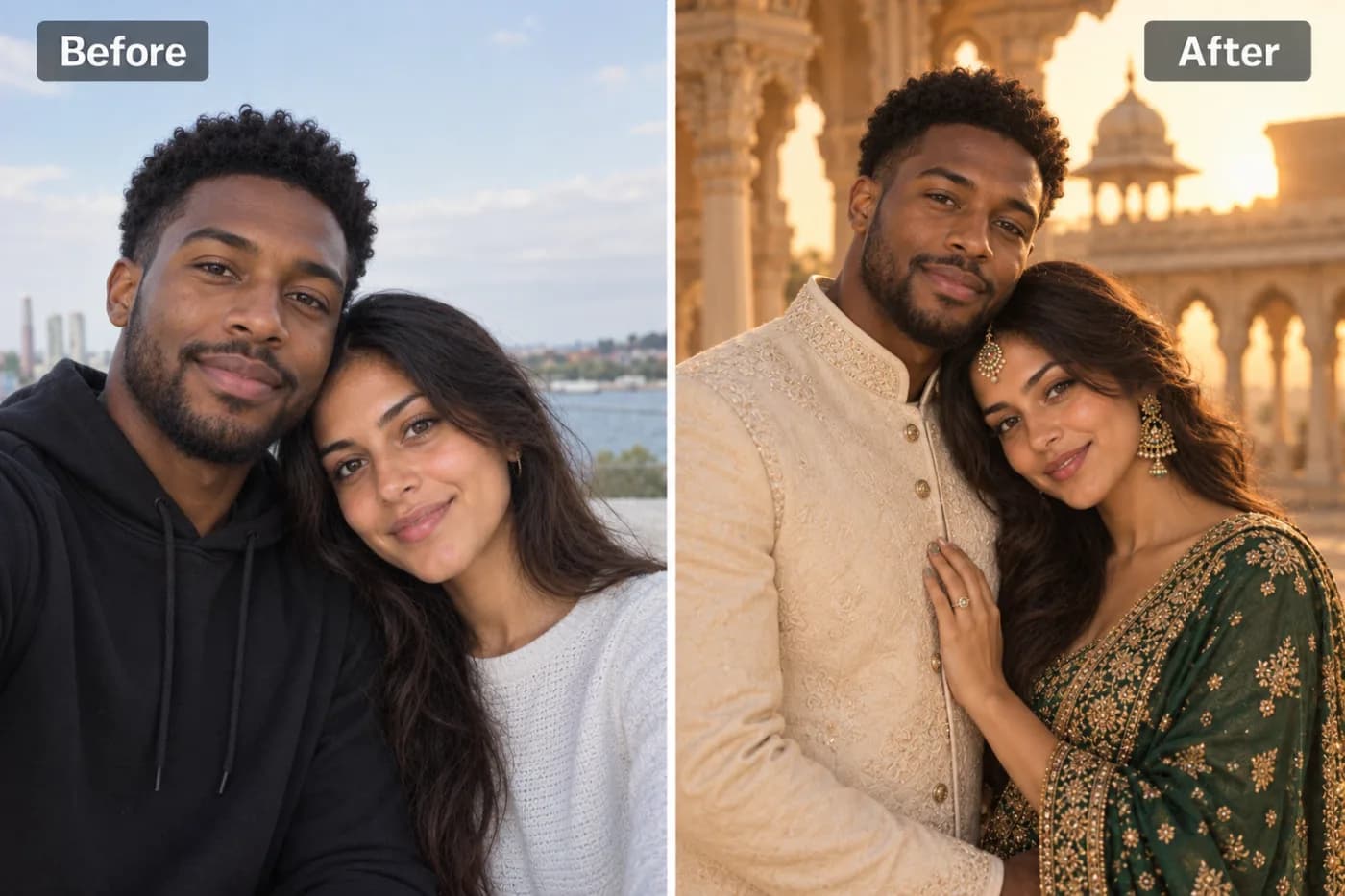
Crucially, the AI preserves your face and identity while transforming the rest. Your recognizable features stay intact, so the portrait genuinely looks like *you* in a saree — not a stranger's face on a mannequin. The tool can also style the surrounding scene to complement the traditional look, adding an appropriate backdrop and ambiance that make the whole portrait feel like a real photoshoot.
The result is a portrait that feels authentic rather than gimmicky: the fabric flows, the drape makes sense, the details hold up, and you look elegant and true to yourself. That leap from 'obvious filter' to 'believable traditional portrait' is exactly what makes the experience feel special.
Step-by-Step: Create Your AI Saree Portrait
Step 1 — Open the tool. Go to Pixel Shine and find the Saree Photoshoot tool under Creative AI Photo Effects. Sign in with a free account to start.
Step 2 — Choose your best photo. Pick a clear, well-lit photo where your face is fully visible and your upper body is in frame. A front-facing portrait works best, since that's how a saree drapes most naturally.
Step 3 — Upload your image. Drag and drop or click to browse. JPG and PNG are both supported. A higher-quality photo gives the AI more detail to work with.
Step 4 — Generate your saree portrait. Hit create and let the AI drape the saree, render the fabric and patterns, style the scene, and preserve your face. This typically takes 15 to 40 seconds.
Step 5 — Review the result. Check that your face looks natural and recognizable and that the saree drapes convincingly, with realistic folds and a graceful pallu.
Step 6 — Generate variations. Run it a few times to see different saree colors, patterns, and settings, then pick your favorite. Each run gives you a different option to explore.
Step 7 — Download watermark-free. Save your finished traditional portrait in full quality — ready for your profile picture, a festival greeting, social media, or printing.
Step 8 — Share or print. Post it for Diwali or wedding season, send it to family, or print it as a keepsake. For prints, download at the highest quality available.
Pro Tips for a Stunning Saree Portrait
Tip 1 — Use a clear, front-facing photo. The saree drapes most naturally on a front-facing or slight-angle upper-body shot. This gives the AI the best canvas for realistic pleats and pallu placement.
Tip 2 — Ensure good lighting on your face. Even, soft light keeps your features looking natural and recognizable in the final portrait. Avoid harsh shadows.
Tip 3 — Include your shoulders and upper body. Since the saree drapes over the shoulder, a photo that includes your upper body produces a more complete and convincing result than a tight face crop.
Tip 4 — Keep the background simple in your source. A cleaner background helps the AI separate you and build the traditional scene without confusion around your edges.
Tip 5 — Generate several for variety. Different runs can produce different saree colors, patterns, and settings. Compare a few and choose the one whose color and style suit you best.
Tip 6 — Match colors to the occasion. If you're making a Diwali or festival portrait, choose a generation with rich, celebratory tones. For a wedding-season look, elegant silks and traditional borders work beautifully.
Common Mistakes to Avoid
Mistake 1 — Using a tightly cropped face photo. A saree needs shoulders and upper body to drape over. A close-up of just your face gives the AI too little room to render a natural drape. Include more of your upper body.
Mistake 2 — Choosing a dark or blurry source. Poor lighting or a soft image reduces how natural and recognizable your face looks. Pick your clearest, best-lit photo.
Mistake 3 — Expecting a mirror-exact replica of yourself. This is a creative transformation. It preserves your recognizable features while reimagining your outfit and setting — judge it as a beautiful stylized portrait, not a clinical copy.
Mistake 4 — Settling on the first result. Different generations offer different saree styles and colors. Run it a few times before deciding — the best portrait is often not the first.
Mistake 5 — Downloading low quality for prints. If you plan to print your portrait, always grab the highest-resolution version so the intricate fabric detail stays crisp on paper.
Perfect Occasions for an AI Saree Photoshoot
Festivals. Diwali, Navratri, Durga Puja, Pongal, and other celebrations are prime moments for a traditional portrait. Create a festive saree look to use as your profile picture or festival greeting without needing to dress up and shoot.
Wedding season. When invitations pile up and you want an elegant traditional photo for social media or to share with family, an AI saree portrait delivers the look instantly.
Diaspora connection. For people of Indian heritage living abroad who don't have easy access to sarees or traditional photographers, it's a heartfelt way to connect with cultural roots and celebrate identity.
Social media and profile updates. A striking traditional portrait stands out beautifully as a profile picture across Instagram, Facebook, and WhatsApp, especially during cultural moments.
Gifting and greetings. Create personalized festival greeting images featuring yourself or loved ones in traditional attire — a warm, custom alternative to generic cards.
Cultural appreciation and fun. Anyone who admires the beauty of Indian traditional wear can experience seeing themselves in a saree, celebrating an aesthetic that's genuinely gorgeous. The barrier of owning the garment simply disappears.
Who Loves the AI Saree Photoshoot
People celebrating festivals create traditional portraits for Diwali, Navratri, and other occasions without the time and cost of a real photoshoot.
The Indian diaspora uses it to stay connected to cultural heritage from anywhere in the world, seeing themselves in traditional attire even far from home.
Social media users refresh their profiles with elegant traditional portraits that stand out, especially during wedding and festival seasons.
Those who don't own a saree get to experience the look and beauty of traditional Indian wear without the expense of buying and getting draped.
Families create coordinated traditional portraits for greetings and keepsakes, including relatives who live far apart.
Admirers of Indian culture from any background enjoy experiencing this beautiful aesthetic firsthand.
What unites them is a shared desire to celebrate the elegance and meaning of the saree — instantly, affordably, and beautifully. Whether it's cultural pride, festive spirit, or simple appreciation for one of the world's most graceful garments, the AI saree photoshoot makes that experience available to everyone with just a photo and a minute to spare.
Frequently Asked Questions
Is the AI saree photoshoot free?It runs on credits rather than a subscription: each saree portrait costs 2 credits, with no watermark on your downloads.
Do I need to sign up to try it?Yes, a free account. Once you're signed in, you can begin creating right away at Pixel Shine.
Will the portrait still look like me?Yes. The AI preserves your recognizable facial features while draping the saree and styling the scene, so the portrait genuinely looks like you in traditional attire.
What kind of photo works best?A clear, well-lit, front-facing photo that includes your face and upper body, so the saree can drape naturally over your shoulders.
Can I choose the saree color or style?Different generations produce different colors, patterns, and settings. Run it a few times and pick the look you love most.
Can I use it for Diwali or festival greetings?Absolutely. It's perfect for creating festive traditional portraits for Diwali, weddings, and other celebrations to share or set as your profile picture.
Can I print my saree portrait?Yes. Download at the highest quality available for crisp prints that preserve the intricate fabric detail.
How long does it take?Usually 15 to 40 seconds per generation, depending on demand.
Key Takeaways
The saree is one of the most beautiful and meaningful garments in the world, and an AI saree photoshoot lets anyone experience wearing one — no fabric, no draping, no studio. Pixel Shine transforms your photo into an elegant traditional Indian portrait in under a minute, preserving your face while rendering a realistic, gracefully draped saree and a complementary setting.
Whether you're celebrating Diwali, updating your profile for wedding season, connecting with cultural roots from abroad, or simply admiring the elegance of traditional Indian wear, the process is the same: upload a clear, front-facing photo, generate, explore a few variations, and download your favorite watermark-free.
See yourself draped in timeless elegance. Try AI Saree Photoshoot → at Pixel Shine.