AI Glow Up Filter: Transform Any Photo with One Click
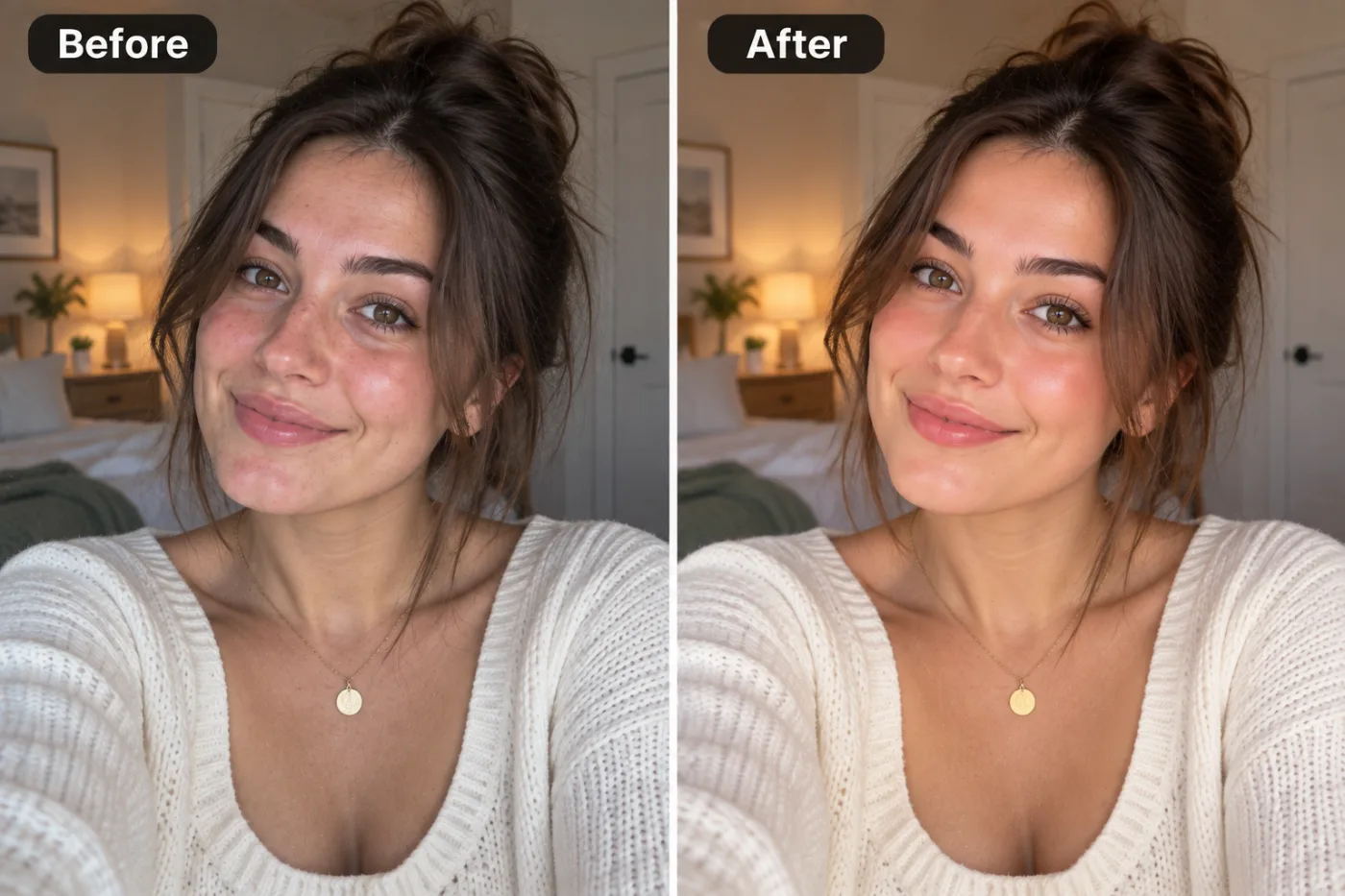
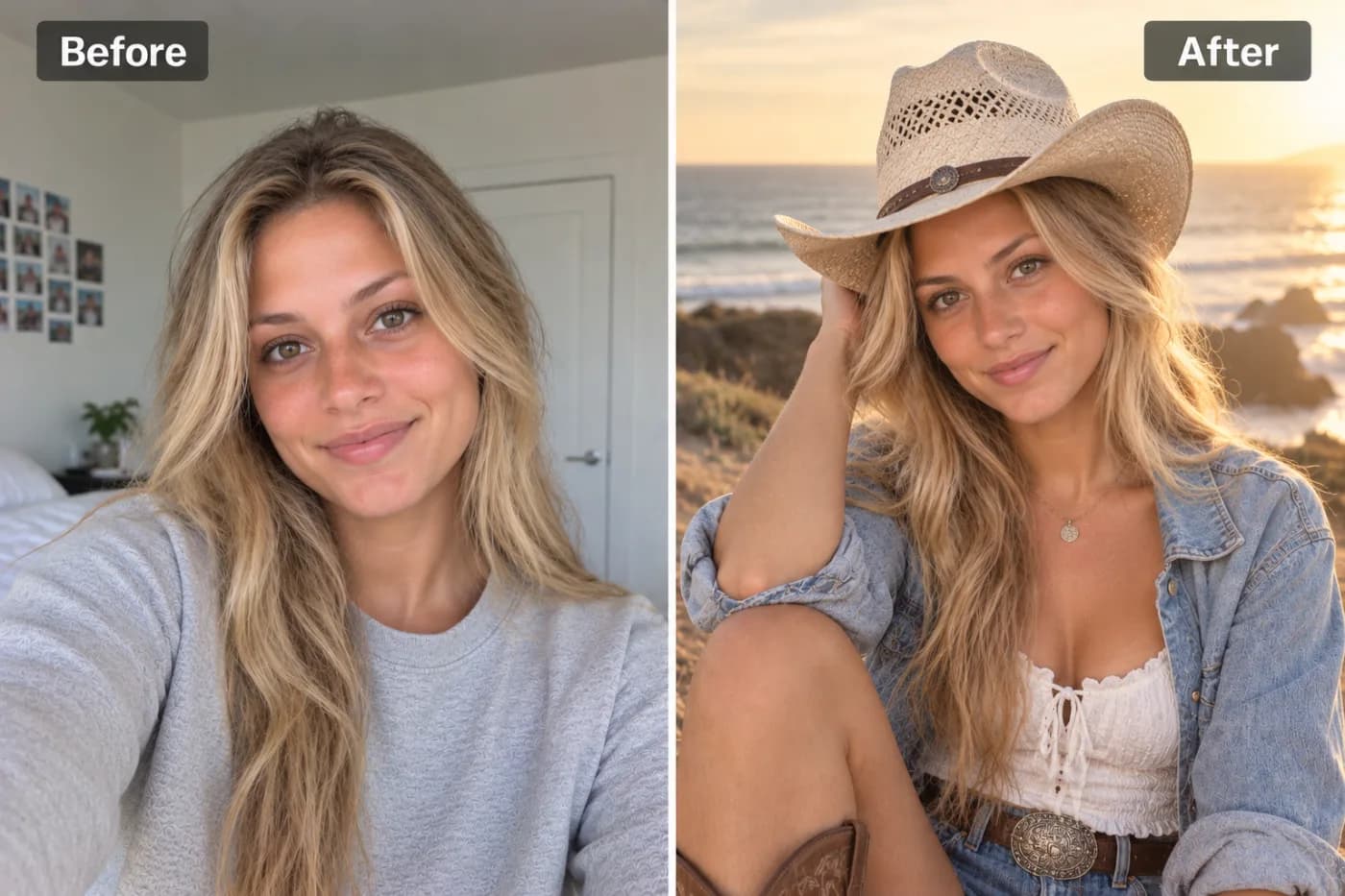
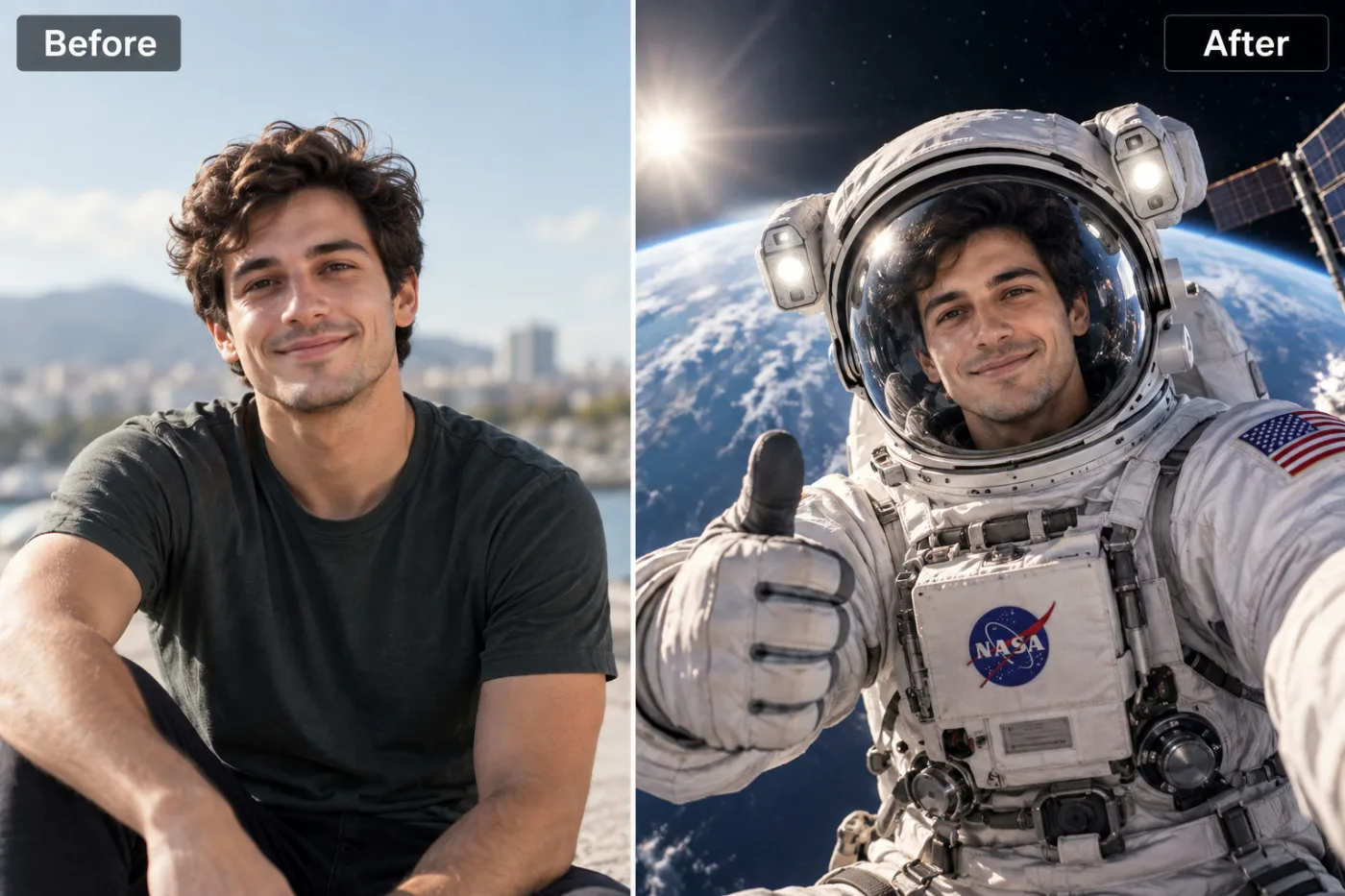
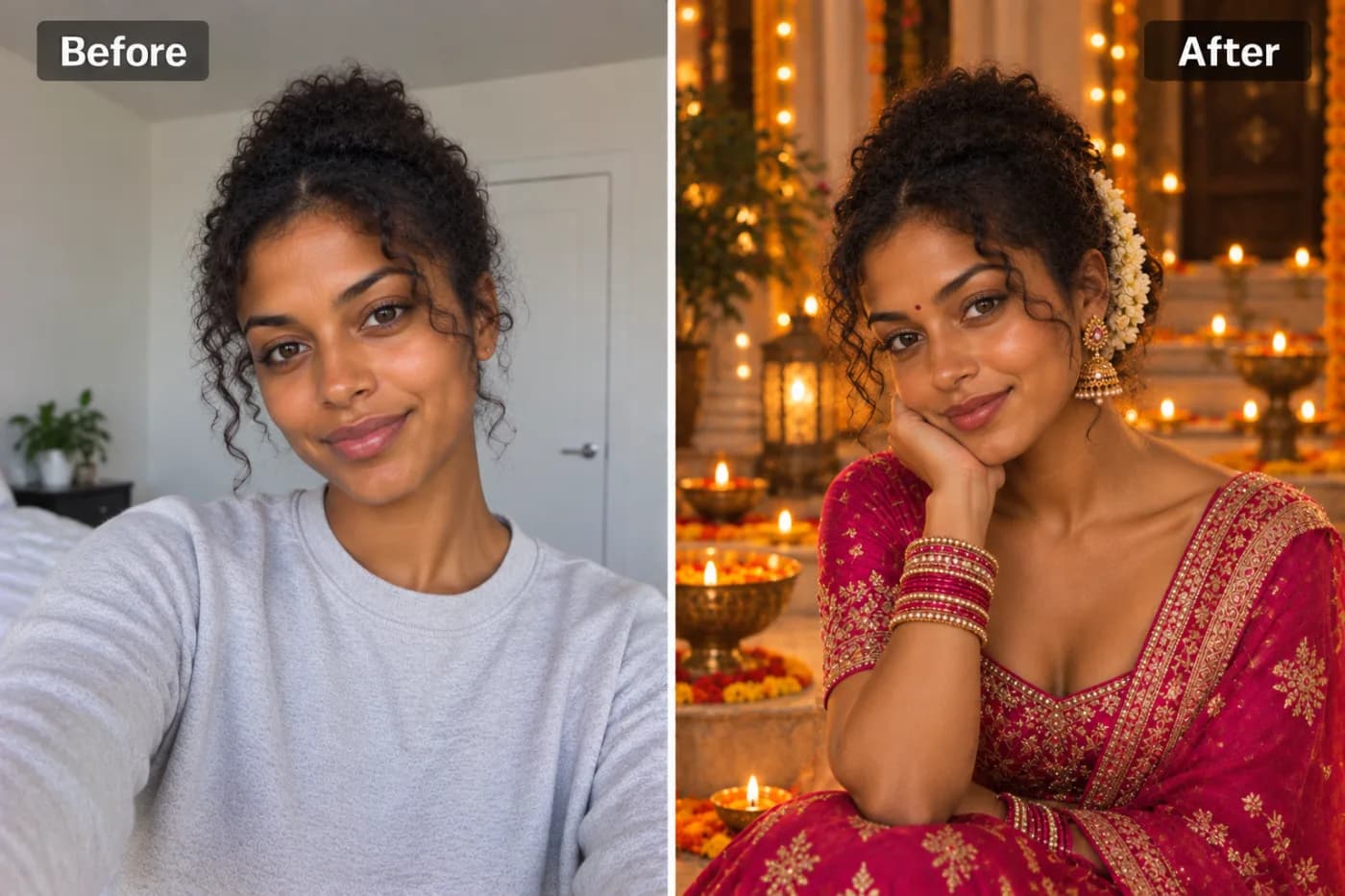
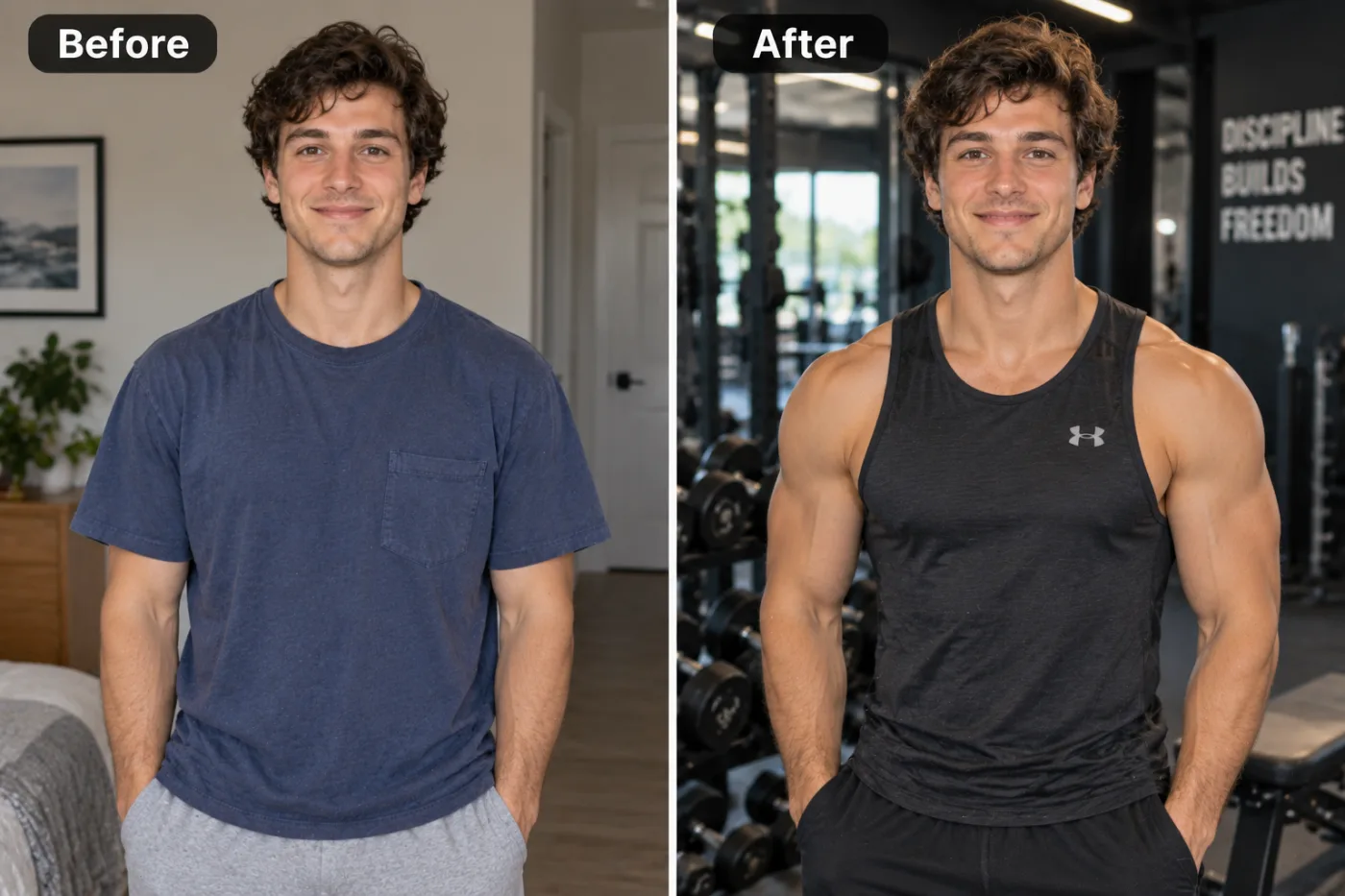
The 'glow up' is the internet's favourite before-and-after format. AI has made it instant — upload any photo and get a radiant, editorial-quality transformation without touching a single editing slider.
An AI glow up filter can take an ordinary, slightly-off selfie and turn it into the kind of photo you actually want to post — brighter skin, balanced lighting, cleaner detail, and that polished "good day" energy, all in a single click. If you've ever taken twenty shots and still felt like none of them looked quite right, this is the fix. Pixel Shine's glow up transformation runs on the same generative technology behind professional retouching, but it does the work automatically instead of making you fiddle with sliders for an hour.
The glow up trend isn't just hype. Photos with even, flattering lighting get significantly more engagement on social platforms, and a study of Instagram behavior found brighter, higher-contrast images consistently outperform flat ones. The catch has always been that real editing takes skill and expensive software. An AI beauty filter for photos closes that gap: you upload, the AI analyzes your face and lighting, and it delivers a naturally enhanced version in seconds. Best of all, you can do it on Pixel Shine with no app install and no subscription. Here's how to get the most out of it.
What an AI Glow Up Filter Actually Does
A glow up filter is not the same as slapping a heavy beauty preset over your face. Cheap filters blur everything into a plastic, over-smoothed mask that everyone can spot instantly. A good AI glow up does the opposite — it enhances what's already there.
It corrects lighting first. The most common reason a selfie looks bad isn't your face, it's the lighting. Flat, yellow, or shadowy light makes anyone look tired. The AI rebalances exposure and color temperature so your skin looks healthy and the image looks like it was shot in flattering light.
It refines skin without erasing texture. Instead of blurring, the model gently evens out tone, reduces distracting redness or shine, and softens harsh shadows while keeping real skin texture. That's the difference between "well-rested" and "filtered into oblivion."
It sharpens and adds clarity. Eyes, hair, and edges get a subtle definition boost so the photo reads as crisp and intentional rather than snapshot-casual.
The result is a photo that looks like the best version of a real moment — not a different person. That restraint is exactly why the AI approach beats old-school filters.
Why AI Beats Manual Editing for a Glow Up
Getting this look by hand is genuinely hard. Professional retouchers spend years learning frequency separation, dodge-and-burn, and color grading — and even then, a single portrait edit can take 20 to 45 minutes. Most people don't have that time or that skill set, and the learning curve on desktop editing software is brutal.
AI compresses that entire workflow into one click. The model has effectively studied millions of professionally edited images, so it already knows what "good" looks like. It applies lighting correction, skin refinement, and clarity simultaneously and intelligently, adapting to your specific photo instead of forcing a one-size-fits-all preset.
It's consistent. Manual editing varies with your mood and energy. The AI delivers the same polished baseline every time, which matters if you're editing a batch of photos for a profile refresh or a dating app.
It's forgiving. Don't like the result? Regenerate or try a different source photo. There's no destructive editing, no ruined layers, no hour of work down the drain. And because each glow up costs just 2 credits, trying a couple of looks stays cheap.
Step-by-Step: Glow Up Any Photo
1. Go to Pixel Shine. Open Pixel Shine and navigate to the Creative AI Photo Effects section, then choose the AI Glow Up Filter. There's no download; just sign in with a free account to begin.
2. Choose your best raw shot. Pick a photo where your face is clearly visible and reasonably in focus. The AI can fix lighting and tone, but it can't invent detail that isn't there — so avoid extremely dark or heavily blurred images as your starting point.
3. Upload the image. Drag and drop or click to browse. JPG and PNG both work fine. Use the original file rather than a screenshot for maximum quality.
4. Apply the glow up. Click generate and let the AI analyze your lighting, skin, and features. Processing typically takes 10 to 20 seconds.
5. Compare before and after. Look at the result next to your original. A good glow up should look like *you* on a great day — brighter, cleaner, more defined — not like a stranger. If it feels too strong or too subtle, regenerate.
6. Download watermark-free. Save the enhanced photo. Pixel Shine exports without stamping a watermark across your image, so it's ready to post right away.
7. Upscale for extra crispness. For profile pictures or prints, run the result through Pixel Shine's credit-based Normal Upscaler to bump up resolution and sharpness before you share it.
Pro Tips for a Natural-Looking Glow Up
Start with the best light you can. The AI amplifies what's there. A photo taken near a window or in soft daylight gives the model a great foundation and produces the most natural result.
Face the light source. If your key light is behind you, your face falls into shadow and even the AI has to work overtime. Turn toward the window or lamp before you shoot.
Don't stack filters. Applying a heavy beauty filter in your camera app *before* running the AI glow up doubles up the effect and pushes it into fake territory. Feed the AI a clean, unfiltered photo.
Pick sharp over soft. A slightly under-lit but sharp photo glows up far better than a bright but blurry one. The AI can add light; it struggles to add detail.
Use it on old photos too. The glow up filter works wonders on flat, aging phone photos from years ago. Brightening and sharpening an old memory can make it feel new.
Regenerate for the sweet spot. Because the effect is generative, a second pass sometimes lands a more natural balance. Another try is just 2 credits, so do.
Common Mistakes to Avoid
Starting with a very dark photo. If your original is nearly black, there's no facial detail for the AI to enhance — it can only brighten noise. Reshoot in better light or pick a different source image.
Chasing an unrealistic transformation. A glow up filter enhances; it doesn't reconstruct your bone structure. Expecting it to make you look like a completely different person leads to disappointment. The goal is *your best self*, believably.
Double-filtering. Running the AI on top of an already heavily edited photo produces that waxy, over-processed look everyone recognizes as fake. One clean pass beats three stacked ones.
Ignoring the background. A great face against a messy background still reads as messy. Consider pairing the glow up with Pixel Shine's Background Remover for a clean, professional finish.
Skipping the upscale step for prints. A glow-up looks perfect on screen but can appear soft when printed large. Always run the free upscaler before sending anything to print.
Best Use Cases for the AI Glow Up Filter
Dating profiles. First impressions are everything, and a well-lit, naturally enhanced photo can dramatically improve how a profile performs. The glow up gives you that "caught on a great day" look without looking catfished.
Professional headshots on a budget. Not everyone can drop $200 on a studio session. Pair the glow up filter with Pixel Shine's AI Headshot Generator and you've got polished, LinkedIn-ready portraits without a photographer.
Social media content. Creators use the glow up to keep their feed consistent and bright. A cohesive, well-lit aesthetic reads as more professional and grows engagement.
Reviving old photos. Flat, yellowed photos from an old phone come back to life with better lighting and clarity — great for anniversary posts or printing framed memories.
Event and travel snaps. That gorgeous sunset shot that came out a little flat? A glow up restores the vibrancy you actually saw in the moment.
Because every one of these takes about a minute on Pixel Shine at 2 credits a photo, it's easy to glow up a whole set.
Who Benefits Most from a One-Click Glow Up
Job seekers refreshing their LinkedIn need a photo that looks approachable and put-together without the cost of a photographer. A glow up plus a clean background does exactly that.
Small business owners and freelancers use it for About pages, invoices, and client-facing profiles where a polished photo builds instant trust.
Content creators and influencers rely on it to keep their feed cohesive and their engagement high, editing dozens of photos to the same bright standard in minutes.
Everyday people who just want their favorite selfie to finally look the way they remember the moment feeling. That's arguably the biggest group — and the reason the glow up trend went viral in the first place.
Across all of them, the appeal is the same: studio-quality polish, zero skill required, and no price tag. Pixel Shine removes the usual barriers — no download, no subscription, no watermark — so anyone can glow up in seconds.
Frequently Asked Questions
Is the AI glow up filter really free?Pixel Shine's glow up filter runs on credits, with no subscription. Credits are bought in one-off packs from ₹166 and never expire.
Do I need to download an app?No app needed. Pixel Shine runs online at Pixel Shine, so there's nothing to install; you just sign in with a free account.
Will my glow up photo have a watermark?No. Pixel Shine exports clean, watermark-free images ready to post or print.
Does the glow up make me look fake or over-filtered?Not when used right. The AI is designed to enhance lighting, tone, and clarity while preserving real skin texture, so it looks like you on a great day rather than a plastic filter.
Can I glow up old or low-quality photos?Yes, within reason. The filter dramatically improves flat or dull photos, but it works best when there's real detail to enhance. Pair it with the free upscaler for the biggest improvement.
What's the difference between a glow up filter and a beauty filter?Beauty filters usually blur and smooth aggressively into a mask. The AI glow up focuses on natural lighting correction, tone balancing, and clarity, keeping the result believable.
Can I use it for professional headshots?Absolutely. Combine it with Pixel Shine's AI Headshot Generator and Background Remover for polished, LinkedIn-ready portraits without a photographer.
How long does it take?Most glow ups process in 10 to 20 seconds.
Key Takeaways
An AI glow up filter gives you professional-grade polish — better lighting, refined skin, and crisp clarity — in a single click, without the skill or software real retouching demands. The key is starting with a decently lit, in-focus photo, avoiding stacked filters, and letting the AI do what it does best: enhance the real you naturally.
Pixel Shine makes it simple, with no download, no subscription, no watermark, and free unlimited upscaling to sharpen your final image. Whether it's a dating profile, a LinkedIn headshot, or just your favorite selfie, you're one click away from your best-looking photo yet. Head to Pixel Shine and try the AI Glow Up Filter now.