AI Saree Photoshoot Maker
Upload a selfie and get a cinematic vintage saree portrait — right here, in seconds. No watermark, no subscription.
Pick a style on the left, then hit Apply. Your original stays untouched — you always see both.
How to use AI Saree Photoshoot Maker
Upload your photo
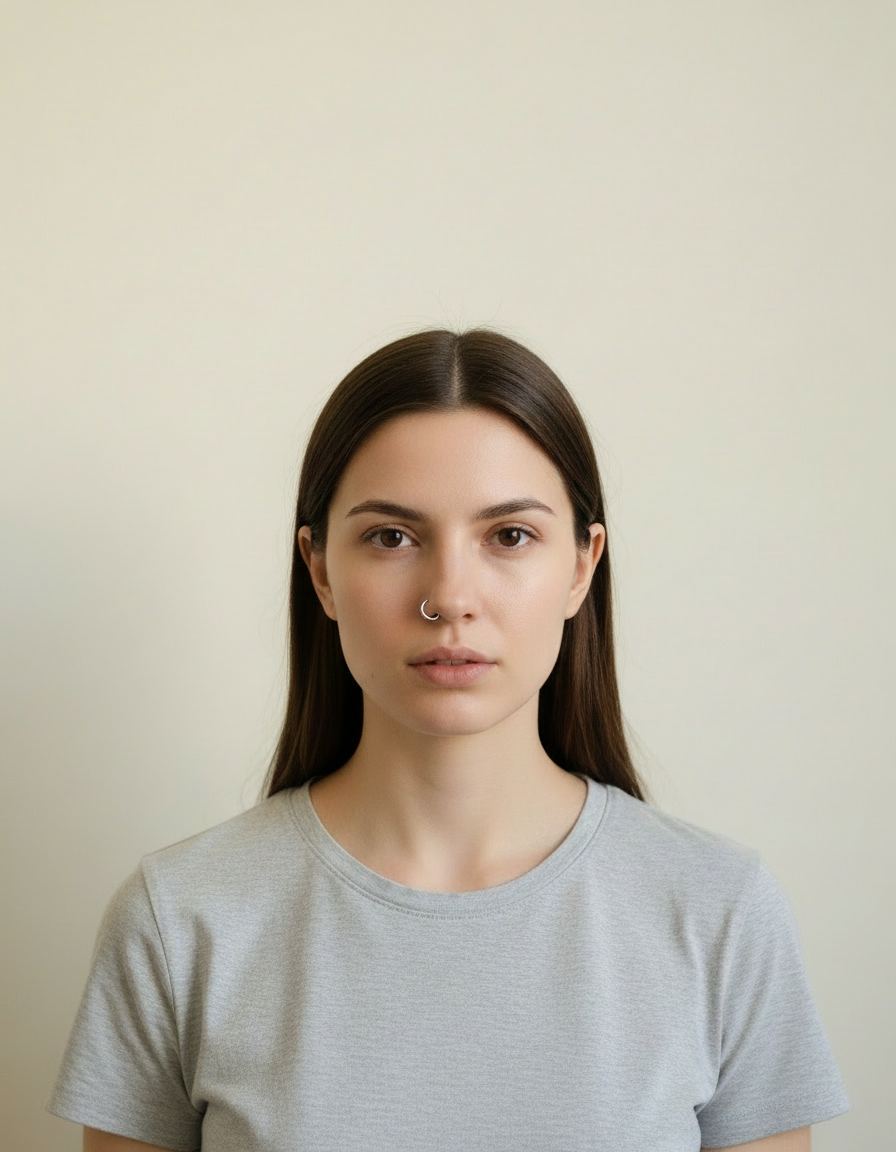
A clear selfie or portrait in JPG, PNG or WEBP. Face visible, reasonable light. Group photos work too — say how many people are in the frame.
Choose a look or describe one
Pick a ready-made style, or write a short brief naming the outfit, the setting and the mood you want. Both routes go to the same engine.
Generate, then download
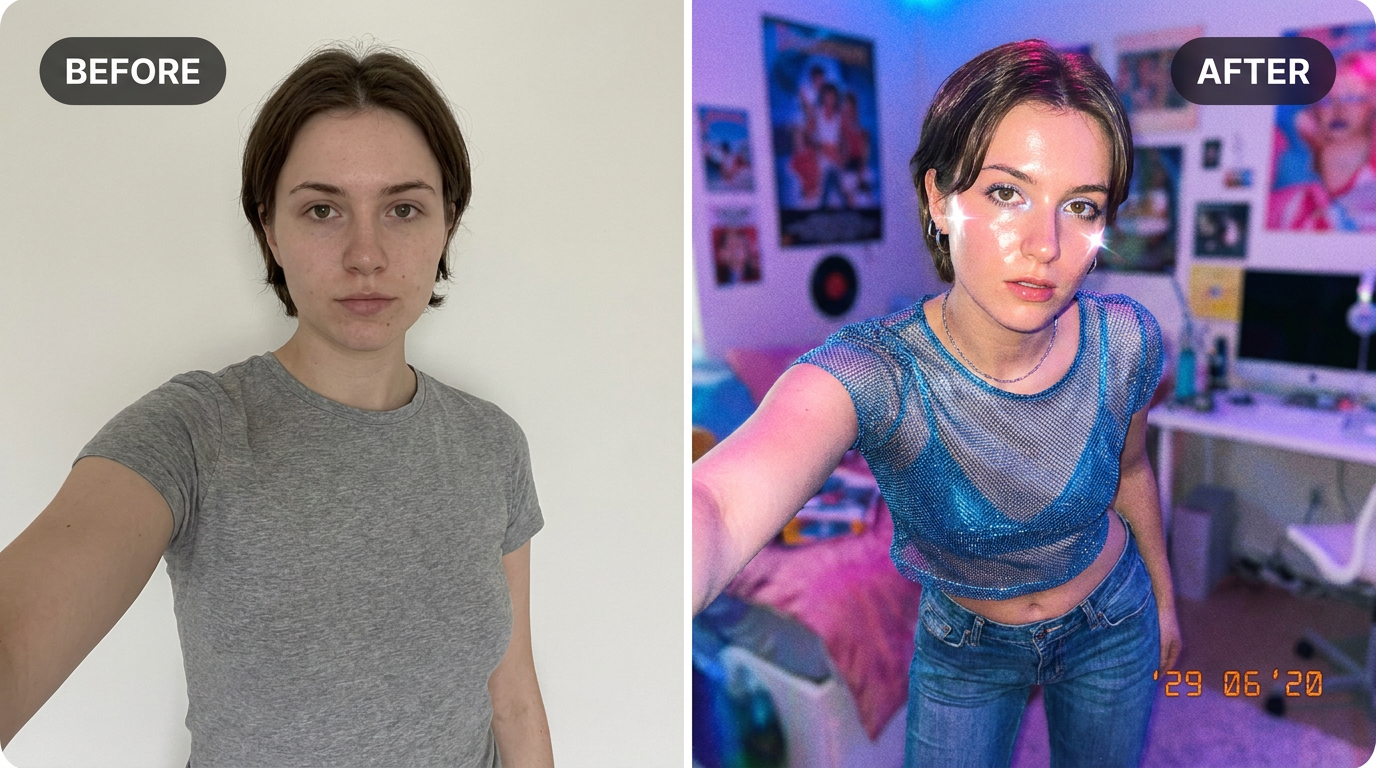
Look at the before and after side by side, regenerate if the styling is not right, then download at full resolution with no watermark.
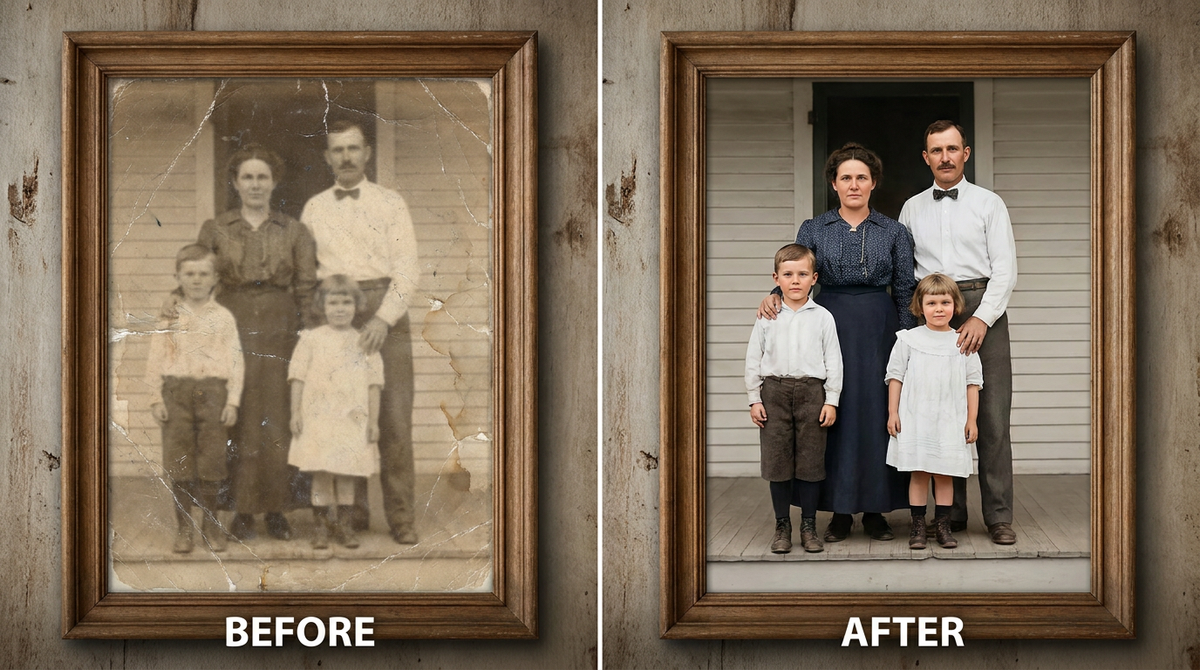
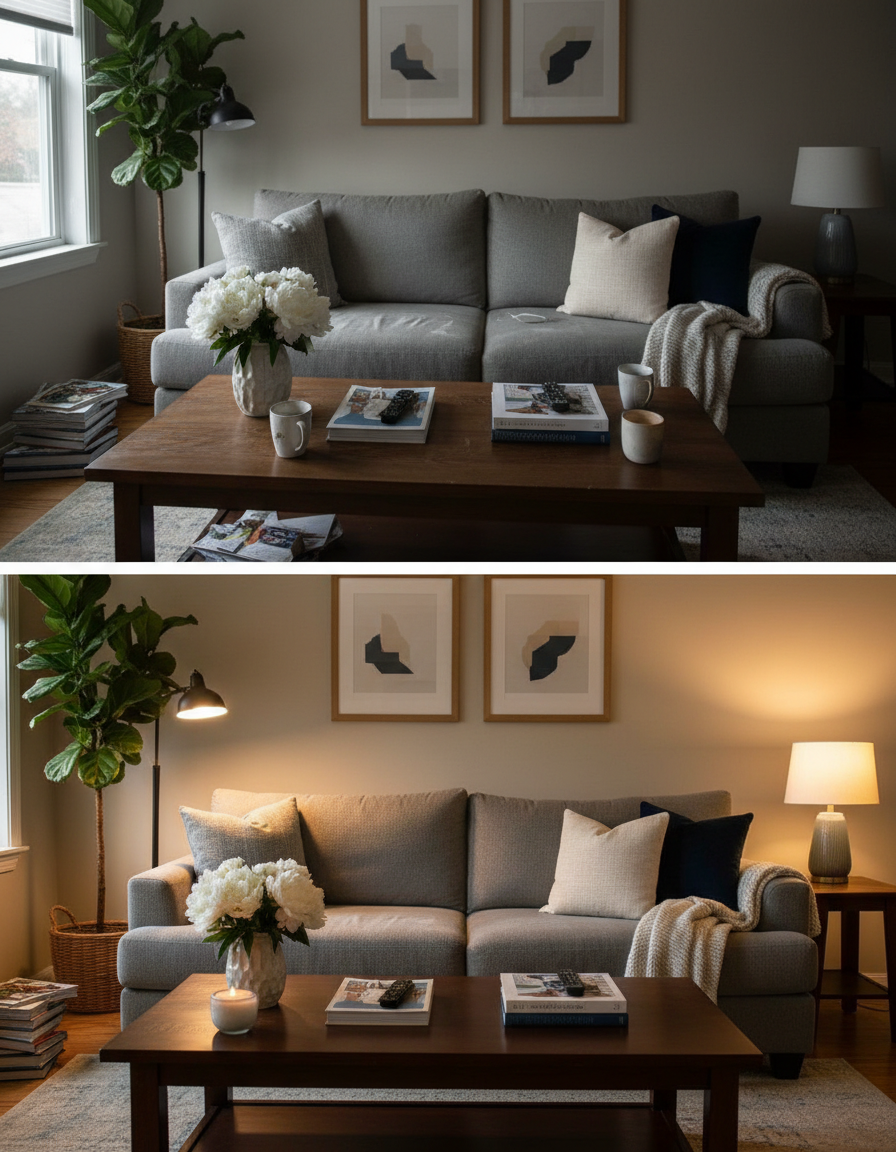
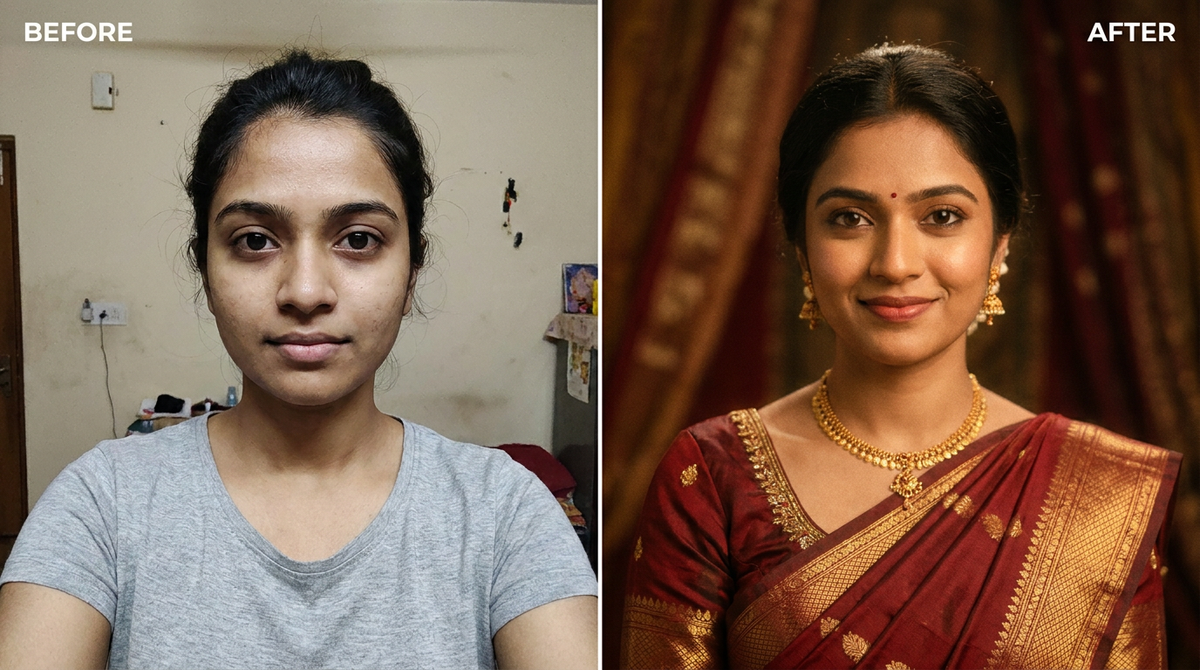
See it in action — real before & after

Why use AI Saree Photoshoot Maker
What AI Saree Photoshoot Maker does
Turn a selfie into a cinematic vintage saree portrait.
Any aspect ratio
Square for a grid, 4:5 for a feed, 9:16 for a story, wide for a banner. Chosen before generating so nothing important gets cropped away.
Shareable straight away
Full resolution, no watermark, no logo. It goes straight to a feed, a print or an invitation.
Cheaper than the outfit alone
A pack starts at $2. The saree, the suit or the dress in the result would cost considerably more than the photo of you wearing it.
Your face is preserved
Features, bone structure and skin tone are held; the outfit, backdrop and light are what the model generates. A portrait of you, not of someone who looks a bit like you.
Complete wardrobe changes
Fabric that drapes, jewellery that catches light, clothing that fits the body in the photo rather than being pasted on top of it.
What AI Saree Photoshoot Maker changes
Transform this person into an elegant 90s vintage Bollywood saree portrait. Dress them in a richly detailed traditional silk saree with gold jewellery, warm cinematic lighting, soft film grain, and a tasteful studio backdrop. Keep the face and identity exactly the same. This must look like a real photograph — natural skin texture, realistic lighting and shadows, sharp photographic detail — not a painting, illustration, or cartoon.
Your face, bone structure and skin tone are held fixed on every generation — only what is described above is changed.
AI Saree Photoshoot Maker built for every kind of occasion
Change the clothes, the setting, the colours and the mood. The same photo can become a festival portrait, a studio sitting or a candid outdoor shot.
Outdoor and candid looks
Golden hour, real streets, natural stances. Less formal, and usually the version people actually use as a profile photo.
Themed and seasonal sets
Christmas, graduation, prom, Diwali, Thanksgiving. Generated the week they are relevant rather than planned a month out.
Pets in the frame
Animals are handled as subjects in their own right rather than treated as part of the background.
Festivals and celebrations
Traditional dress, warm light, decorated settings — the photos people actually want on the day and rarely have time to take.
Key highlights of AI Saree Photoshoot Maker
Benefits
Your original is never modified
Every result is a new image. The file you uploaded stays exactly as it was on your device.
Cheap enough to iterate
Packs start at $2. Generating the same image three ways and keeping the best is the intended workflow, not an expensive mistake.
Minutes instead of a weekend
No booking, no travel, no wardrobe hunt. The whole thing happens between opening the page and downloading the file.
No wardrobe to buy or borrow
The outfit exists only in the photo, which is where you wanted it anyway.
Works from an ordinary phone photo
A good selfie in soft light is enough. It does not need a camera, a lens or a lighting kit.
What people use it for
What it is mainly used for
Upload a selfie and get a cinematic vintage saree portrait — right here, in seconds. No watermark, no subscription.
Long-distance group photos
People who were never in the same room can end up in one frame, styled consistently.
Trying a look before committing
See the outfit, the colour or the setting in a photo of yourself before buying or booking anything.
Creative and dating profiles
Several genuinely different portraits rather than four crops of the same picture, which is what most profiles are.
A profile photo that is not three years old
The quickest way to refresh a profile without organising anything or asking anyone to take a photo of you.
Prompt ideas
The presets handle most of it. When you do write a prompt, name four things — the outfit, the setting, the light and the mood — and stop there. Longer prompts usually get you further from what you wanted, not closer.
Avoid asking for text in the image
Generated lettering is still unreliable. Ask for empty space where the text should go and add real type afterwards.
Pick the ratio first
Generating square and cropping to vertical throws away part of the frame. Choose the shape before you generate.
Try the other model
If a prompt is being ignored, switching between Nano Banana and GPT Image often resolves it faster than rewording.
Re-run before rewriting
Generation is not deterministic. The same prompt twice gives two different results, and the second is sometimes simply better.
Name the outfit and its fabric
"Deep red silk saree with gold border" gives the model something specific to render, where "nice traditional clothes" leaves it guessing.
Place the scene
"Old courtyard at dusk", "marble staircase", "quiet beach at low tide". The setting sets the light as well as the background.
More about AI Saree Photoshoot Maker
There's a reason the vintage saree look keeps showing up on everyone's feed — it's dramatic, a little nostalgic, and it makes an ordinary selfie feel like a film poster. The catch is that getting that look normally means a stylist, a borrowed silk saree, good lighting and an actual photographer. This does it from a photo you already have on your phone.
Upload a clear selfie and the AI dresses you in a draped silk saree, adds the gold jewellery, and lights the whole thing with that warm, slightly faded cinematic glow people associate with 90s Bollywood. Your face stays yours — it's the wardrobe, lighting and mood that change. Try a few photos; a straight-on shot with soft light almost always wins.
Searches for 'ai saree photoshoot near me' and 'vintage saree portrait maker' have spiked as people look for a faster, cheaper alternative to a studio booking — this ai saree photoshoot tool is built for exactly that. It's especially popular before festivals and weddings, when everyone wants a fresh profile picture but nobody has time for a real photoshoot. Each generation costs 2 credits, from a one-time pack starting at $2 that never expires.
Tips for the best saree portrait
- Use a front-facing photo where your whole face is visible — no sunglasses or heavy shadows.
- Natural window light or a plain indoor background gives the AI the cleanest base to work from.
- If the first result feels off, re-run it — small differences in the source photo change the drape and lighting a lot.
- Try it once with a solo photo, then again with a friend or partner for a matching set.
- Check hands, jewellery and any text in the background before sharing — these are still the weak spots of image models.
- For a set that looks like one shoot, keep the same source photo and the same style and vary only the pose or framing.
- Very small or heavily compressed source images limit the final resolution. Use the largest original you have.
- Keep the original file. It is a better base for the next look than a generated image is.
- Start from the largest, least compressed original you have — a screenshot of a photo has already lost detail that cannot be recovered.
- Soft, even light in the source photo gives the best result almost regardless of what you are generating.
- Judge every result at full size, not zoomed out. Problems hide at small sizes.
It's free to try and runs online — nothing to install. Explore the rest of our AI Creative Apps, or open the full AI photo editor for more control.