AI Old Photo Restoration
Upload an old or blurry photo and AI restores detail and clarity — right here on the page. Free and instant.
Pick a style on the left, then hit Apply. Your original stays untouched — you always see both.
How to use AI Old Photo Restoration
Scan or photograph the print
A flatbed scan at 600 dpi is ideal. A phone photo works: lay the print flat, use indirect daylight, avoid your own shadow and any glare from the surface.
Choose the repair
Repair damage, correct faded colour, colourise a black-and-white original, or describe what the photo needs in a sentence.
Compare and download
Check the result against the scan at full size, then download at full resolution. Keep both — the scan is the document, the restoration is the reading of it.
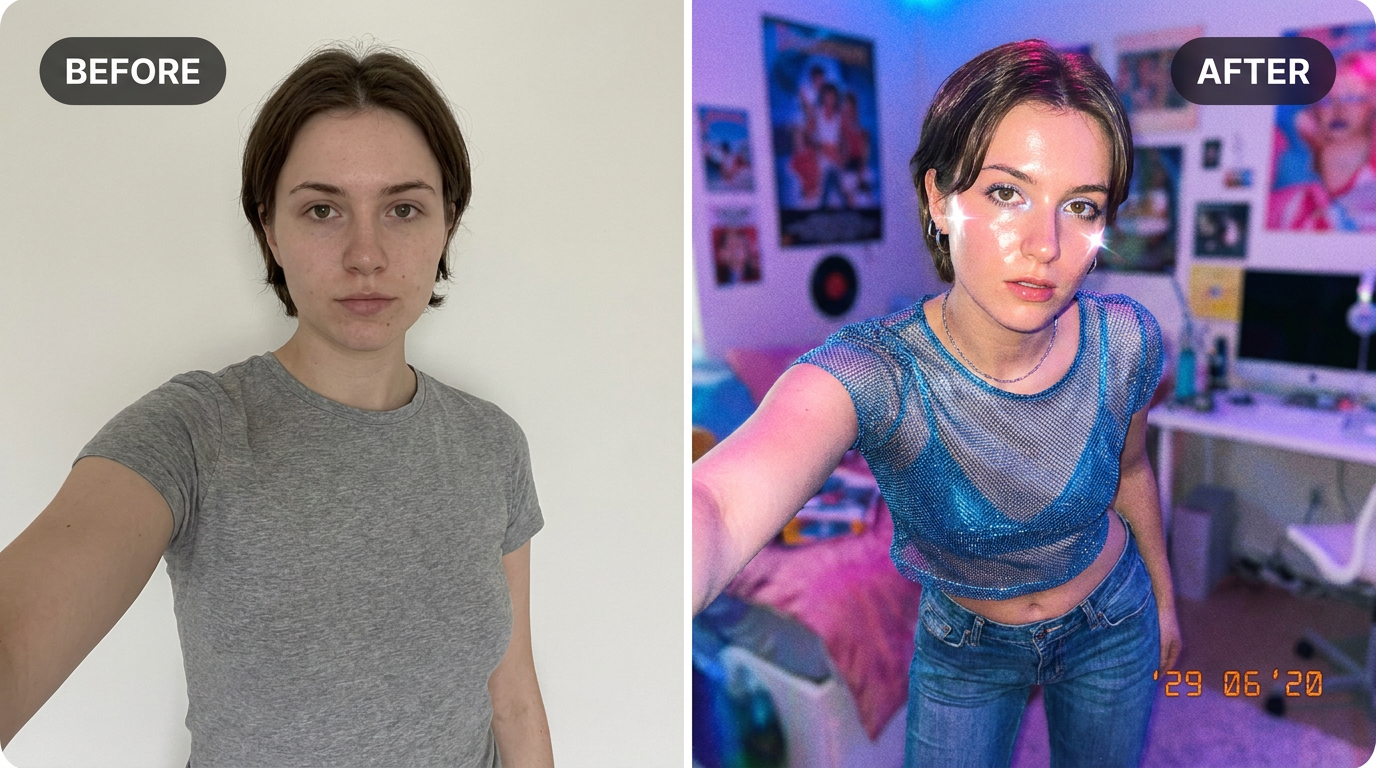
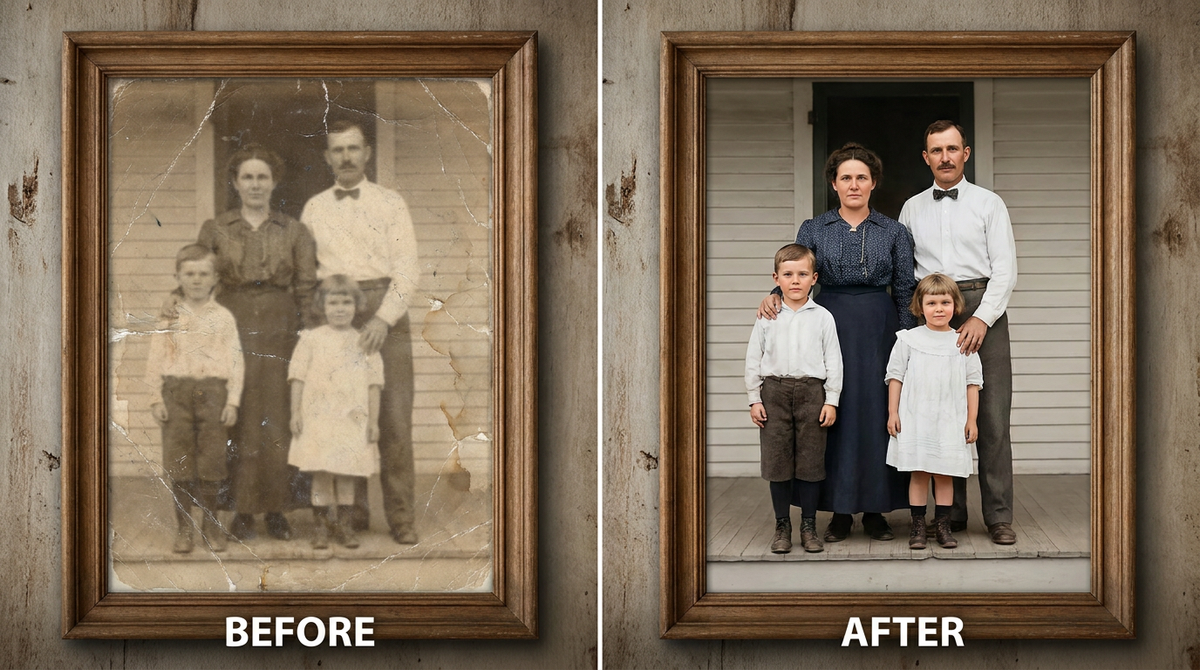
See it in action — real before & after
Why use AI Old Photo Restoration
What AI Old Photo Restoration does
Bring faded, blurry family photos back to life.
Colourisation available
Black-and-white originals can be colourised with period-plausible tones, and the monochrome version is still there afterwards.
Print-ready resolution
Enough resolution to reprint and frame, which is what most people restoring a photo intend to do with it.
The original is never altered
Your scan stays on your device untouched. The restoration is a separate file.
Physical damage repaired
Cracks, tears, creases, scratches and missing corners reconstructed from the surrounding image rather than blurred over.
Faded colour corrected
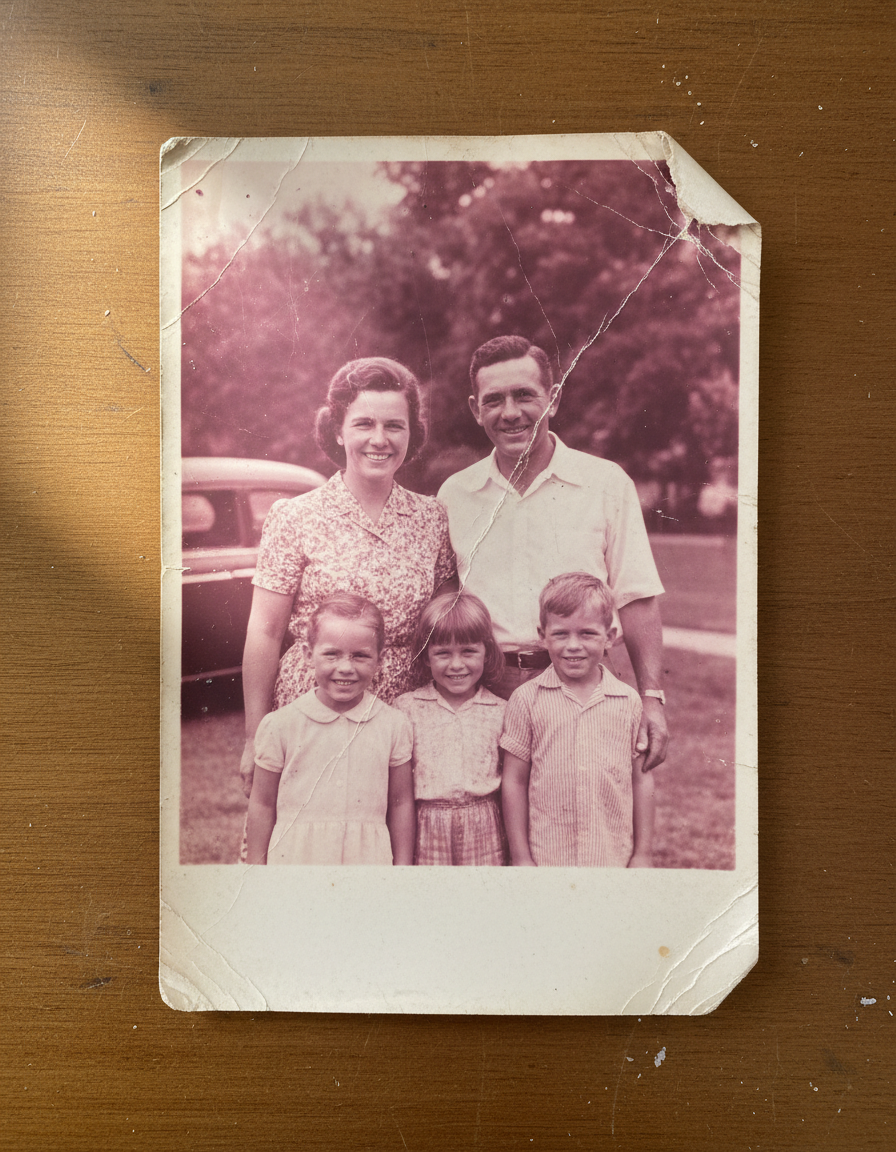
The characteristic magenta and yellow shifts of ageing colour film are reversed, which recovers photos that look beyond saving.
What AI Old Photo Restoration changes
Restore this old photograph: repair scratches and damage, sharpen and recover facial detail, reduce noise and fading, and gently enhance clarity while keeping it natural and true to the original people. This must look like a real restored photograph — natural skin texture, realistic lighting and shadows, sharp photographic detail — not a painting, illustration, or cartoon.
Your face, bone structure and skin tone are held fixed on every generation — only what is described above is changed.
AI Old Photo Restoration for the damage prints actually have
Different decades fail differently. A 1940s silver print, a 1975 colour snapshot and a 1998 disposable-camera photo each need a different repair.
Faded colour from the 60s to the 80s
Dye layers fade at different rates, which is why these photos go magenta. Reversing the shift is the single biggest improvement available.
Black-and-white originals
Contrast restored, dust and scratches removed, and colourisation offered as an option rather than forced on you.
Water and mould damage
Staining and bloom from damp storage, which is what loft and basement boxes almost always produce.
Very small or low-resolution scans
Photos that exist now only as a small digital copy, sharpened and enlarged as far as the data honestly allows.
Key highlights of AI Old Photo Restoration
Benefits
Colour and monochrome versions
Colourise for impact, keep the monochrome for accuracy. There is no need to choose one.
No subscription
A one-time credit pack, credits that never expire, and no renewal.
Nothing to install
It runs in the browser on a phone or a laptop. No desktop app, no plugin, no account needed to look around.
Two models to choose from
Nano Banana and GPT Image handle the same job differently. If one result is not right, the other model often is.
Every aspect ratio
Square, 4:5, 9:16, 16:9 and more, chosen before generating so nothing important gets cropped away afterwards.
What people use it for
What it is mainly used for
Upload an old or blurry photo and AI restores detail and clarity — right here on the page. Free and instant.
Local history and archive projects
Faded documentary photographs made legible for display or publication.
Damaged wedding albums
Albums from the 70s and 80s where the adhesive pages have discoloured the prints themselves.
Reprinting for a frame
A restored file at print resolution, sent to any printing service.
Family photos from a loft box
The most common case by a wide margin: a shoebox of prints nobody has looked at in twenty years.
Prompt ideas
Describe the damage you can see and say what must not change. Restoration prompts fail when they are ambitious — asking for a photo to be "improved" invites the model to make a new one.
Protect the faces
"Reconstruct conservatively and keep the faces exactly as they are" is the most important line in any family restoration.
Say whether to colourise
"Keep it black and white" or "colourise with natural period-appropriate tones" — leaving it unsaid means the model decides.
Ask for era-plausible colour
"1950s colour palette, muted, no modern saturation" avoids a restoration that looks like a photo taken last year.
Address grain deliberately
"Reduce grain but keep detail in the fabric and hair" gets a better result than asking for it to be removed.
Mention the background separately
"Repair the water stain in the upper right of the background" isolates a fix that would otherwise affect the whole frame.
One area at a time
Repair the worst damage first, look at the result, then address the next. Compound requests compound the errors.
More about AI Old Photo Restoration
Old family photos fade, scratch and blur — and the people in them are exactly who you don't want to lose. Restoring them by hand in Photoshop is fiddly and slow. This brings them back in seconds.
Scan or photograph the old print, upload it, and the AI repairs the damage, sharpens faces and recovers detail that the years wore away — while keeping everyone looking like themselves. Once it's restored you can run it through the upscaler too, so a tiny faded print becomes something you can actually print and frame.
People searching 'restore old photos free' and 'ai photo restoration online' are usually trying to save a family heirloom before it degrades further — this tool handles scratches, fading, water damage and soft focus in one pass, free to try, with no software to install and no Photoshop skill required.
Tips for the best restoration
- Lay the print flat and shoot it straight-on in good light, or use a flatbed scan.
- Avoid glare — angle the photo away from direct lamps or windows.
- Crop out the background so the AI focuses on the photo itself.
- Restore first, then upscale — fixing damage before enlarging gives a cleaner final print.
- Nothing you upload is published, shared or added to a gallery — but do not upload anything you would not want to leave your device at all.
- The free on-device tools — compress, convert, crop, resize, rotate — cost no credits, so use them for mechanical work.
- If a result is nearly right, say what is wrong with it in the next run rather than starting over.
- Scan at 600 dpi if you can. A good scan is the single biggest factor in the result, ahead of anything in the prompt.
- Photographing a print works: lay it flat, use indirect daylight, and keep your shadow and any glare out of the frame.
- Remove the print from behind glass before scanning — reflections are read as part of the image.
- Crop to the photograph itself, not the album page or the mount around it.
It's free to try and runs online — nothing to install. Explore the rest of our AI Creative Apps, or open the full AI photo editor for more control.