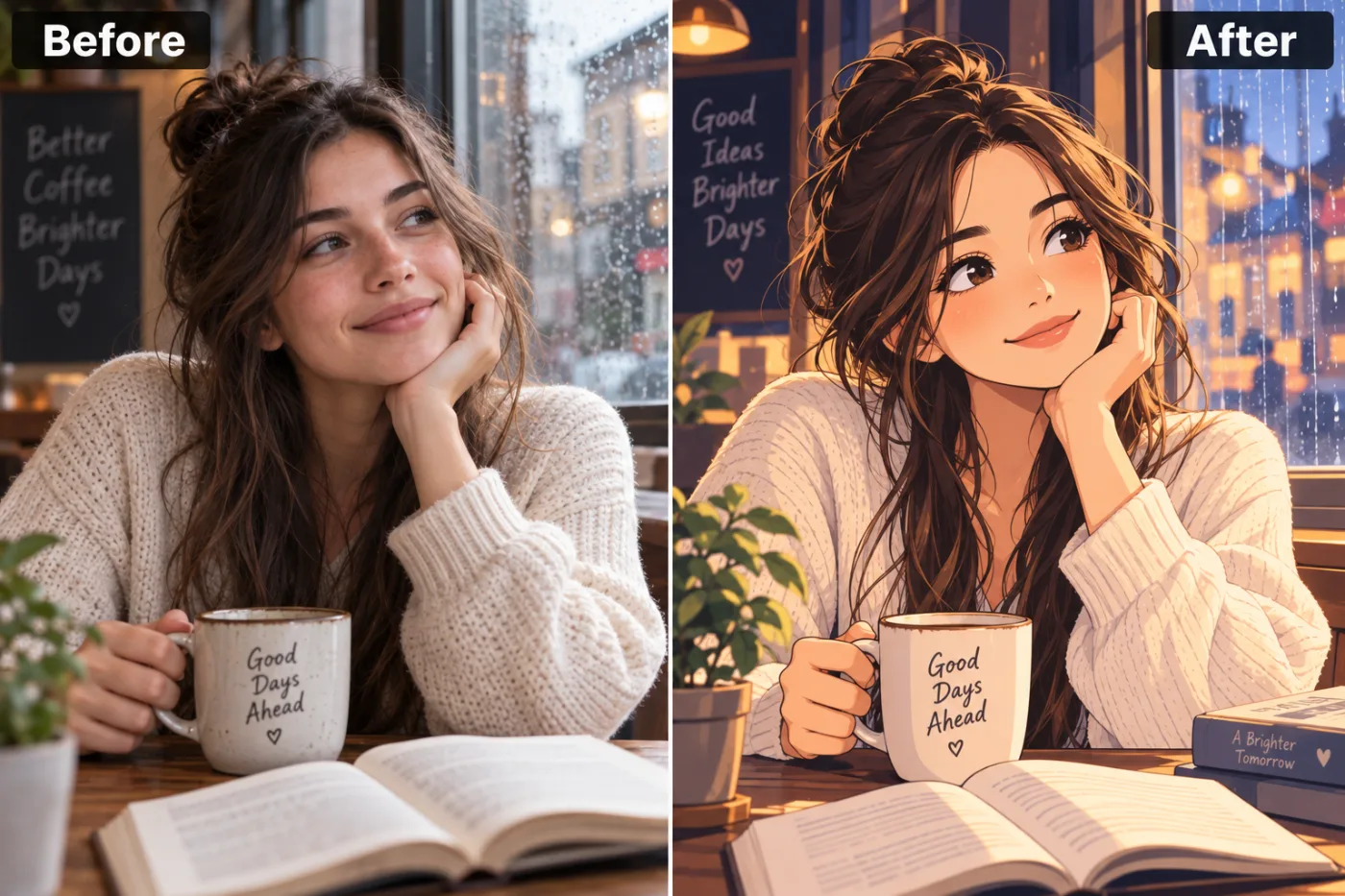
What does "photo to anime" actually change?
It redraws your photo as a hand-drawn anime illustration, the look of a modern anime film or a slice-of-life series. Faces get the genre's signature touches: larger, brighter eyes with highlights, a small nose, clean shapes and soft shading. Colours turn gentler, and light gets that glowy, cinematic quality anime is known for.
Unlike a filter that only changes colours, the whole picture is redrawn. Your hair becomes defined strands, fabric gets painted folds, and the background becomes an illustrated version of where you were. In our example, the rain on the café window and the lights outside came out more atmospheric than in the photo.
What stays is everything that makes the picture yours: your hairstyle, your outfit, your pose, and what's around you.
Anime, Ghibli or cartoon: which should you use?
They're three different looks, and the same photo comes out very differently in each.
Anime (this app)
Modern anime: expressive eyes, clean line art, soft, glowing colour. It keeps your real scene, so it's best for photos with a mood: cafés, cities, golden hour, rain.
Ghibli style
Hand-painted and storybook-like, with watercolour skies and lots of greenery. The Ghibli filter suits outdoor and travel photos.
Cartoon
Bold outlines and flat, bright colour, with a big smile. The cartoon generator is made for avatars and stickers.
For a 3D animated-film look instead, try the Pixar-style avatar.
Which settings give which look?
Framing: Head & shoulders
Close in on your face: the classic anime profile picture, with the eyes doing most of the work.
Framing: Half body
Waist up, with your outfit and hands in the shot. The most natural for posts, like a frame from a series.
Framing: Full body
The whole figure in the scene. Choose it when the place matters: a street, a station, a field.
Strength: Subtle
Semi-realistic anime: your real proportions with anime colour and line. A good choice if Strong doesn't look enough like you.
Strength: Strong
Full anime style with stylised features. The most "turned into a character" look.
Then pick the shape: 1:1 for a profile picture, 4:5 for an Instagram post, 9:16 for a phone wallpaper, or 16:9 for a desktop background.
Tips for a better anime picture
- Choose a photo with interesting light. Window light, sunset, neon signs and fairy lights all become beautiful in anime.
- Show your hair. Anime draws hair as a key part of a character, so a clear view of yours makes the result recognisable.
- Keep your face uncovered. Hands on the chin are fine, as in our example; masks and sunglasses aren't.
- Use a sharp original. Blurry photos give the app too little to draw your features from.
- Want a different mood? Run the same photo with Strong and with Subtle, and keep both.
- Use Use as input on a result you like to try another framing without uploading again.
Where does it struggle?
- Text in the scene. Signs, book titles and mugs come out as invented words, as on the chalkboard in our example.
- Big groups. It handles two or three people well. In a crowd, faces become generic.
- A specific series' style. It draws in a general modern-anime style. It won't copy a particular show's art or add known characters.
- Hands. Fingers holding things can come out odd. Run it again, or frame closer.
What people make with it
Anime profile pictures
The most popular use: a Head & shoulders portrait that works on Discord, X, Instagram and gaming profiles.
Couple and friend pictures
A photo of two people redrawn as anime makes a sweet anniversary post or a present.
Wallpapers
Choose 9:16 with a scenic photo. Cityscapes and night shots make striking phone wallpapers.
Characters for stories
Writers and roleplayers use it to picture themselves, or a friend, as a character.
Can you do it in ChatGPT or Gemini?
Yes. Upload your photo and ask: "Redraw this as a modern anime illustration with soft colours, expressive eyes, clean line art and cinematic lighting. Keep the person recognisable and keep the scene." Results change with the wording, and free plans limit how many you can make a day.
This app has that kind of prompt built in and tuned to keep your face, so you only upload and choose the framing. For your own wording, use the AI photo editor.
How do you make an anime couple or friends picture?
Anime pictures of two people are some of the most shared, for anniversaries, best-friend birthdays and matching profile pictures. A few things make them work.
Use one photo with both of you close together, faces similar in size and both clearly lit. A selfie works well. Set Framing to Half body so both of you fit and your poses show, and leave Strength on Auto so both faces stay recognisable.
For matching profile pictures, make the couple picture first, then crop each person out of it in the free photo editor. Because they come from the same drawing, the style, colours and light match perfectly, which separate pictures never quite do.
If the app simplifies one face more than the other, run it again: the two of you are drawn a little differently each time.
What happens to your photo?
It's sent to our image-model partner, fal.ai, to draw the illustration, and nowhere else. It's never used to train AI models and never sold, and both the photo and the illustration are yours.
Your illustrations are saved in My Creations. Download or delete them whenever you like, or ask us to delete your account and everything in it.


