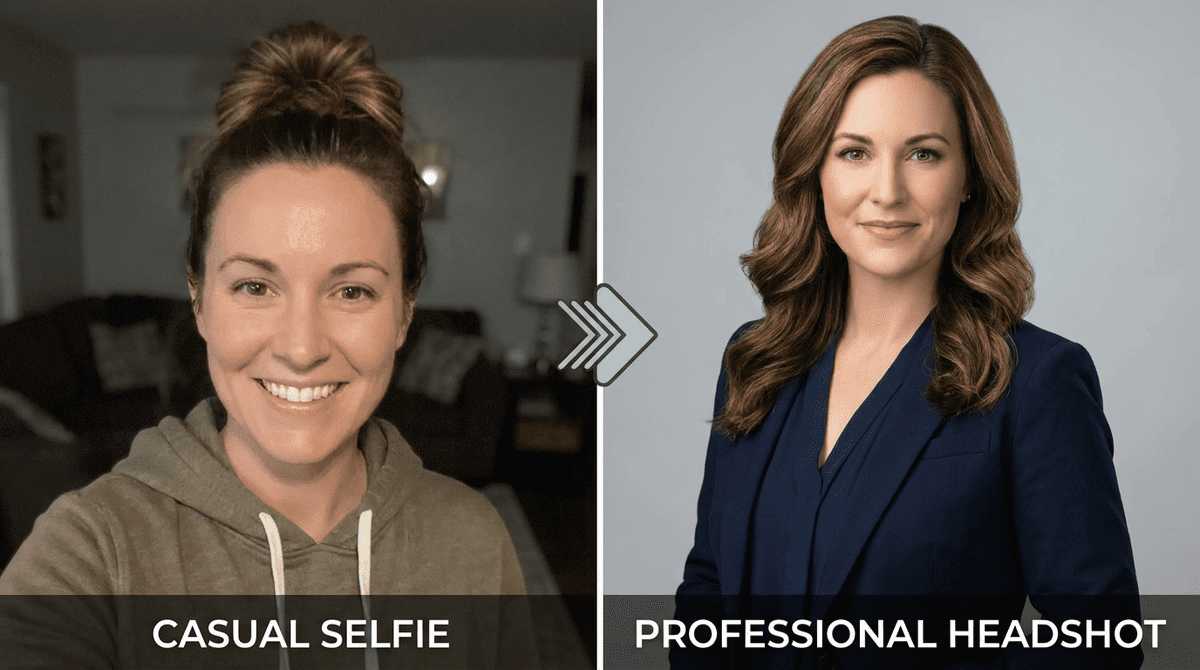
How do you make a LinkedIn headshot from a selfie?
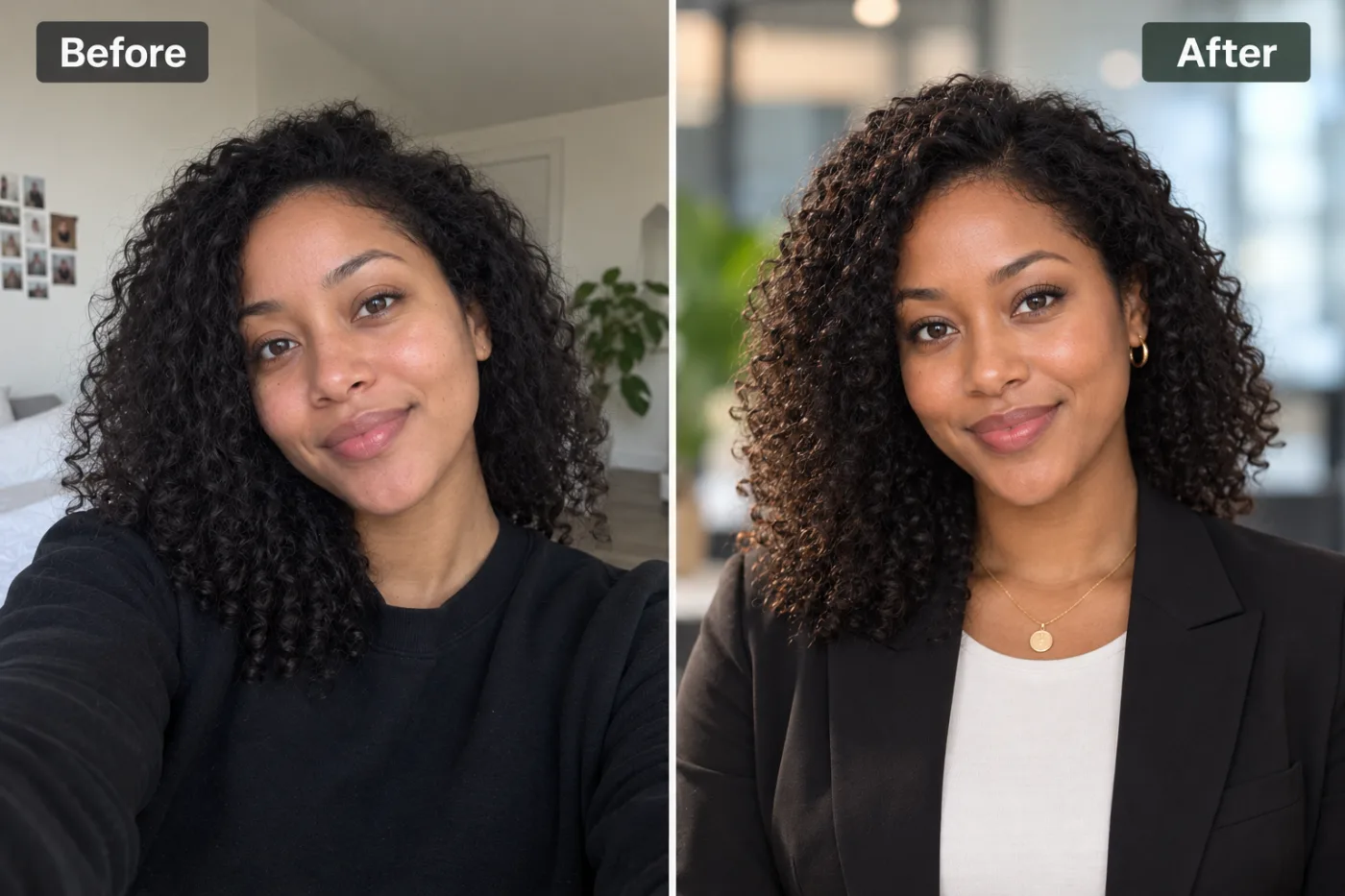
1. Take one clear selfie
Face a window, hold the phone at eye level, no sunglasses or filters. Only you in the photo.
2. Pick two or three styles
Open the headshot generator, choose Women or Men, and pick styles that suit your industry: a suit for finance or law, a blazer for most offices, smart-casual for tech and creative work. Each style is 2 credits.
3. Choose the background and upload
Pick your favourite, change its background colour if you like, and download it. In LinkedIn, tap your photo, then Add photo, and crop it so your face sits in the middle of the circle.
What makes a good LinkedIn profile photo?
- Your face is the focus. Head and shoulders, with your face filling most of the circle; LinkedIn shows it small next to your name.
- You look like you. Recent, recognisable, with your real hair and glasses. Someone meeting you on a call should know it's you.
- Facing the camera, with a natural expression. A slight smile reads as approachable.
- Clean, simple background. A plain colour or a softly blurred office keeps attention on you.
- Dressed for the job you want. Match what people in your field wear to work, one step smarter.
Which style suits your industry?
| Field | Styles to try | Background |
|---|---|---|
| Finance, law, consulting | Charcoal Office, Navy Blazer Office, Navy Executive Power | Grey, navy or office |
| Tech, product, marketing | Light Blue Suit, Brown City View, Green Blazer Classic | Softly blurred office or city |
| Healthcare, education, coaching | Beige Outdoor, Plaid Smart-Casual, Tan Suit Outdoor | Light, warm or outdoor |
| Sales and real estate | Light Blue Power Suit, Grey + Sky Blue | Bright, clean colour |
| Creative work | Smart-casual styles | A colour from your portfolio |
Who uses an AI LinkedIn headshot?
Job seekers
Recruiters glance at your photo before your headline. A professional photo makes the profile feel complete and current.
People changing careers
Moving from hospitality to tech, or from teaching to corporate training? A headshot styled for the new field helps you look the part.
Freelancers and consultants
Your LinkedIn photo is often a client's first impression. Use the same headshot on your website and proposals for a consistent brand.
Students and graduates
Get a polished photo for internship applications without paying for a studio. Matching a LinkedIn banner finishes the profile.
Is it OK to use an AI headshot on LinkedIn?
Yes, as long as it truly looks like you. LinkedIn's purpose is to help people recognise and trust you, so the photo should match how you look today: your face, your hair, your glasses. Don't use it to look younger, slimmer or like someone else. The generator is built to keep your features exactly, changing only the clothes, light and background, which is the same thing a good photographer does.
Tips for the best result
- Use a sharp, front-facing photo in daylight. It matters more than any setting.
- Try the same style twice. Each run is a new take; pick the most natural.
- Keep the background simple: plain grey, navy or light blue work in almost every industry.
- Update it when your look changes.
- Want a different look? The one-tap professional headshot app is another way to turn a selfie into a portrait.
What does it cost?
2 credits per style, and 2 credits to change a headshot's background. Packs start at $2; pack credits never expire. You need a free account. There's no watermark on what you download. More detail on the main AI headshot generator page.