Instagram Profile Picture Maker
A circle-crop-safe profile photo. Set the options to suit you, and download the result at full resolution with no watermark.
Click anywhere in this box or drag a photo in. Set the options on the left, then hit Generate — your original stays untouched, you always see both.
+ Choose a photoSee it in action — real before & after
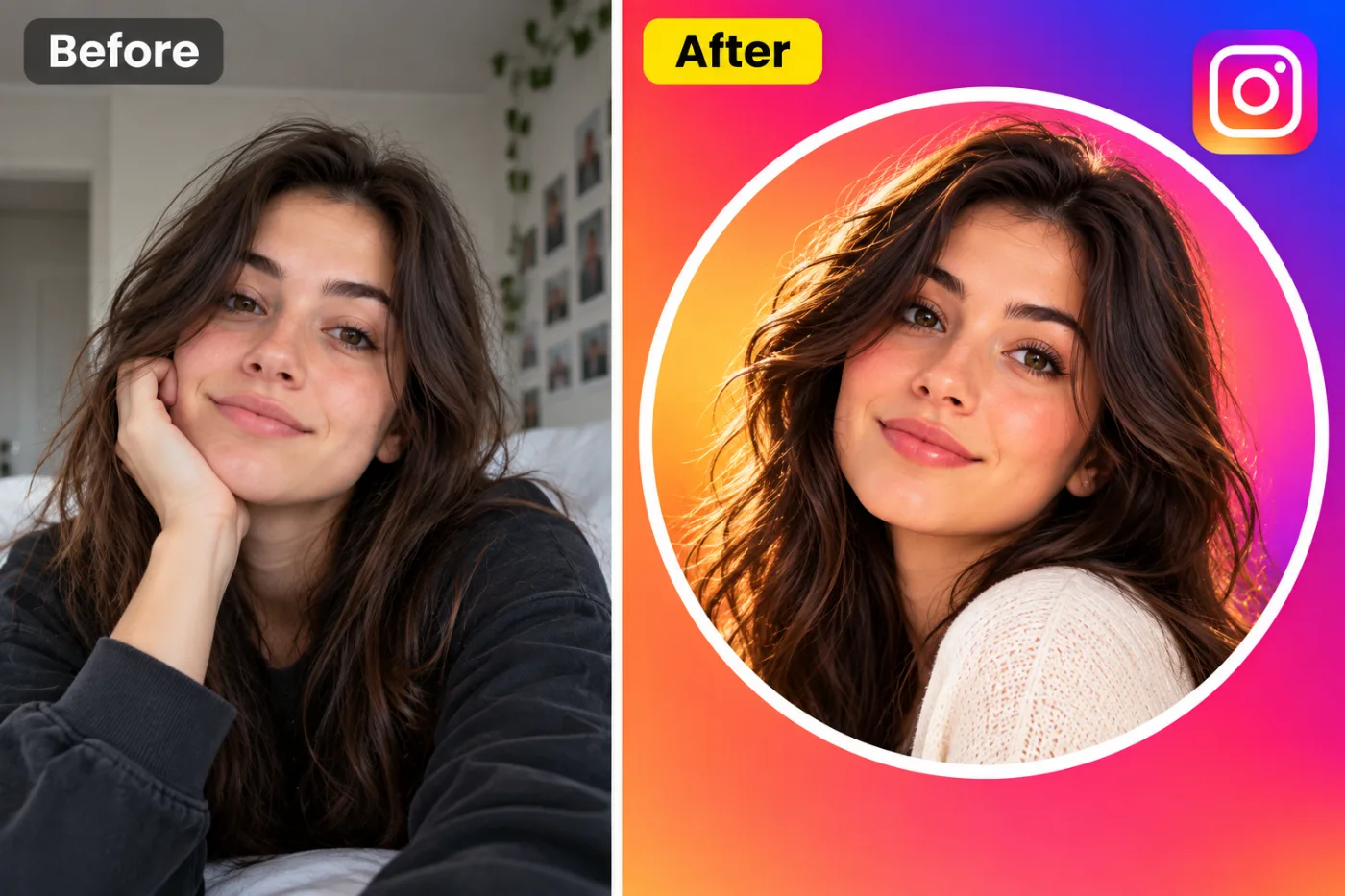
How to use Instagram Profile Picture Maker
Upload your image
JPG, PNG or WEBP. If the asset is going to be cropped several ways, start from the widest, highest-resolution version you have.
Choose the platform and shape
Square, portrait, wide, circle-safe, bold or minimal. The choice sets the ratio and where the subject sits inside it.
Download and post
Correct dimensions, full resolution, no watermark. It uploads without the platform re-cropping it for you.
Why use Instagram Profile Picture Maker
What Instagram Profile Picture Maker does
A circle-crop-safe profile photo.
Circle-safe composition
Avatars are masked to circles almost everywhere. Composing for that keeps the head centred and the corners expendable.
Safe areas respected
Cover images have a profile photo over one corner and buttons over another. The subject is placed clear of both.
Legible at thumbnail size
Most feed images are first seen very small. High contrast and a simple focal point are what survive that.
Room left for text
Deliberate empty space where a headline or caption goes, rather than a full-bleed image with nowhere to put type.
Consistent across a profile
Avatar, banner and post images that read as one identity instead of three unrelated pictures.
What Instagram Profile Picture Maker changes
Create an eye-catching profile picture: the person framed head and shoulders and centred, with a warm, natural smile and flattering soft light, keeping their own outfit and hair. Unless a background is given below, place them inside a thin white circular ring on a vivid sunset gradient that flows from orange through pink to purple. Clean, bright and readable at very small sizes. Add no logos, icons or text. Preserve the same person's recognizable identity from the uploaded reference: face shape, forehead, cheekbones, jawline, eye shape and spacing, eyebrows, nose, lips, natural asymmetry, age appearance, skin tone and distinctive features. Do not replace them with a generic AI face or beautify/idealize their features. Keep natural skin texture and pores; avoid waxy smoothing, exaggerated eyes, reshaped facial features and artificial symmetry. Change only what the app's requested transformation requires. For photographic results, use realistic camera detail: natural skin texture and pores, believable eyes and hair strands, coherent lighting and shadows, correct anatomy and perspective, and matching sharpness across face, neck and body. Avoid waxy skin, over-retouching, distorted features, face-morphing and pasted-on faces. If the app intentionally creates artwork, render the requested medium consistently across the whole image instead of forcing photorealism.
Your face, bone structure and skin tone are held fixed on every generation — only what is described above is changed.
Instagram Profile Picture Maker for every slot a profile has
A profile is a set of images with different jobs. Each one is cropped, masked and overlaid differently.
Stories and reels covers
9:16 with the top and bottom left clear of interface chrome.
Thumbnails
High contrast, one clear focal point, and space for a short piece of large text.
Link previews and OG cards
The 1200×630 card that appears whenever a link is shared anywhere.
Profile pictures and avatars
Circle-safe, legible at 40 pixels, recognisable as the same person or brand across platforms.
Key highlights of Instagram Profile Picture Maker
Benefits
Nothing gets cropped away
Composed for the target shape, so the platform has no reason to re-crop it.
Consistent identity
Avatar, banner and posts that visibly belong to the same account.
Fast enough to keep up
Social content is time-sensitive; this is minutes, not an afternoon.
No watermark
Nothing overlaid, at full resolution.
Credits never expire
One purchase, used whenever the next post needs an image.
What people use it for
What it is mainly used for
A circle-crop-safe profile photo. Set the options to suit you, and download the result at full resolution with no watermark.
Channel and page branding
Banner, avatar and thumbnail that read as one identity.
Video thumbnails
The image that determines whether a video is clicked, with space for a few large words.
Event and launch announcements
The same announcement in every ratio each platform needs.
Link preview cards
The image that shows up when a page is shared, which is often the first thing anyone sees of a site.
Prompt ideas
Say where the subject should sit and where the text is going. Social composition is mostly about reserving space, and a prompt that does not mention the text is the reason the headline ends up over someone's face.
Describe the light
Direction, softness and colour temperature. Light does more to how a photograph feels than any other single thing you can specify.
Re-run before rewriting
Generation is not deterministic. The same prompt twice gives two different results, and the second is sometimes simply better.
Name the platform and slot
"YouTube thumbnail" or "LinkedIn banner" carries a whole set of conventions in two words.
Say where the subject goes
"Subject on the left third, empty space on the right" is the single most useful instruction for anything with text on it.
Mention the circular crop
"Composed for a circular avatar, head centred, nothing important in the corners".
Reserve the text area
"Leave the upper third clear for a headline" — otherwise there is nowhere for the type to go.
More about Instagram Profile Picture Maker
The work is composition rather than decoration. Knowing that a circular avatar crops the corners, that a cover image is overlaid by a profile photo in the lower left, that a story has interface elements across the top and bottom — those constraints decide where the subject and any text can actually go. Producing the right pixel dimensions is the easy half.
Upload, pick the platform and the shape, and download. Each generation costs 2 credits from a one-time pack, so producing the same asset in four ratios is a few cents rather than an afternoon in a design tool.
Every platform crops differently, and each one crops in a way that is easy to forget until it has already happened. A rectangular avatar masked into a circle loses the top of someone's head. A cover photo has a profile picture sitting over one corner. Instagram Profile Picture Maker composes for the shape the image will actually appear in.
Getting the best result from Instagram Profile Picture Maker
- Start from the widest, highest-resolution source you have if the asset will be cropped several ways.
- Choose the ratio before generating rather than cropping afterwards.
- For avatars, keep the head centred and treat the corners as expendable — they will be masked off.
- Check any cover image against where the platform overlays the profile photo and buttons.
- Look at the result at thumbnail size. If it does not read at 100 pixels, it does not work in a feed.
- Ask for space for text instead of asking for the text itself; add real type afterwards.
- Keep a consistent palette across avatar, banner and posts — consistency is what reads as a brand.
- Export at the platform's stated dimensions so its own compression has less to do.
It runs online — nothing to install. Explore the rest of our AI Creative Apps, or open the full AI photo editor for more control.
Frequently Asked Questions
How does the instagram profile picture maker work?
What photo should I upload?
Is the instagram profile picture maker free?
Will it still look like me?
Do you watermark the download?
Will the image be the right size for the platform?
Will my profile picture work as a circle?
Can it put text on the image?
Can I make one image work everywhere?
Find another way to use Pixel Shine
Explore tools grouped by the outcome you want, including social media, LinkedIn, ecommerce, real estate, photography, creators and weddings.


