Game Avatar Maker
Blocky game-style avatars. Set the options to suit you, and download the result at full resolution with no watermark.
Click anywhere in this box or drag a photo in. Set the options on the left, then hit Generate — your original stays untouched, you always see both.
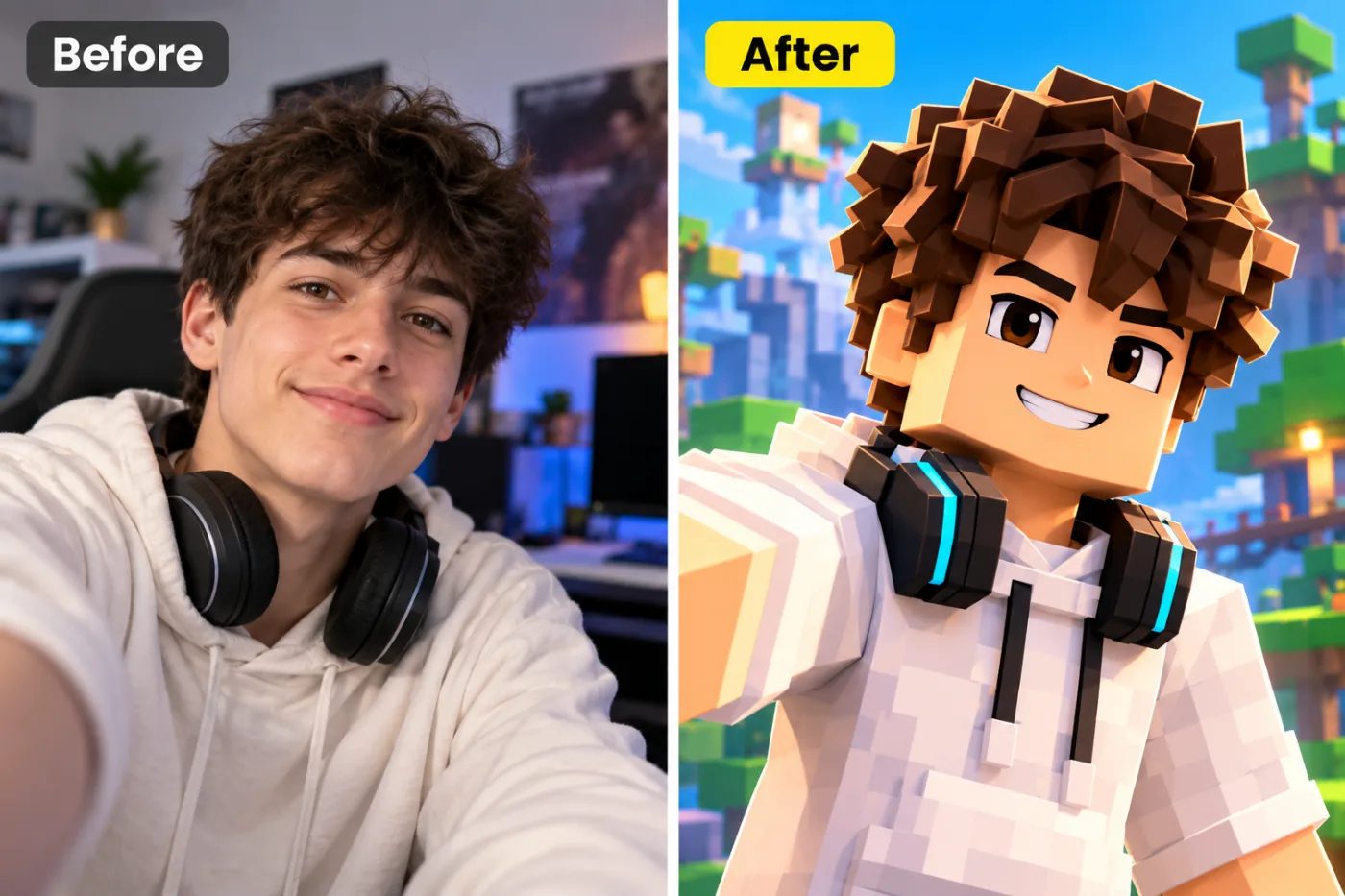
+ Choose a photoSee it in action — real before & after
How to use Game Avatar Maker
Upload your image
JPG, PNG or WEBP. If the asset is going to be cropped several ways, start from the widest, highest-resolution version you have.
Choose the platform and shape
Square, portrait, wide, circle-safe, bold or minimal. The choice sets the ratio and where the subject sits inside it.
Download and post
Correct dimensions, full resolution, no watermark. It uploads without the platform re-cropping it for you.
Why use Game Avatar Maker
What Game Avatar Maker does
Blocky game-style avatars.
Consistent across a profile
Avatar, banner and post images that read as one identity instead of three unrelated pictures.
One source, every shape
Generate square, portrait, wide and circular versions from a single upload.
Full resolution
Enough resolution that the platform's own compression does not visibly degrade it.
Correct dimensions per platform
The right ratio and pixel size, so the platform does not recompress and re-crop the image on upload.
Circle-safe composition
Avatars are masked to circles almost everywhere. Composing for that keeps the head centred and the corners expendable.
What Game Avatar Maker changes
Create a blocky voxel-style game avatar of this person: built from simple cubes and blocks, with bright saturated colour and a clean, readable silhouette, their hair colour, skin tone, outfit and accessories — headphones, a hoodie — translated into blocks. Unless a background is given below, set them in a sunny blocky voxel landscape of green hills, trees and blue sky. For photographic results, use realistic camera detail: natural skin texture and pores, believable eyes and hair strands, coherent lighting and shadows, correct anatomy and perspective, and matching sharpness across face, neck and body. Avoid waxy skin, over-retouching, distorted features, face-morphing and pasted-on faces. If the app intentionally creates artwork, render the requested medium consistently across the whole image instead of forcing photorealism.
Your face, bone structure and skin tone are held fixed on every generation — only what is described above is changed.
Game Avatar Maker for every slot a profile has
A profile is a set of images with different jobs. Each one is cropped, masked and overlaid differently.
Banners and cover images
Wide, composed around the elements the platform lays over them.
Feed posts
Square and 4:5, which is the ratio that occupies the most vertical space in most feeds.
Stories and reels covers
9:16 with the top and bottom left clear of interface chrome.
Thumbnails
High contrast, one clear focal point, and space for a short piece of large text.
Key highlights of Game Avatar Maker
Benefits
Every shape from one image
Four ratios from one upload rather than four manual crops.
Nothing gets cropped away
Composed for the target shape, so the platform has no reason to re-crop it.
Consistent identity
Avatar, banner and posts that visibly belong to the same account.
Fast enough to keep up
Social content is time-sensitive; this is minutes, not an afternoon.
No watermark
Nothing overlaid, at full resolution.
What people use it for
What it is mainly used for
Blocky game-style avatars. Set the options to suit you, and download the result at full resolution with no watermark.
Ad creative variants
Several ratios and crops of one concept, for testing across placements.
Team and community profiles
Consistent avatars across a group, which makes a community look organised.
Seasonal profile refreshes
A quick restyle for a campaign or a holiday, without redesigning anything.
A new profile photo across every platform
One portrait, composed correctly for a circular avatar, a square post and a wide banner.
Prompt ideas
Say where the subject should sit and where the text is going. Social composition is mostly about reserving space, and a prompt that does not mention the text is the reason the headline ends up over someone's face.
Mention the circular crop
"Composed for a circular avatar, head centred, nothing important in the corners".
Reserve the text area
"Leave the upper third clear for a headline" — otherwise there is nowhere for the type to go.
Ask for thumbnail legibility
"High contrast, readable at 100 pixels wide", because that is the size most people will first see it.
Set the ratio explicitly
"9:16 vertical" or "1200x630". Pick it before generating; cropping afterwards loses part of the frame.
Keep the brand colours
"Use a deep orange and near-black palette" keeps a set of assets looking related.
Avoid generated text
Ask for space for text rather than for text itself — generated lettering is still unreliable, and real type will always look better.
More about Game Avatar Maker
The most common mistake is generating a beautiful full-bleed image and then discovering there is nowhere to put the headline. Reserving the empty space before generating, rather than hunting for it afterwards, is the whole trick.
Every platform wants a different shape, and getting it wrong is expensive in a way that is easy to miss. A square image on a vertical feed wastes half the screen. A banner sized for one platform gets its subject cropped out by another. A profile picture composed as a rectangle loses the top of someone's head the moment it is masked into a circle. Game Avatar Maker produces the right shape with the subject where it needs to be.
The work is composition rather than decoration. Knowing that a circular avatar crops the corners, that a cover image is overlaid by a profile photo in the lower left, that a story has interface elements across the top and bottom — those constraints decide where the subject and any text can actually go. Producing the right pixel dimensions is the easy half.
Getting the best result from Game Avatar Maker
- Generate a few variants and look at them in the actual feed before choosing.
- Keep the source image; the next platform will want a different shape.
- Start from the largest, least compressed original you have — a screenshot of a photo has already lost detail that cannot be recovered.
- Soft, even light in the source photo gives the best result almost regardless of what you are generating.
- Judge every result at full size, not zoomed out. Problems hide at small sizes.
- Generate two or three times before deciding. Results vary between runs, and the first is not reliably the best.
- Check hands, text, jewellery and glasses in any result before sharing it — those are still where image models most often slip.
- Choose the aspect ratio before generating rather than cropping afterwards.
It runs online — nothing to install. Explore the rest of our AI Creative Apps, or open the full AI photo editor for more control.
Frequently Asked Questions
How does the game avatar maker work?
What photo should I upload?
Is the game avatar maker free?
Will it still look like me?
Do you watermark the download?
Will the image be the right size for the platform?
Will my profile picture work as a circle?
Can it put text on the image?
Can I make one image work everywhere?
Find another way to use Pixel Shine
Explore tools grouped by the outcome you want, including social media, LinkedIn, ecommerce, real estate, photography, creators and weddings.


